
Smore logo
remove_red_eye 179
page background
page background

December - Pathways to Progress

Dec. 2025

December - Pathwaysto ProgressDec. 2025

AI Supporting Family Engagement & Communication AI Supporting Family Engagement & Communication

a list of content-generation tools with brief descriptions: "Report Card Comments — Generate report card comments with a student’s strengths and areas for growth."; "Letter of Recommendation — Generate a customized letter of recommendation to an institution for a student."; "Text Translator — Translate any text or uploaded document into any language."; "Social Media Post — Generate a strong social media post to share on popular platforms."; "Email Responder — Generate a custom professional email in response to an email that you received."; "Class Newsletter — Generate a custom newsletter to send to families."
zoom_out_map Show in original size

It’s that time of year again! Let MagicSchool help you stay connected and in communication with families as the semester comes to a close.

  • Prewritten report card comment banks let teachers quickly personalize feedback without starting from scratch

  • Text translator ensures accurate, instant translations so multilingual families receive timely updates

  • Email responder handles routine inquiries and confirmations automatically

  • Templates for letters of recommendation speed up requests while keeping them professional

  • Scheduled social media posts share class highlights in one go instead of repeated outreach

  • A class newsletter consolidates announcements, deadlines, and resources into a single distribution

Using these communication tools with families saves teachers time at the end of the semester by automating and streamlining common tasks, reducing repetitive work and follow‑ups so teachers can focus on grading and student support.

Tool of the Month Spotlight! Tool of the Month Spotlight!

Poster titled "Tool of the Month Spotlight–December Fun Challenge!" with a festive challenge description. Text explains the goal: "Create some FUN activities for your students to keep them engaged in the month of December." Instructions list how to participate: choose a prompt based on your grade band, put the prompt into MagicSchool to create activities, use the activity in class, and celebrate by filling out a "Magic Moments Nominations" for yourself (with a cat emoji). It invites users to choose a fun prompt or create their own and lists three grade bands: "Elementary Level," "Intermediate Level," and "High School Level."
open_in_new zoom_out_map Show in original size

Magic Moments Magic Moments

Newsletter excerpt titled "Magic Moments" featuring brief shout-outs. It highlights Charotta Floyd at Strack participating in the Magic Student pilot and expressing excitement about creating with the program; praises Robin Surlark, a Special Education In‑Class Support teacher, as a "MagicSchool MASTER" for using MagicSchool to create goals, progress monitor fourth graders, and design assessment questions; and notes Gregory Twidal at Klein Collins using MagicSchool to create stimuli for SAQs. The tone is celebratory and congratulatory, formatted as short paragraphs with names, locations, and one- or two‑sentence descriptions of each educator’s accomplishment.
zoom_out_map Show in original size
Newsletter section titled "Magic Moments" with three teacher shout-outs. 1) Darrell Hamlett at Klein Collins uses MagicSchool to create resources and activities that help break down word meanings for his ELL students. 2) Coach Bradshaw at Klein Collins has used MagicSchool to create social skills lessons and worksheets for his social skills class. 3) Lauren Reinhardt — called out with “Abracadabra” and a standing ovation as the top MagicSchool user at Hildebrant — receives a celebratory paragraph saying her dedication transforms lessons, sparks curiosity, and brings kindness, creativity, and passion that create students’ “aha!” moments (with sparkle and celebration emoji).
zoom_out_map Show in original size
User uploaded image
zoom_out_map Show in original size

Do you know someone is making MAGIC with MagicSchool? Fill out this form and share the MAGIC!

MagicSchool Leaderboards MagicSchool Leaderboards

User uploaded image
open_in_new zoom_out_map

Top Tools of November

User uploaded image
open_in_new zoom_out_map

Top 10 Writing Feedback Users

User uploaded image
open_in_new zoom_out_map

Elementary Top 5 Writing Feedback Campuses

User uploaded image
open_in_new zoom_out_map

Secondary Top 5 Writing Feedback Campuses

Supporting the Instructional Priorities in the Library Supporting the Instructional Priorities in the Library

A holiday-themed Library Services “Curriculum Connections” graphic with three sections for Elementary, Intermediate, and High School. At the top, text reads “Holiday Edition” with festive lights and greenery.  Elementary section: Shows a red graphic titled “Christmas Around the World Research Scavenger Hunt” with an illustration of Santa and a Christmas tree. Text below explains that students can use Gale to explore reliable resources and complete a holiday-themed scavenger hunt, with a note to share completion for a chance to win a class prize.  Intermediate section: Displays Adobe’s “12 Days of Creativity” image featuring twelve colorful daily prompts in small numbered squares with icons. Text explains students can explore design tools, build digital creation skills, and complete bite-sized creative challenges.  High School section: Shows a blue Canva Design School screen titled “How to use Magic Activities to create engaging lessons,” with two example activity cards featuring simple graphics. Text encourages teachers to use Canva Magic Activities for lesson planning using provided prompts or upcoming TEKS. Festive decorative elements appear around the edges. A note at the bottom says to go to the dashboard and log into the database before clicking any links.
open_in_new zoom_out_map Show in original size
A colorful December-themed “Library Services” graphic divided into three sections: Library Events, eBooks, and Resource Spotlight. Decorative elements like stars, books, and abstract shapes surround the layout.  Library Events section: Features a poster titled “Klein Intermediate Libraries Podcast Challenge” with illustrations of headphones, sound waves, and a microphone. Text states the challenge begins November 6th and is due November 21st, with a note to see the librarian for more information.  eBooks section: Displays six holiday-themed book covers, including “Santa Claus the Brave,” “La Navidad,” “Christmas Sweater,” “The Christmas Book Flood,” and “Have Yourself a Cheesy Little Christmas.” A caption reads, “Check out these titles on Sora!”  Resource Spotlight section: Shows a snowy graphic with red cardinals and the phrase “Snow is falling, ebooks are calling!” Below is an image of a tablet displaying the Sora app. Text explains that the district offers a free collection of curated ebooks and audiobooks through Sora, usable on Clear Touch Panels or student devices.  At the bottom, text reads, “See your campus Librarian for more information!!”
open_in_new zoom_out_map Show in original size

Using AI to Engage Students Using AI to Engage Students

Use Raina in MagicSchool to create themed activities and lessons to keep students engaged with learning as the semester comes to a close.

A colorful “Fall & Winter AI Prompt Cheat Sheet for Teachers” with a cartoon teacher character and decorative fall and winter icons. The sheet is divided into three columns of AI prompts for classroom use: Thanksgiving/Fall-Themed Activities, Christmas-Themed Activities, and Winter Holidays–Themed Activities. A directions section on the left instructs teachers to customize prompts, refine results, and check AI outputs for quality. It also promotes Shake Up Learning resources.  Thanksgiving/Fall-Themed Activities column:  Gratitude Journal: Create daily gratitude prompts for students to reflect on thankfulness before Thanksgiving.  Thanksgiving History Lesson: Develop a lesson on Thanksgiving history from Pilgrim and Native American perspectives.  Fall Science Experiments: Design experiments exploring leaves changing color or physics of parade floats.  Harvest-Themed Math Problems: Generate math problems using pumpkins, apples, and harvest symbols.  Thanksgiving Storytelling: Students collaboratively write a Thanksgiving-themed story.  Thanksgiving Classroom Décor: Suggest Thanksgiving decorations such as a reading corner, gratitude tree, and bulletin boards.  Christmas-Themed Activities column:  Christmas Around the World: Create a lesson exploring global Christmas traditions, customs, and celebrations.  Holiday-Themed Writing Prompts: Provide prompts for students to write holiday stories, poems, or letters to Santa.  Christmas Art Projects: Design Christmas crafts like ornaments, cards, or a winter mural.  Christmas Kindness Calendar: Create a calendar of daily kindness acts leading up to Christmas.  Holiday Math Challenges: Generate Christmas-themed math activities like budgeting or calculating costs.  Christmas Classroom Décor: Plan holiday decorations such as a reading corner, student-made ornaments, and festive lighting.  Winter Holidays–Themed Activities column:  Winter Holiday Traditions: Develop a lesson covering Hanukkah, Kwanzaa, New Year’s, and other winter holidays.  Winter-Themed Science Lessons: Design lessons on snow, freezing temperatures, or winter-related science topics.  Winter Poetry & Storytelling: Create poetry or storytelling prompts focused on winter themes.  Virtual Winter Field Trips: Plan virtual trips to the Arctic, snowy national parks, or cultural sites.  Holiday Music & Movement: Design lessons about holiday music or cultural dances from winter holidays.  Winter Classroom Crafts: Suggest winter crafts like snowflakes, gingerbread scenes, or handmade gifts.
open_in_new zoom_out_map Show in original size

Special thanks to Kasey Bell at ShakeUpLearning.com , who shares amazing classroom technology resources and articles with teachers.

Seesaw Supporting Instructional Priorities Seesaw Supporting Instructional Priorities

Learn about all the new tools available in Seesaw!

Introducing Seesaw's New Instructional Tools

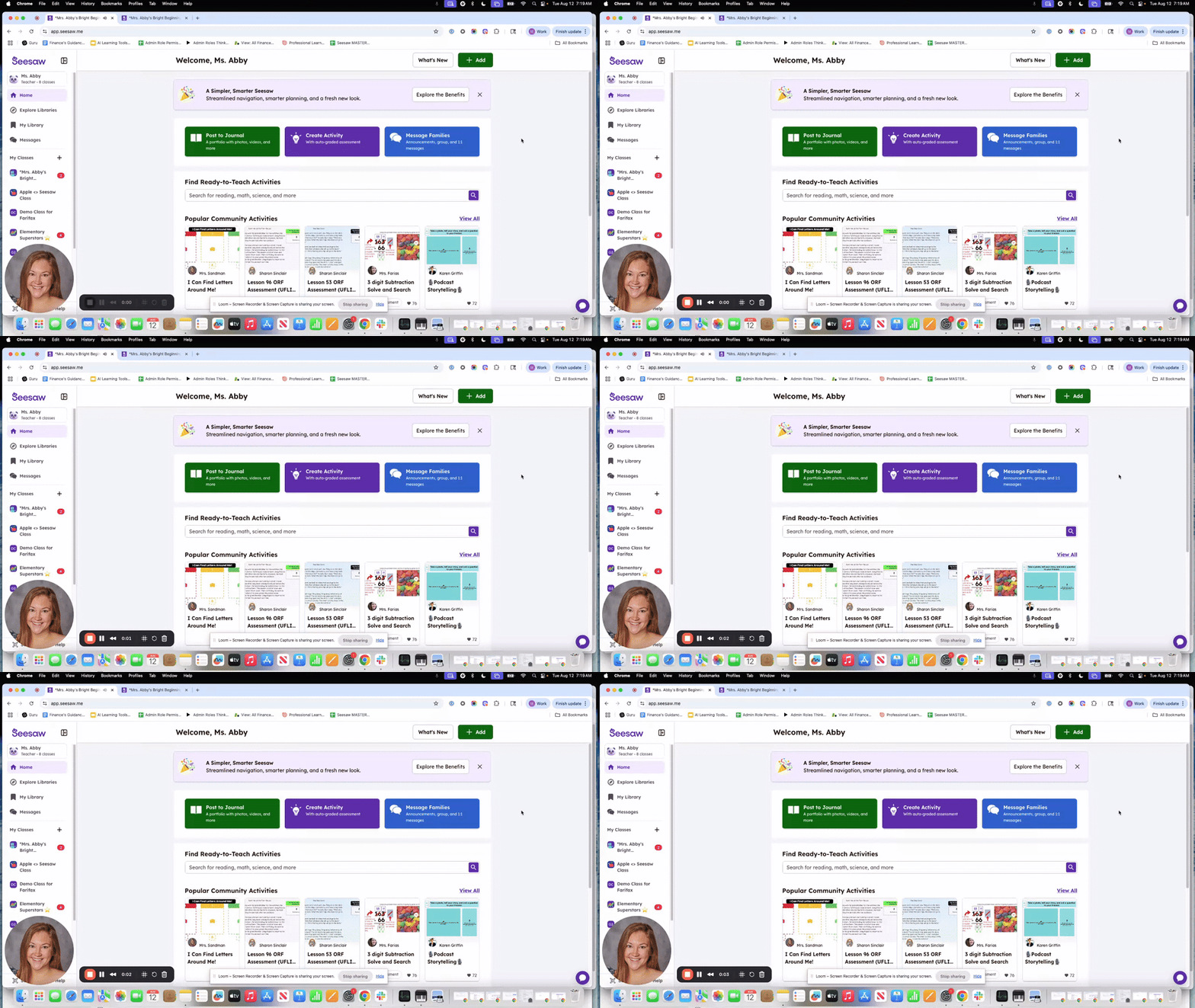
Good morning! In this video, I’m excited to showcase our new instructional tools that rolled out last year, which I know many of you may have missed. We have fantastic features like FlexCards, the Read With Me tool, and Focus Mode that can really enhance our teaching methods. I encourage you to explore these tools and see how they can be integrated into your lessons. Let’s make the most of these resources to support our students' learning!

launch loom.com
Reading Fluency 1-Pager
Capture and auto-score students' reading. Teachers can analyze student data to tailor instruction and meet their students' diverse needs.
Read-With-Me 1-Pager
Teachers can scaffold and support emerging readers with passages that can be read aloud to them with word-by-word highlighting - allowing students to make powerful connections between spoken and written words.
Formative Assessment 1-Pager
Formative Assessments are lightweight assessments that teachers perform daily to quickly gauge student understanding as the class progresses through a unit.
Focus Mode 1-Pager
Reduce distractions and align activities to the developmental needs of students with Focus Mode.
Flexcards 1-Pager
Flexcards offer greater customization and variability in activities. These digital flashcards can contain text, images, audio, or a combination of all.

Upcoming PD Upcoming PD

User uploaded image
zoom_out_map

Techpalooza is Back on Jan. 24th

Our October session got rained out, but don’t worry, we’re rolling back in on January 24th with clear skies and big energy! If you were already registered, you’re still on the list (we took care of it 👀). If you weren’t registered but want in on the magic, you can register here. Let’s make Jan. 24th a bright, rain-free comeback. 🌈🚀

Promotional graphic for Magic School’s “December ACES Recap: Review, Reflect & Roadmap” event. Left side features purple background with stars and sparkles, event title, and Magic School logo. Right side includes event details: a one-hour required session to celebrate progress, discuss challenges, and plan ahead, with 1-hour exchange day credit offered.
zoom_out_map Show in original size

Choose the time that fits your schedule - Join from anywhere … desk, couch, blanket fort, doesn’t matter. Cozy socks encouraged.🧦 This session will ensure everyone is aligned, informed, and ready to support future Magic Making!.

Register for Tuesday, Dec. 2 - 6:00-7:00 PM
Register for Wednesday, Dec. 3 - 7:00-8:00 PM
Register for Thursday, Dec. 4th - 4:30-5:30 PM

Past Editions of Pathways to Progress Past Editions of Pathways to Progress

User uploaded image
open_in_new zoom_out_map

August/September - Pathways to Progress

User uploaded image
open_in_new zoom_out_map

October - Pathways to Progress

User uploaded image
open_in_new zoom_out_map

November - Pathways to Progress

Meaghan O'Hara
Instructional Officer for Digital Learning & Libraries

mohara1@kleinisd.net

KISD.US/DigiLearn

Digital Learning YouTube Channel

Loading indicator

close

Created with

Communicate quickly and effectively with interactive newsletters.

Smore empowers educators to connect with their community, streamline school communications,
and increase engagement.

Create a newsletter