remove_red_eye 61
page background

Swivl

Training Course & Checkout System for SWP Teachers

SwivlTraining Course & Checkout System for SWPTeachers

What is Swivl?

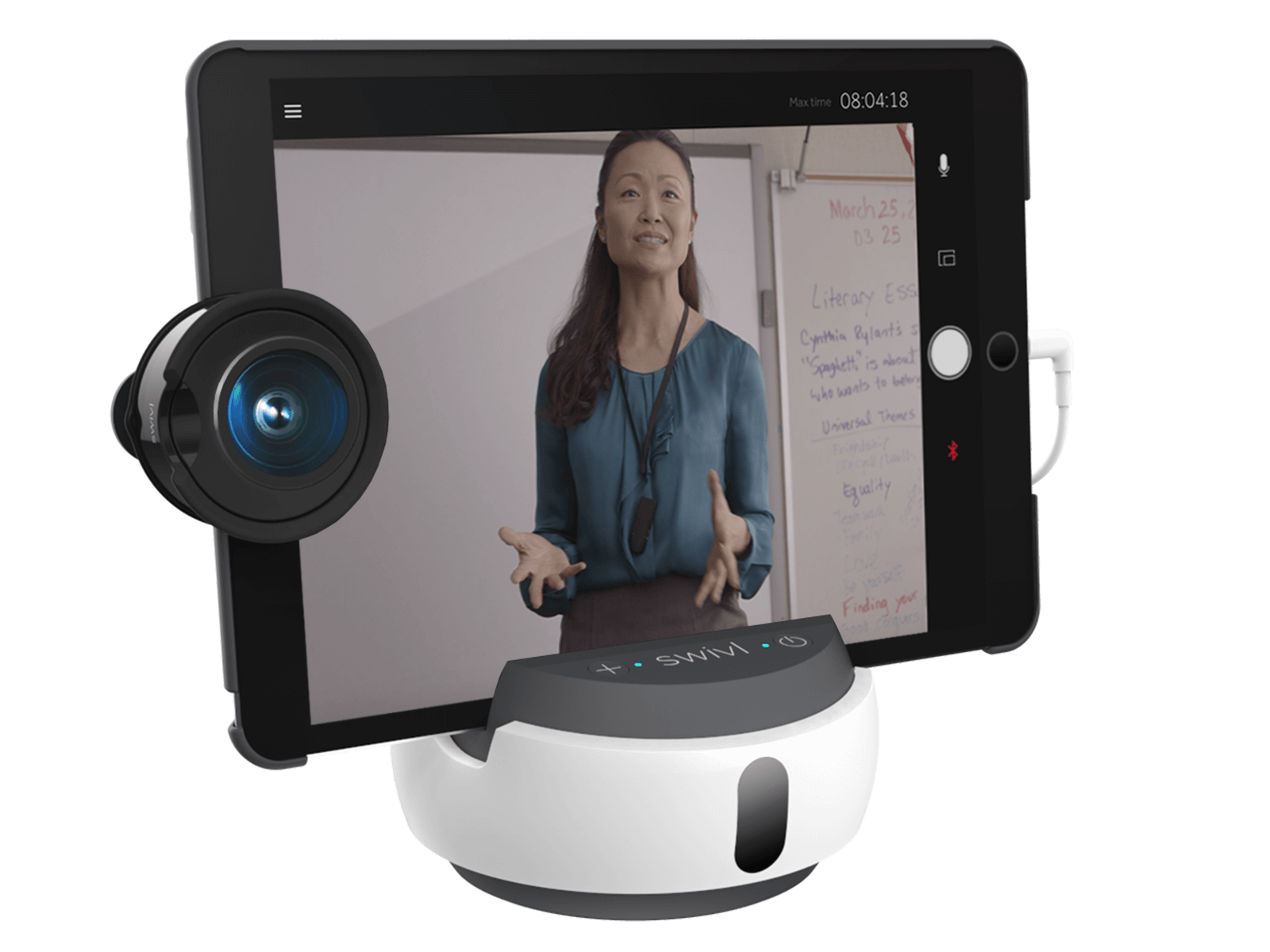
Swivl is a video robot that can help you improve your instructional practice through video and audio recordings. The system holds an iPad or Phone on a rotating base that tracks the movements of whoever is wearing a special pendant marker. If your lesson includes a slide presentation, it can be uploaded and advanced on the recording as you teach so slides are more readable when watching the video playback.


The pendant marker includes a microphone for improved audio recording. 4 student microphones are also available. These can be placed in small groups to record audio during collaborative work time. When watching the recording, you can isolate individual microphones to better hear exactly what is being said by each group. This can help teachers better assess student collaboration and participation.


Recorded videos are uploaded to the Swivl cloud and can be kept private for your own personal reflection or shared with a colleague for feedback and collaboration. Comments entered are time-stamped and will appear at these times when the video is played back.


Look through the content below to familiarize yourself with Swivl and make a plan for how and when you'd like to reserve the system. Then complete the Swivl Use Form to communicate your plan and reserve the system.


Email Rachel with any questions or for help formulating a plan!

School Swivl Uses - Swivl - Video observations that strengthen and inform teachers

School Swivl Uses - Swivl - Video observations that strengthen and inform teachers

launch swivl.com

Our Swivl System

We have the C5 system for each building. This includes:

  • the Swivl robot
  • a tripod stand
  • a teacher pendant tracker and microphone
  • 4 student microphones
  • a dedicated iPad

Training

If you'd like to self-train to use the system independently, please carefully review the guide below prior to reserving the system. You will have the option in the use form to request in-person training or for Rachel to runt the system for you during your lesson.
Swivl Set Up Guide

Swivl Set Up Guide

2019 User Guide: Download 2019 User Guide Companion Video: WATCH 2019 Quick Start Guide for C-Series Robot: Download Successful Robot...

launch swivl.zendesk.com

Swivl Use Forms Swivl Use Forms

Check Availability

Please check the Swivl calendar for your school prior to submitting the reservation form.

Please reserve the system at least 1 week prior to the dates you'd like to use it. Some account setup is required and additional training may be necessary.


  • Montezuma Elementary
  • Riverton Parke Jr- Sr High
  • Rosedale Elementary
Montezuma
Riverton Parke
Rosedale
Loading indicator

close
Powered by