remove_red_eye 405
page background

Email

Tech Tip Tuesday (May 19, 2026)

Email Tech Tip Tuesday (May 19, 2026)
EmailTech Tip Tuesday (May 19, 2026)

It's a communication tool, not a to-do list. It's a communication tool, not a to-do list.

Managing email is a habit we need to maintain routinely. I know we sometimes feel shame and think we need to act on it, especially when someone comments on it. It's a small one, but it can lead to lasting happiness in our digital spaces that can lead us to higher productivity and digital wellnes..


There are times when we can intentionally set a timer to clean and organize, and we should allow ourselves to stop when the timer is done.


Ultimately, keeping up with our inbox can bring either momentary gratitude or lingering, dull chaos.


Credit and inspiration: Matthew Mays at SPARCC

Here are four D's to help you keep up with it. Here are four D's to help you keep up with it.

An infographic titled "Ongoing Inbox Management" presents four strategies for productivity, known as the 4 Ds, arranged in a grid. The first strategy, Delete, features a trash can icon and advises being brutally honest about what is actually needed. The second, Delegate, shows a person-to-person icon and suggests forwarding emails to the appropriate department or teammate. The third, Do, displays a checklist icon and recommends completing tasks immediately if they take less than two minutes. The final strategy, Defer, uses an icon of arrows hitting a target and suggests using tools like Snooze, Tasks, and Google Keep for items to be handled in the future.
zoom_out_map Show in original size

I'll let Guy Fieri have the three D's. I'll let Guy Fieri have the three D's.

Gmail features that make email easier Gmail features that make email easier

You still have to do some of the work. You still have to do some of the work.

Snooze emails until later
Temporarily remove an email from your inbox with Gmail Snooze, and have it return at the time you choose so you can deal with it later.
Create filter rules
Automatically organize incoming emails in Gmail by creating filters that label, archive, delete, star, or forward messages based on rules you choose.
Create a Task in Gmail
Turn important emails into to-dos by creating a Google Task directly from Gmail, so you can keep track of follow-ups and action items in one place.
Use Keep in Google tools
Capture ideas, reminders, and checklists in Google Keep so you can quickly organize information and access it from anywhere.
User uploaded image
zoom_out_map Show in original size
User uploaded image
zoom_out_map Show in original size
A colorful graphic featuring a stylized, ringed planet similar to Saturn against a gradient background of green, teal, purple, and magenta. Centered over the planet, the words "THE KID SHOULD SEE THIS" are written in a large, white, 3D-outline font. Below the title, a tagline in a simple white sans-serif font reads, "Smart videos for curious minds of all ages."
open_in_new zoom_out_map

Inspire Wonder and Learning

The Kid Should See This is a free collection of videos curated for teachers and families by a person, not an algorithm. With over 7,000 videos, the site features engaging stories about art activities, astronauts, auroras, ballet, chocolate, classical music, composting, cookies, dance, desserts, farms, food chains, fossils, harvesting, instruments, the Milky Way, the moon, NASA, national parks, orchestras, the sun, the Overview Effect, performances, recipes, soil, space rocks, stars, telescopes, world records, zoetropes, zoo animals, and much more. Created to inspire curiosity in learners of all ages, it brings together high quality educational storytelling from museums, universities, experts, innovators, artists, and enthusiasts, making it a valuable resource for classroom enrichment, family learning, and independent exploration.

The Kid Should See This | Smart videos for curious minds
The McGraw Hill AR Online logo. On the left, a solid red square contains the text "McGraw Hill" in white, stacked vertically. To the right of the square, the letters "AR" appear in large, dark gray font, followed by the word "ONLINE" in a slightly smaller, red sans-serif font.
open_in_new zoom_out_map

Bringing Learning to Life with AR

McGraw Hill AR Online is an interactive learning platform that brings augmented reality (AR) experiences into the classroom through activities across math, science, social studies, and English language arts. The platform currently features more than 50 immersive activities designed to help students visualize complex concepts and deepen understanding through exploration and interaction.


Classrooms can investigate topics such as the human eye, the periodic table, the Silk Road, quadratic functions, map skills, and the solar system using interactive digital experiences that encourage critical thinking and problem-solving.


Note: there's no saving or submissions since it requires no accounts

Access provided courtesy of Verizon

McGraw Hill AR Online
User uploaded image
zoom_out_map Show in original size

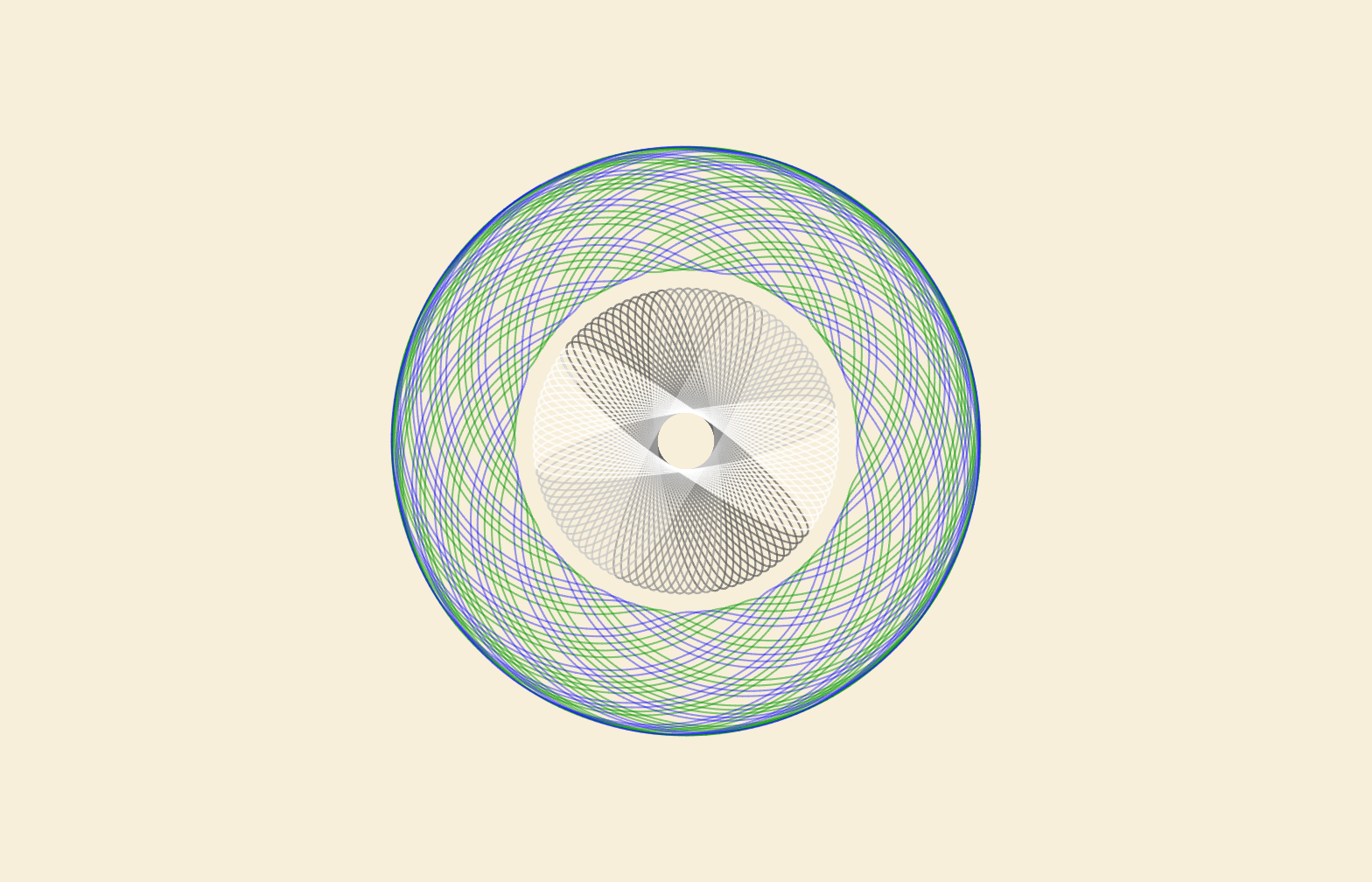
Create Digital Spirograph Art

Inspiral Web is a free browser-based drawing tool that lets students create intricate geometric art using virtual gears and rings, similar to a digital Spirograph. Students can experiment with patterns, symmetry, rotation, and design while exploring concepts connected to math, art, and creativity. Finished designs can be downloaded and shared, making it a fun option for STEAM activities, early finisher work, or creative exploration.


Or you know, it's kinda cool and soothing to the mind if I don't happen to own the physical devices.

Inspiral Web

Inspiral Web

The web version of the Inspiral app. Written in TypeScript, using D3.js.

launch inspiral-web.nathanfriend.com
User uploaded image
zoom_out_map Show in original size
A schedule for the Learning Technology Center (LTC) for the week of May 18–22. The schedule is presented as a series of rows indicating the date, day of the week, and school locations for morning (AM) and afternoon (PM) sessions.  * **Monday, May 18:** Freeport Middle School (AM) and Center Elementary School (PM). * **Tuesday, May 19:** Jones-Farrar IB World School (AM) and Blackhawk Elementary School (PM). * **Wednesday, May 20:** Freeport School District 145 (AM & PM), noted as "Available for all schools!" * **Thursday, May 21:** Early Childhood Center (AM) and Lincoln-Douglas Elementary School (PM). * **Friday, May 22:** Freeport High School (AM) and Empire Elementary School (PM).  The top of the graphic includes the LTC logo and a large call to action: "Click to schedule!"
open_in_new zoom_out_map Show in original size
Schedule a time!
Click here to make it easy!
An infographic schedule for the Learning Technology Center (LTC) for the week of May 25th. The top right features a call to action: "Click to schedule!" The schedule is organized in a vertical list: • Monday, May 25: No School (Memorial Day). • Tuesday, May 26: Home Office. • Wednesday, May 27: Home Office. • Thursday, May 29: Home Office. • Friday, May 30: Home Office. The design uses alternating light blue and pink rows, with the LTC logo appearing next to each "Home Office" entry. Note: The dates skip May 28 and list May 30 as Friday.
zoom_out_map Show in original size
Alt text: “Animated circular graphic with the Learning Technology Center (LTC) logo in the center, surrounded by rotating blue and black rings. The GIF includes the text ‘Dad Joke of the Week.’”
zoom_out_map

Why were the horses struggling to use the internet?

Because they were not able to find any stable connections.


Made with MagicSchool's Teacher Joke Generator

User uploaded image
zoom_out_map

Brian Krause, Instructional Technology Coach

Contact me to collaborate on your next project, troubleshoot what you do currently, or to just answer a question you have!


📧 Email: bkrause@ltcillinois.org
📱 Work Cell Phone: (815) 362-4791
🐥 TwiX: @bmkeducation

Always happy to meet!
Choose a time here that works best for your schedule!
Tech Tip Tuesday
open_in_new zoom_out_map

Want to catch up on the old tips?

Click here or below for an archive of all Tech Tip Tuesday newsletters.
Make today tolerable!
Thanks for reading!
Loading indicator

close
Powered by