

DECEMBER EDTECH UPDATE
December 2025 - EdTech Tips, Teaching Strategies & More..

What's new with SEESAW?
💜 🏆 Seesaw Instruction & Insights is THE 2025 CODiE Award WINNER for Best Education Platform!
It was recognized for empowering educators with meaningful learning tools and powerful insights that drive student engagement. Learn more about the Award Winning Platform: https://bit.ly/44lDOXY
Check out Heidi Corce at Awbrey Park using Seesaw and with her students on a Vibe board which was received through an EEF grant last year! Nice work!
Seesaw has created AI Literacy lessons to help elementary students learn about what AI is and how it should and shouldn't be used. Check out the AI Literacy lessons free in the Seesaw Library.
December Engagement Ideas:
- Classroom Dailies
- Use the calendar to quickly find ready-to-present and standards-aligned lessons from within our Resource Library! With lesson suggestions for each and every day, you can turn to Seesaw to support your classroom instruction on a routine basis.
- Tap into Seesaw to explore lessons that are:
- Timely and thematic
- Standards-aligned
- Flexible to support a range of instructional methods
- Fun and engaging
- Choose your grade level below and start assigning lessons today!



Hour of AI
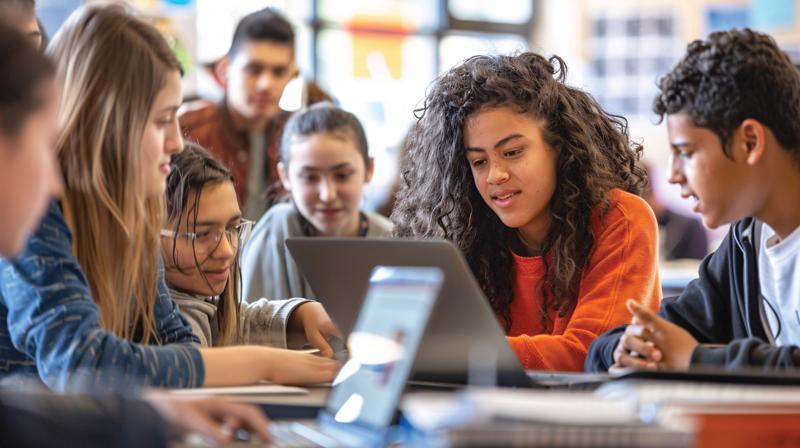
School Ai is joining with Code.org's #HourofAI with an activity that helps students see AI as a tool they can shape, not just use.
The AI Problem Solvers Challenge provides students aged 6–18 with hands-on experience in designing AI prompts to solve real-world problems in their schools and communities. They learn the four-step prompt design process, collaborate in teams, test their ideas in our AI Problem Solvers Simulator, and reflect on ethical AI use.
By the end of the hour, students will understand how AI follows human instructions and how thoughtful design can amplify their creativity and problem-solving abilities.
Access free lesson plans tailored by age, student worksheets, and a facilitator guide here → https://lnkd.in/gW9x_WCe







Fun Winter Tech Activities
Looking for some fun easy winter activities to do with students? There are so many options and tools available for you to let students of all ages be creative!
- Canva has great templates that students can easily manipulate then share with the class, parents, etc. Have students make their own Techsnow Globes or create some 3D hologram magic.
- Let students design their own Hoodie with images that represent things that are important to them. Check out the Holiday Hoodie Activity. in Seesaw. Or have them go on a Winter Scavenger Hunt.
- Adobe has a variety of Creative Challenge lessons as part of their 12 days of Creativity. You could let students design their own stuffie, using this template. or assemble a talking snowman using this template. You can even have students Animate Picture Book Characters watch this quick video to see how: video


Curipod
If your test prep plans currently look like: packets, silence and wiped-out students Lets fix that.
Curipod test prep = writing, talking, feedback, and real growth.
Join their Dec 3rd webinar and get free access to all test prep features til Dec 31. Register here:
https://us06web.zoom.us/webinar/register/WN_g6eDCSpMQ62Jl_88vJpf0g

Human Rights Month
Empower students as global citizens this Universal Human Rights Month by: Infusing civics across subjects Using EdTech for civic learning Building a global community.
Tune in now: https://classtechtips.com/2024/01/30/teaching-civics-252/

5 ❄️ Themed SEL Activities
1. A Feel-Good Flurry ❄️
2. Hot Cocoa Check-ins ☕️
3.Kindness Countdowns 📆
4. Mindful Winter Walk🚶♀️
5. Build-a-Blizzard Problem-Solving Skits 🎭
https://blog.tcea.org/five-winter-themed-sel-activities-for-december/



SO COOL.....
✨ Slidesgo by Freepik – Beautiful slide templates ready to use.
✏️ Classroom Doodles – Quick colouring pages and printables for displays or worksheets.
🖥️ Classroomscreen – Handy on-screen tools like timers, noise monitors and random name pickers.
🎬 Teachflix– Short, engaging lesson clips and CPD-style videos for teachers.
🎮 Kahoot! – Quizzes that actually get students excited to participate.
🎥 Edpuzzle – Turns any video into an interactive lesson.
📚 Oak National Academy – Ready-made lessons linked to the curriculum.
📊 Mentimeter – Live polls and quizzes that bring lessons to life.
🕺 GoNoodle – Fun movement breaks that keep kids energised.
📌 Padlet – Perfect for collaboration and sharing ideas in real time.
🧩 Gimkit – Gamified quizzes students love to play again and again.
📰 BBC News round– Child-friendly news to start meaningful discussions.
🖼️ Picture News Weekly Virtuals on YouTube that link current events to SMSC learning.
🎤 KIDZ BOP – School-safe pop songs for assemblies or classroom dance breaks.
🎵 KOO KOO KANGA ROO LLC – Catchy movement songs perfect for younger learners.




RESOURCES TO HELP YOU GET THE YEAR STARTED!


Curriculum Administrator - Educational Technology
Email: huntley_ju@4j.lane.edu
Website: https://sites.google.com/view/huntley-edtech/justin-huntley
Location: 200 North Monroe Street, Eugene, OR, USA
Phone: 541-790-7587
Twitter: @JustinHuntley