Smore logo
remove_red_eye 242
page background

Convocation of Learning

Tips, Tricks, & Good News at Schoolcraft CS V62

Convocationof Learning Tips, Tricks, & Good News at Schoolcraft CS V62
zoom_out_map

EdTech Updates

Being a 1:1 district we have technology at our fingertips but are we leveraging it for learning? Check out this edition for tips and tricks to make the best use of our apps, iPads, and Chromebooks.
zoom_out_map

Images for Projects

This guide walks you through the process of easily and ethically finding quality images for classroom use.
zoom_out_map

Secret Google Menus

Google Suite (GDocs, GSlides, GSheets) are becoming second nature in our lessons but are you using all parts? This guide will lead you to the 'secrets' inside of those apps!
zoom_out_map

Digital Scavenger Hunts

We can tell students the facts/content we want them to know or we can let them search and currate their own answers. This site leads you through Flippity's template for creating online scavenger hunts!

zoom_out_map

Addressing Cheating in Google Apps

With the growth of technology, especially the Google Suite, there are new ways for students to cheat or plagiarize. Check out this article where Google Guru Eric Curts speaks to the ways to encourage tech for creativity while avoiding the 5th "C", Cheating.

More Information from Eric Curts on Avoiding Cheating with Technology More Information from Eric Curts on Avoiding Cheating with Technology

https://www.youtube.com/watch?v=qk-RYhyuO7M
open_in_new zoom_out_map

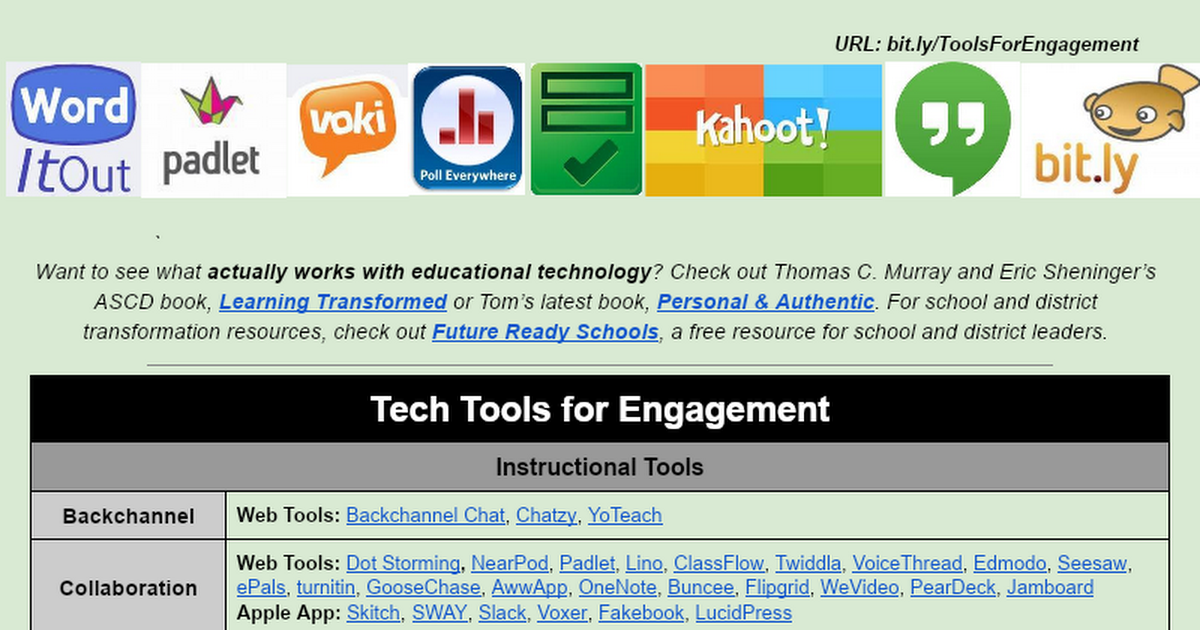
Need a tool but don't have time to vet one? Use the list below which is continually being updated! Need a tool but don't have time to vet one? Use the list below which is continually being updated!

Tools for Engagement

Tools for Engagement

launch docs.google.com
How Tech Should Have Already Changed Your Teaching
Deep integration of technology in learning should–ideally anyway–make learning mobile–always-on, asynchronous and self-directed access to both content and collaborators
Brush Ninja - Animated Gif Creator
Want to make a quick animated gif to show how to do something or remind students to look somewhere? Click this button!
zoom_out_map

Add Your Voice to Google Classroom!

If a picture is worth a thousand words, how many words is your voice worth? If you use Google Classroom you know that it is easy for kiddos to access assignments, links, and resources. It works well with all grades, but reading is tough for our littles. How can we make Classroom work better for our struggling readers and kindergarteners? Add our voice as directions (and assignment comments) where text would be. This is super easy to do with the Talk and Comment Chrome Extension.
open_in_new zoom_out_map
Avoid these 4 edtech mistakes in your classroom!
At this button EdTech Guru Nira Dale shares four common mistakes that impede technology integration and thereby student achievement and growth.
zoom_out_map

PD on Your Time - "20 Minute Bytes of Learning"

As your teaching and learning coach, I (Matt McCullough) want to best accommodate our learning and support on your time. This year instead of only before/after school PD we are going to try "20-Minute Bytes of Learning".


Each month there will be 2-3 different bytes you can order up by booking me (or sometimes your peers in the future) at the buttons below and listing the best time for me to support you and your students. Whether it be at your PLC late starts, lunch, planning, before/after school, during a class to model or any other time, if it is available on the calendar on the end of the button, it is yours!


Never hesitate to ask for additional topics or ideas but those listed below are current according to teacher requests and trends in teaching and learning. Once clicking the button you will be prompted for a day/time and location of the PD as well as a reminder of the topic you selected. Looking forward to seeing you all soon!

NWEA Me!
Click this button to book me for a 20 minute 1 on 1 about your NWEA reports and how you can best use them to improve teaching and learning with your students!
Standards Based Teaching and Learning
Click this button to book McCullough for a 20 minute 1 on 1 about how to start/continue your Standards-Based Teaching and Learning journey!
Want to make a few extra bucks doing your job?
Earn a $200 stipend just for submitting the awesome lessons you already teach! Click this button to learn more!
zoom_out_map

Educational Enthusiast

I absolutely love to talk about anything education. I can help rework or refine anything you've always wanted to try! Just CLICK HERE and let me know when and where you'd like to work! Looking forward to hearing from you!
zoom_out_map

Student Tech Team in Full Effect!

MS/HS students or teachers need help with your Chromebook?

MS/EL students or teachers want help or an extra hand with tech?


USE THIS WEBSITE to check out tips and tricks or fill out our tech request form to get HS students to help you quickly! Customer service and helping everyone learn are our goals!


You can always find our site and form on the Maintenance and Tech Page on our Schoolcraft website.

Personalizing Your PD with EduPaths!
Edupaths.org is a state-run website (see: your taxes are paying for it!) of PD opportunites you can choose and complete at your pacing! Interested in learning about something? Chances are they have it! Bonus: you get SCECHs of completion!
zoom_out_map

Don't forget!!!

Documentation of utilizing this newsletter or any of our coaching conversations can be evidence of Domain 4 "Professional Responsibilities" A, D, and E on your Danielson evaluation rubric!
zoom_out_map

About Us

Matt McCullough - Director of Innovation in Teaching and Learning

Email: mcculloughm@schoolcraftcs.org
Website: http://www.schoolcraftschools.org/
Location: 551 East Lyons Street, Schoolcraft, MI 49087, United States
Phone: 269-488-7250
Facebook: https://www.facebook.com/SchoolcraftEagles1/
Twitter: @SCSEagles1

Loading indicator

close

Created with

Communicate quickly and effectively with interactive newsletters.

Smore empowers educators to connect with their community, streamline school communications,
and increase engagement.

Create a newsletter