remove_red_eye 820
page background
Logo

Tech Refreshers for Students

Tech Tip Tuesday (January 3, 2023)

Tech Refreshers for Students Tech Tip Tuesday (January 3, 2023)
♻️Take some time to refresh your tech habits in the new year!🤓 ♻️Take some time to refresh your tech habits in the new year!🤓

Chromebook keyboard shortcuts

Chromebook keyboard shortcuts

You can use keyboard shortcuts to complete some tasks more quickly. To find shortcuts on this page, press Ctrl + f and enter what you want to find. Important: This article is only for US Chromeb

launch support.google.com
10+ Chrome Tips and Tricks for Teachers and Students - SULS0165

10+ Chrome Tips and Tricks for Teachers and Students - SULS0165

In this episode, we are jumping into some Google Chrome updates, features, and tips for teachers and students. Let's learn how to make the most of the Chrome browser, save time and clicks, and get organized. 10+ Chrome Tips and Tricks for Teachers and Students!

launch shakeuplearning.com
Chromebook_Taking Screenshots_Uploading

Chromebook_Taking Screenshots_Uploading

Chromebook Taking Screenshot of a Specific Area of the Screen on a Chromebook. Inserting Screenshot into Seesaw. Taking a Screenshot of a Specific Area of the Screen: Step 1: Press the Ctrl, Shift and Window Switcher keys at the same time. Step 3: In the Screenshot taken window, click Copy to cli...

launch docs.google.com
Turn on Chromebook accessibility features

Turn on Chromebook accessibility features

You can make your Chromebook easier to use by turning on accessibility features that work best for your needs. At the bottom right, select the time. Or press Alt + Shift + s. Select Settings Accessibility.Optional: To have quick access to accessibility features, turn on Always show accessibility options in the system menu.

launch support.google.com
Disabling the Chromebook Onscreen Keyboard

Disabling the Chromebook Onscreen Keyboard

Disabling the Chromebook Onscreen Keyboard Click on the 3 dots and select Settings. Scroll to the bottom and click on the arrow to the right of Advanced to expand it. Click the arrow to the right of Manage accessibility features. Make sure Enable on-screen keyboard is turned O...

launch docs.google.com
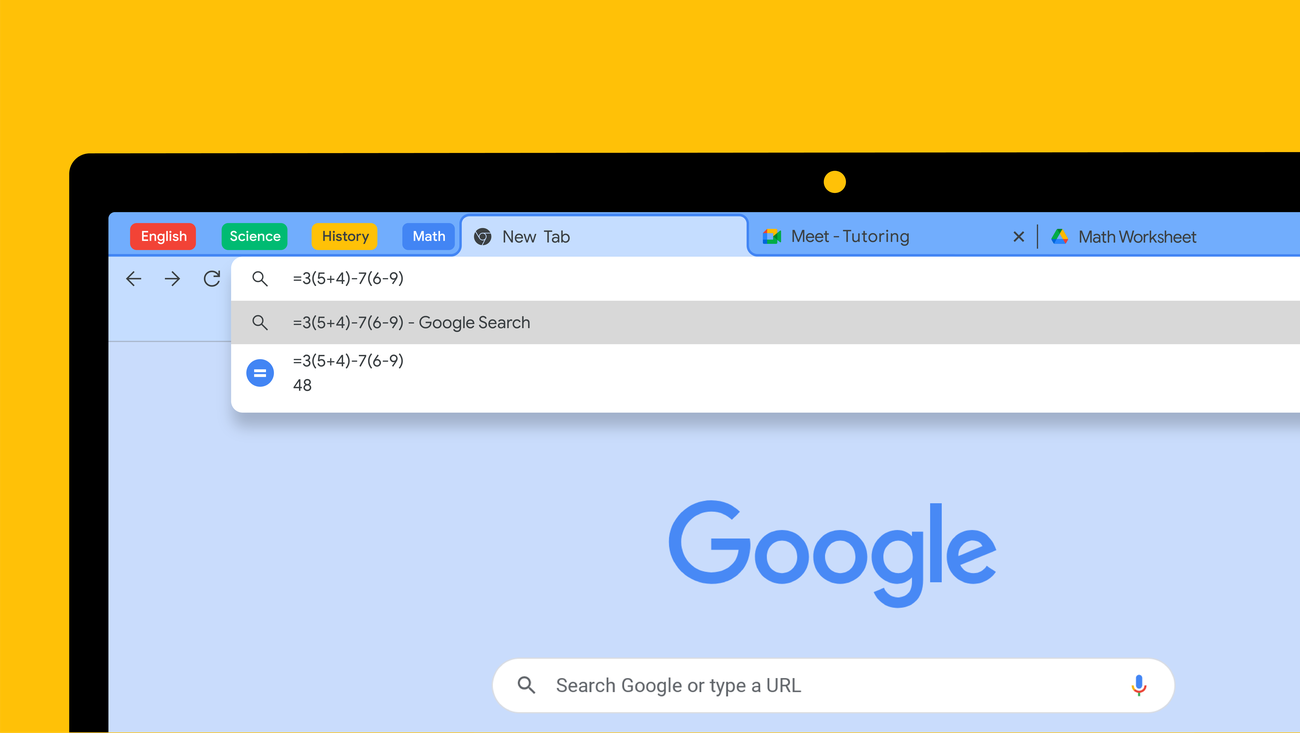
10 ways students can make the most of Chrome

10 ways students can make the most of Chrome

Whether you're getting back into the swing of schoolwork or already in the middle of the school year, you can use Chrome to help you study. Here are 10 ways Chrome can help students get their work done in the classroom or at home: 1.

launch blog.google

☝️Show how to use the touchpad on their Chromebook!💻 ☝️Show how to use the touchpad on their Chromebook!💻

Print it out, and post it! Print it out, and post it!

Chromebook Touchpad Tips

Chromebook Touchpad Tips

Move the pointer Click Right-click Scroll Move between pages See all open windows See all open windows Open link in a new tab, or close a tab Switch between tabs Switch between virtual desks Switch between virtual desks Chromebook Chromebook Touchpad Tips By: Eric Curts controlaltachieve.com eric...

launch docs.google.com
What Holiday...logo
zoom_out_map

Something new for Back to School!

It always seems to be a holiday. Check here for some resources about holidays coming up!


Winter Activities-Use them until it's above freezing!

  • 8 Google-y Wintertime Activities
  • Holiday Stop-Motion Video Creation
  • Build a Snowman with Google Slides


New Year's Day-January 1

  • New Year, New Questions Spinner Wheel from Wordwall


Clean off Your Desk Day-January 9


Martin Luther King, Jr. Day-January 16

  • MLK Jr. Digital Breakout


No Name Calling Week-January 18-22


Lunar New Year-January 22

  • Lunar New Year Discovery Board (Slides)
  • Lunar New Year Collection from Follett Destiny
  • Lunar New Year Text Set from Newsela


Jackie Robinson's Birthday-January 30


  • Jackie Robinson Flocabulary Video and Activities
  • Nearpod VR Lesson (Gr. 5-7)


Want a peek at what's ahead? Check these updated calendars!

Holidays and Seasonal Events for Teachers (TeacherVision)

Yearly Theme Calendar (Learning Technology Center)

zoom_out_map

What New Year’s resolution should a basketball player never make?


To travel more.

It's a new year! Start something new with your students!
zoom_out_map

Brian Krause, Instructional Technology Coach

Contact me to collaborate on your next project, troubleshoot what you do currently, or to just answer a question you have!

Email: bkrause@ltcillinois.org
Website: https://calendly.com/bkrauseltc
Phone: (815) 362-4791
Twitter: @bmkeducation

Schedule a time to work with me!
Tech Tip Tuesday
zoom_out_map open_in_new

Want to catch up on the old tips?

Check them out below!

Click the newsletter blasts on Smore!

My Newsletters | Smore

launch smore.com
Brian Krause
Brian is using Smore to create beautiful newsletters
Loading indicator

close
Powered by