
remove_red_eye 45.1K
page background

Remediation Strategies

Getting through the last few weeks

RemediationStrategiesGetting through the last few weeks

Best Practices for Remediation


  • Target students individually - use the data to determine which students need to improve on which skills or standards.
  • Use small groups or stations to let students work in teams based on similar needs.
  • Chunk skills into small tasks that can be done over time rather than giving one large review packet.
  • Use peer tutors to explain concepts in different words.
  • Take advantage of flipped remediation with videos and resources that have already been created.
  • Have students track results to see if their remediation led to improved performance on the next benchmark.
  • Use self-grading activities through Learn Study Island, Mastery Connect and other digital resources to give students immediate feedback.
  • Provide a little time each day to spiral review in addition to new content. Remediation should not be seen as punishment.
  • Have students reflect on their strengths and weaknesses, as well as the results of their class and home activities.

Example Personalized Remediation Lesson Example Personalized Remediation Lesson

Use your data from our benchmark assessments to determine what gaps students have. Focus on filling these holes individually. You can have students with similar standards for improvement work together on their remediation or they can work individually while you small group teach students with similar weak areas.
Remediation Assignment Step By Step - Lessons - TES

Remediation Assignment Step By Step - Lessons - TES

STEP 1.Blendspace | Math Ll Midterm Remediation (By Standards).STEP 2.Assignment Example.Step 3.Parent Letter

launch tes.com
Remediation by Standard Symbaloo

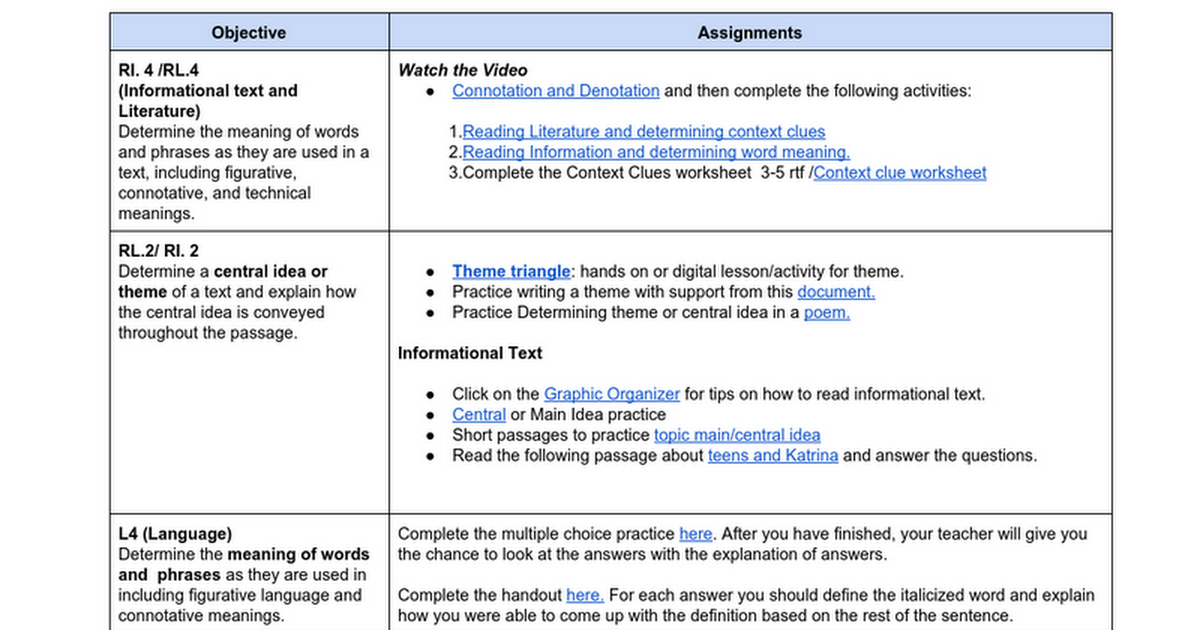
Example of English 9 Remediation by Standard Example of English 9 Remediation by Standard

Remediation Activities

Remediation Activities

launch docs.google.com

Carousel Reviews Carousel Reviews

While taking part in Carousel Brainstorming, small groups of students rotate around the classroom, stopping at various “stations” for a designated period of time (usually 1-2 minutes). At each station, students activate their prior knowledge of a topic or concept and share their ideas with their small group. Each group posts their ideas at each station for all groups to read.

How to Carousel (Read Write Think)
More Carouselling Resources

Stations for Review Stations for Review

Break review into sections such as time periods, topics or units. Provide review questions and allow students a certain amount of time at each station. Stations could include helpful materials such as notes, books, articles, etc. Alternate your groupings between hetero and homogeneous groups to make the most of peer teaching.


Last year English 10 had great success combining classes for EOC review. Kids from mixed classes went to several stations which were geared toward EOC strategies and skills. Stations covered many different learning styles and rotations. Instructions for each station were printed (teachers divided up the prep work ahead of time). Teachers monitored and had conversations while rotating and signed off on completed stations.

English 10 Remediation Stations.mp4

English 10 Remediation Stations.mp4

launch drive.google.com
Using Stations to Review for Tests

Using Stations to Review for Tests

A unique way to prepare your students for tests is with Stations. Learn how to incorporate this lesson idea into your classroom. Watch this exam prep in action in Nicole Francipane's Math classroom.

launch teachingchannel.org
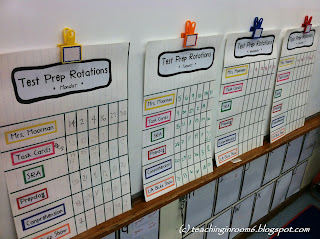
Teaching in Room 6: Test Prep 180:  Test Prep Stations

Teaching in Room 6: Test Prep 180: Test Prep Stations

launch teachinginroom6.blogspot.com

Graphic Organizers Graphic Organizers

zoom_out_map
Create interesting graphic organizers to help students organize important information with more aesthetic appeal Sometimes all it takes is a simple stray-from-the-norm approach to help engage students. Check out these organizer ideas or these great mindmapping / organizing digital tools:

  • Popplet
  • Bubbl.us
  • Coggle

Bored with these? Check out Richard Byrne's of Free Tech For Teachers review of several mindmap digital tools.

Student Created Games Student Created Games

Get your kids using higher level thinking skills to create their own test reviews for topics or concepts. Students can work in small groups to become resident experts on their topic. They can find game resources that are already made (using their evaluation skills to determine if the game is accurate and appropriate). Or, they can create their own questions and put them into a game. Let students choose the type of game they want to create for the class to play so you don't play 15 Kahoots in one day - once that tool is gone, groups have to choose a different tool!


  • Quizizz
  • Kahoot
  • Go Formative
  • Socrative
  • Riddle
  • Quizlet
  • Jeopardy
  • Plickers
  • Playposit / Edpuzzle / Zaption
  • Quizdini ($10/fee)
  • Infuse Learning
zoom_out_map

Discovery Education SOS Strategies

Check out a few of our favorite Discovery Education SOS strategies for Engaging Students these last few weeks! Click the link above to view the images more clearly.
zoom_out_map

PEAK Instructional Strategy: "Swap Meet"

Purpose


To have students revisit and process content in a safe, fast paced, active, sharing environment. Swap meet is a great activity for revisiting content from previous day(s) and for providing scaffolding.


Overview

Students record information on an index card after accessing support from notes, homework, text, etc. for a given prompt from the teacher. Students then move about the room greeting classmates and exchanging index cards with each person they greet. Each time they swap to get a new card, they quickly read it before passing it on to someone else. After a few minutes of swapping and reading cards, the students are directed to share the content on the cards they are presently holding in small groups and then return to their seats to share and further process the new information with their peers. It is beneficial to have the students swap and read more cards on the way back to their seats.


Check out the Procedure and Instructions Here!

Check out other methods for Data Driven Remediation on our MGSD PD Site Check out other methods for Data Driven Remediation on our MGSD PD Site

M-4 Data-Driven Instruction - MGSD Professional Development

M-4 Data-Driven Instruction - MGSD Professional Development

launch sites.google.com
Loading indicator

close
Powered by