

Smore logo
remove_red_eye 277
page background
Logo
page background

MESD & CESD Digital Learning News

May 2026

MESD & CESD DigitalLearning NewsMay 2026

Welcome!

Welcome to the MESD+CESD Digital Learning Newsletter! This monthly newsletter includes resources and information to support digital learning in the classroom to empower students to become active critical thinkers, creators and responsible digital citizens.


This month's newsletter includes:

  • AI Empowered EDU Conference: Registration Open
  • Camp Chromebook
  • Oregon Google Educator Group
  • Media Literacy Tip
  • Articles for Thought
  • Monthly UDL Resources
  • AI Resources
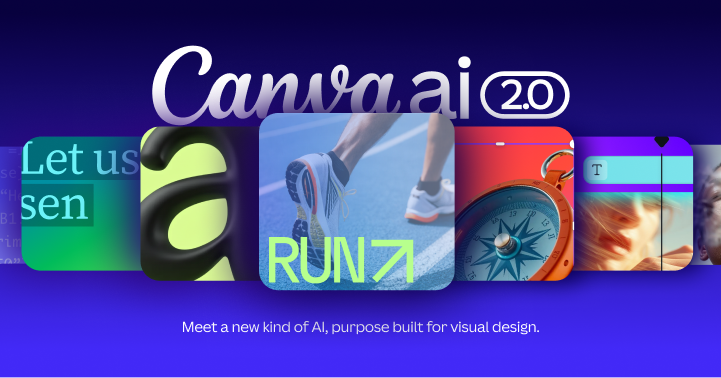
  • Monthly Tech Highlight: Canva AI 2.0


Subscribe Here!

πŸ”ˆ Audio Overview of This Newsletter πŸ”ˆ πŸ”ˆ Audio Overview of This Newsletter πŸ”ˆ

Don't have time to read and explore all the resources in this newsletter? Click here to listen!

AI Empowered EDU Conference: Registration Closing Soon! AI Empowered EDU Conference: Registration Closing Soon!

header image for AI Empowered EDU website
open_in_new zoom_out_map Show in original size
flyer for the AI empowered EDU conference highlighting the date of May 12th at University of Portland
open_in_new zoom_out_map

General Registration is Now Open for our AI Empowered EDU Conference! The Conference is scheduled for May 12th at the University of Portland. We have many great speakers lined up and look forward to another great day of learning and conversations. Grab your ticket today before they run out!!


Tickets are going fast!! Get Yours Today!

camp chromebook flyer. june 17th willamette esd
open_in_new zoom_out_map Show in original size

Join educators from across the state for a fun day of learning about all things Google Workspace for Education. Click here to register for this FREE event!

Oregon Google Educator Group Oregon Google Educator Group

google educator group logo
zoom_out_map

Did you know that Oregon has a Google Educator Group that meets the first Thursday of every month?By joining this group, you will become part of our community and learn more about the innovative ways educators are using technology to support teaching and learning by using Google for Education tools and more. We share in-person and virtual events which you can join and will invite you to take part in community events run by both us and out partners. Click here to learn more and join the Oregon GEG!

infographic of screen value over screen time
zoom_out_map Show in original size
User uploaded image
zoom_out_map Show in original size

Media Literacy Tip: Sharpen Your Critical Thinking Media Literacy Tip: Sharpen Your Critical Thinking

Five simple strategies to sharpen your critical thinking | BBC Ideas

Articles for Thought... Articles for Thought...

Parents, Schools Clash Over Movement to Abolish Screens

Teachers find themselves caught in the middle of a growing opt-out push.

launch the74million.org

Blanket EdTech Bans Miss the Mark: Better Policies for Student Tech Use

Blanket edtech bans risk harming student learning; better policies should guide balanced, effective, and accountable tech use in schools.

launch newamerica.org

Media Literacy Lunch and Learn brings news literacy training for MVHS teachers

MVHS teachers learn strategies to evaluate online media and methods to incorporate media literacy into the curriculum

launch elestoque.org

Monthly UDL Resources Monthly UDL Resources

UDL Routine Tip: After a lesson ask your student to write or draw one or more things they understood well. Then each person finds a partner who adds one new idea, detail or connection from their paper to yours.
zoom_out_map Show in original size
UDL Flow Chart
open_in_new zoom_out_map Show in original size

How to Use the UDL Flowchart

The UDL Flowchart is a tool to help get you closer to universally designing your lesson plans at an expert teacher level.

Consider how you can make lessons more flexible and build on them over time. Start slow and set a goal to focus on one aspect of the UDL Flowchart each week.

In PLCs, share what is working and borrow each other's ideas!

AI Resources AI Resources

title slide for vibe coding 101
zoom_out_map

Vibecoding Webinar Resources from aiEDU

Programming is shifting from complex syntax to natural language, a movement known as "vibe coding." In this webinar, we move beyond the hype to define what vibe coding actually isβ€”and where its limits lieβ€”compared to traditional programming. Through a live demonstration and a look at practical use cases, you will see how educators can use simple prompts to transform ideas into functional digital tools. Whether through real-world personal examples or common classroom scenarios, we will explore the "vibe-based" approach to development and evaluate how it can best support your unique pedagogical goals. Join us to discover how to turn your pedagogical ideas into working prototypes and evaluate when this "vibe-based" approach is the right fit for your classroom goals.
Link to Slidedeck
Link to Access Recording

Make America AI-Ready

Source: U..S Department of Labor Duration: 0-20 Minutes

launch ailiteracyday.org

Monthly Tech Highlight: Canva AI 2.0 Monthly Tech Highlight: Canva AI 2.0

Introducing Canva AI 2.0 | Canva Create 2026

Canva AI 2.0 – AI design, writing, and creative tools | Canva

AI tools for design, writing, brand, coding, and more – available now. Canva AI 2.0 is a new way to design through conversation – coming soon.

launch canva.com
User uploaded image
zoom_out_map

Let's Connect

Katy Tibbs

Digital Learning & AI Integration Specialist, Multnomah ESD

MESD Digital Learning Site

Click here to subscribe to this Newsletter!

User uploaded image
zoom_out_map

Let's Connect

Cat Nostrand

AI & Digital Integration Specialist, Clackamas ESD

CESD AI Integration and Digital Innovation


Click here to subscribe to this Newsletter!

View Past Newsletters
Katy Tibbs
Katy is using Smore to create beautiful newsletters
Loading indicator

close

Created with

Communicate quickly and effectively with interactive newsletters.

Smore empowers educators to connect with their community, streamline school communications,
and increase engagement.

Create a newsletter