Tech (In)Decision
Tech Tip Tuesday (November 4, 2025)
Very rarely, and I mean, extremely rare,
is there a service that can do something that something else can't do.
I don't want to cause a Clash, but yeah, there are a lot of things that do the same thing. For example, as I write this newsletter in Smore, I can list off 5 other newsletter services (Constant Contact, Beehiiv, Mailchimp, HubSpot, ActiveCampaign) that can all achieve making a newsletter simply and syndicating it.
It's my case example that there are numerous tools out there, and there's not just one tool that can do one thing. And with progressing discussions from Congress regarding AI tools in education, it's important to remind ourselves that we have a responsibility to be safe and prudent with what we use in our classrooms with our students.
Here are a few steps I follow before trying a new tool with students!
1. Start with the goal, not the gadget ๐ฏ
It is the basis of teaching. Define what you want the skill or concept they can master by the end of the lesson, project, or collaboration.
Next, you identify the pinch point, the hardest part of the lesson or what's missing, like needing better student voice or faster feedback. Finally, you choose a tool that creates a real enhancement, something that lets students do a task significantly better than before, not just differently. This is usually where I get my brain turning about what I can use.
2. Is it approved? โ
Before using any new online tool in your classroom, you must first check the district's approved list. If the tool is not listed, do not use it. All districts in Illinois are required to post their approved tools to the public, such as this front-facing database from Freeport SD 145 within LearnPlatform.
Instead of going rogue, start the formal vetting process by submitting a request to your Data Privacy Officer. This is critical because SOPPA ensures the vendor signs a Data Privacy Agreement (DPA) guaranteeing that students' personally identifiable data is used only for educational purposes and is never sold or used for targeted advertising and keeps us all safe.
3. Try it out in a low-risk environment. ๐งช
Finally, collect feedback and reflect on its effectiveness.
Did it complete the learning goal like you wanted?
Did it take more time and effort to master the tech than it did on the learning goal?
Be ready to discard the tool if it doesn't truly enhance student learning or teaching efficiency.
My simple solution?
Use what you know works for what you want students to do and know and talk with someone else before rolling it out to students.
There's always help available, and I'd gladly be that sounding board for you!
Stay skeptical, not resistant!
Unpacking algorithms, empowering young minds
The Most Likely Machine is an interactive digital learning prototype designed to empower pre-teens and teens with algorithmic literacy through playful exploration of some historic humans in our U.S. history. By introducing students to how algorithms shape the digital world, this experience helps spark curiosity about fairness, causation, and bias in technology, a set of absolutely critical skills for responsible digital citizenship in our ever-algorithmic world.
Perfect for that day in between units!
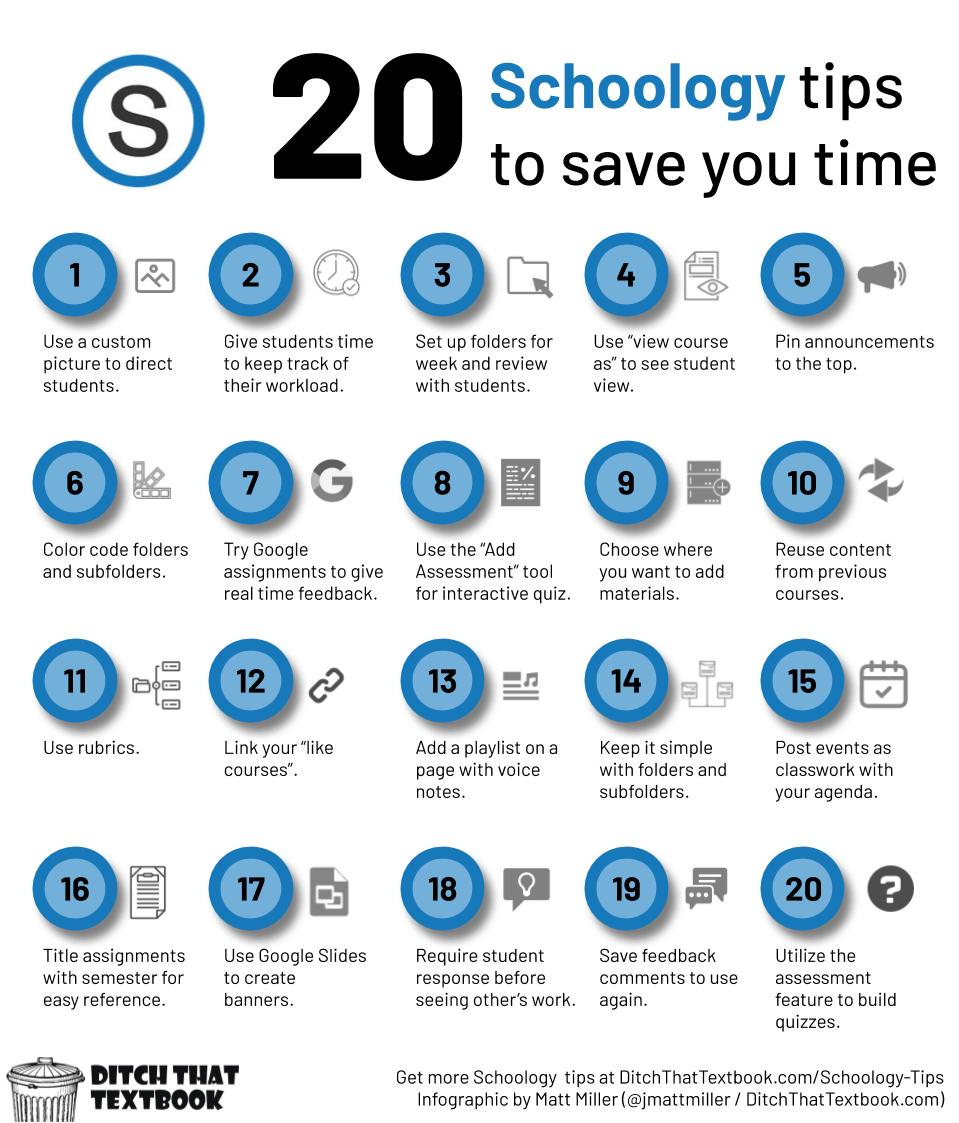
It's older content, but it's still a goodie for Schoology!
Whether you're a seasoned Schoology vet or unsure on how to even say Schoology, below is a quick refresher on some ideas to help you save some time, including a bunch of ideas directly from teachers who Schoology daily!
I used to play piano by ear.
Brian Krause, Instructional Technology Coach
Email: bkrause@ltcillinois.org
Booking Link: https://calendly.com/bkrauseltc
Work Cell Phone: (815) 362-4791
Twitter: @bmkeducation