
Smore logo
remove_red_eye 102
page background

The Foran Library Lowdown

Lesson Ideas, Riveting Reads and Tech Tidbits

The ForanLibrary LowdownLesson Ideas, Riveting Reads and Tech Tidbits

Digital Tool Updates and Tips

Check out some tech tips and digital tools that can enhance instruction, spice up a learning task or redefine student learning! Please reach out to me for collaborations, lesson presentations or as a guide to help you infuse these platforms into your instruction!

Tired of the Same Ol' Google Slides?

Well, check this out! There is a way to customize your very own Google Slide templates! Thank you to Mrs. DiGiacomo for inquiring about this and being the impetus for me to research the how to's! Check out the Screencast tutorial provided below that walks you through this very simple process. I also included some sites that offer you free templates to utilize in place of the existing Google Slide templates. Have fun creating!

Google Slide Templates.webm

Google Slide Templates.webm

launch drive.google.com
Slidesgo
Slides Carnival

Have Some Book Recommendations?

I would like to compile an ongoing list of book recommendations to share with our students in a monthly newsletter to Foran families. This would also be immensely beneficial to aid in marketing our library offerings as well as to add some quality titles to our shelves. If you could send me the title of a YA novel you really enjoyed, it would be much appreciated. I am going to devise various ways to share these recommendations in future newsletters! Thank you!

Another Creative Tool!

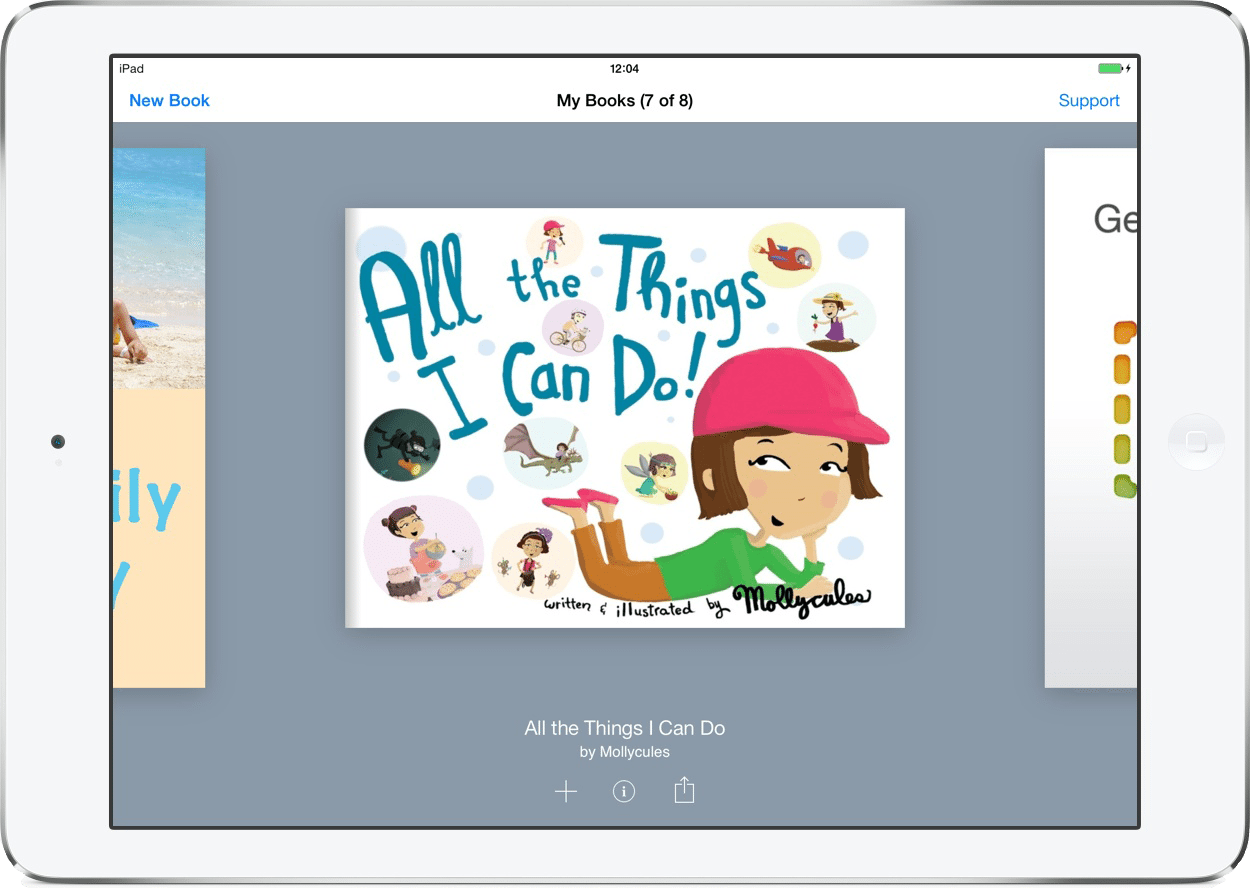
Book Creator is a great and effective digital platform to create a myriad of projects with. Mrs. Rowley reached out looking for a resource to utilize with her students on constructing children's books on an aspect from the French Revolution, and I instantly thought Book Creator would be most suitable for this type of project. That gave me the idea to share it here; thanks Mrs. Rowley! You can highlight students' stories, poems, journals, science reports, math work or use as a digital portfolio. Teachers can also use Book Creator as a tool to disseminate information on a given topic. If you are interested in learning more about this tool, email me to book an appointment!

Book Creator - bring creativity to your classroom - Book Creator app

Book Creator - bring creativity to your classroom - Book Creator app

Book Creator - bring creativity to your classroom. A simple way to make digital books online - on Chromebooks, PCs, iPads or tablets. Create. Read. Publish.

launch bookcreator.com
zoom_out_map

Jackie DeLoma

Email: jdeloma@milforded.org
Website: https://sites.google.com/milforded.org/foran-library/home
Location: Foran Library
Phone: 2320
Twitter: @foranlibrary

Loading indicator

close

Created with

Communicate quickly and effectively with interactive newsletters.

Smore empowers educators to connect with their community, streamline school communications,
and increase engagement.

Create a newsletter