

Smore logo
remove_red_eye 39
page background

The Weekly Update #4

August 23rd, 2026

The Weekly Update #4 August 23rd, 2026
The Weekly Update#4August 23rd, 2026

It's Time for Copyright Training! It's Time for Copyright Training!

User uploaded image
zoom_out_map

I've created your SY 27 Copyright Training, it is very comprehensive but if you have any additional questions, please reach out to the library staff.


Be sure to verify that you went through the training, you can also VERIFY RIGHT HERE!

DDC/Tech Bytes DDC/Tech Bytes

What To Do With a Student Device When a Student Withdraws

Please return the device and the cord to the library ASAP!


Students will NOT be issued a new device at their new DCSD school if there device isn't returned, get those devices back to the library so we can reassign that device. SEND THE CORD BACK TOO!

User uploaded image
zoom_out_map

Best Practices & Instructional Uses for the Dell Pro 16"

Best Practices for Daily Use

Connecting to ViewSonic Boards

  • Use the HDMI port to connect directly to the board.
  • Ensure the board is powered on before connecting.
  • Press Windows + P to select Duplicate or Extend display mode.

Charging & Battery Care

  • Charge the laptop overnight or during breaks to avoid interruptions.
  • Use the original Dell charger for optimal battery health.
  • Avoid letting the battery drop below 20% regularly.
  • Enable Energy-saver mode to extend battery life and maintain performance

Maintenance & Care

  • Clean the screen and keyboard weekly with a soft microfiber cloth.
  • Keep liquids away from the laptop.

Security & Privacy

  • Use a strong password or PIN.
  • Enable BitLocker (available in Windows 11 Pro) for data encryption.
  • Lock your screen with Windows + L when stepping away.

File Management

  • Save files to OneDrive or your school’s cloud storage for backup.
  • Organize files into folders by subject or class.
  • Regularly delete unused files to keep the system fast.

Useful Tips for Teachers

  • Snipping Tool: Quickly capture screenshots for lesson materials.
  • Focus Assist: Silence notifications during class or meetings.
  • Microsoft Teams & Zoom: Pre-installed and optimized for video calls.
  • Night Light Mode: Reduce eye strain during evening work.

FREE AJC e-Paper- GREAT INFORMATIONAL TEXT RESOURCE! FREE AJC e-Paper- GREAT INFORMATIONAL TEXT RESOURCE!

User uploaded image
zoom_out_map

The link below is where you can receive free daily AJC E-Newspaper

https://www.nieonline.com/ajc

Why So Many Graphic Novels and Manga in the Library? Why So Many Graphic Novels and Manga in the Library?

User uploaded image
zoom_out_map

"If graphic novels are flying off the shelves at your library, that reflects a remarkable trend: In the last few years, the format’s popularity has shot up at over 90 percent of school libraries, according to a new SLJ survey, with the biggest jump in elementary schools. Students are clamoring for humor and contemporary fiction, in particular, and manga is exploding in popularity. Manga works now comprise 43 percent of high school graphic novel purchases, according to librarians who responded to SLJ’s 2023 Graphic Novels Survey."
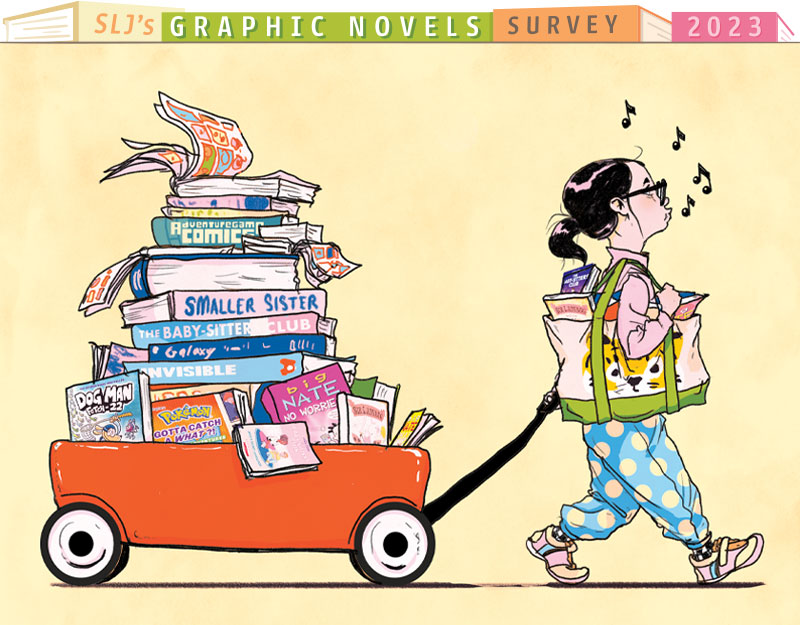
Graphic Novels, Manga Explode in Popularity Among Students | SLJ Survey

Graphic Novels, Manga Explode in Popularity Among Students | SLJ Survey

If graphic novels are flying off the shelves at your library, that reflects a remarkable trend: The format’s popularity has shot up at over 90 percent of school libraries in the last few years, according to a new SLJ survey.

launch slj.com

Novel Numbers for August 2026 Novel Numbers for August 2026

User uploaded image
zoom_out_map Show in original size

Grade Level Check Outs

1st Place - 8th Grade

2nd Place - 6th Grade

3rd Place - 7th Grade

LibraryTrac offers a wide variety of digital components to help us track the usage of the library
zoom_out_map Show in original size

LibraryTrac

LibraryTrac offers a wide variety of digital components to help us track the usage of the library

Teacher Data

Thanks to all teachers who are using the library!
Teacher Data
zoom_out_map Show in original size

Library Resources Library Resources

Schedule Your Class Into the Library

Click Here to Schedule Your Class


Poster Printing Request Form

Click Here to Request Poster Printing Resources

Only white or light colored backgrounds, saturated backgrounds use way too much ink.

Printing Sizes That Can Be Laminated:

A1 - 23" x 33" - Typical poster size

A2 - 16.5" x 23"

A3 - 11.5" x 16.5"

We can only print if files are sent over in the following formats:
  • .pdf
  • .jpeg


Event Advertisement Request Form

Click here to Request Advertisement for an Event.


Destiny Discover

Click Here for Destiny Discover

Destiny Discover is our online library management and digital reading platform that allows students and teachers to search their school's physical book catalog, discover Follett eBooks, listen to audiobooks, place holds and access curated reading lists and databases.

Kelly Collinsworth
Kelly is using Smore to create beautiful newsletters
Loading indicator

close

Created with

Communicate quickly and effectively with interactive newsletters.

Smore empowers educators to connect with their community, streamline school communications,
and increase engagement.

Create a newsletter