

Smore logo
remove_red_eye 780
page background

OCTOBER EDTECH UPDATE

October 2024 - EdTech Tips, Teaching Strategies & More..

OCTOBEREDTECH UPDATEOctober 2024 - EdTech Tips, Teaching Strategies &More..
open_in_new zoom_out_map

Nearly one-third of public-school students are Latino, bringing unique cultures, traditions, and identities rooted in dozens of countries into our schools.

#HispanicHeritageMonth

open_in_new zoom_out_map

The observation of Indigenous Peoplesโ€™ Day on October 14th, counters false historical narratives embedded within the celebration of Columbus Day. It recognizes that Native people are the first inhabitants of the Americas, including the lands that later became the U.S. And it urges Americans to re-examine history. On this day, people are encouraged to remember and celebrate the many Native people who have traditionally lived and currently live in the U.S and its territories.


Check out these websites to learn more about Indigenous peoples.

  • Common Sense Media has put together a wide variety of teaching resources aimed at deepening your discussions around indigenous peoples of American.
  • Native Knowledge 360ยฐ is run by the Smithsonian National Museum of the American Indian. Check out featured resources for Unlearning Columbus Day Myths.
  • PBSโ€™s Native American Heritage Collection takes a look at Indigenous art, history, and culture as told by historians, artists, students, and scientists.
  • The Zinn Education Project believes in taking a more engaging and more honest look at the past. Take a look at their resources on Native American topics.
open_in_new zoom_out_map
Ask the Cognitive Scientist: Why Do Students Remember Everything That's on Television and Forget Everything I Say?

Ask the Cognitive Scientist: Why Do Students Remember Everything That's on Television and Forget Everything I Say?

How does the mind work-and especially how does it learn? Teachers' instructional decisions are based on a mix of theories learned in teacher education, trial and error, craft knowledge, and gut instinct. Such knowledge often serves us well, but is there anything sturdier to rely on?

launch aft.org

๐Ÿ† Winner, Winner, Chicken Dinner! ๐Ÿ— ๐Ÿฝ๏ธ ๐Ÿ† Winner, Winner, Chicken Dinner! ๐Ÿ— ๐Ÿฝ๏ธ

SEESAW KEEPS EVERYONE IN THE LEARNING LOOP!

I was so impressed with all the elementary teachers who used Seesaw to make that first impression with parents a joyful one. I heard from some, that this has become a yearly back-to-school tradition, that the kids, parents and teachers all enjoy. Congrats to all of you that made establishing that culture a priority! But alas, there can only be one winner and that is Ashley Pond at Howard Elementary. ๐ŸŽ‰๐Ÿ†


With Seesaw, students can choose how to showcase what they know, whether through pictures, videos, voice recordings, or drawings. ๐ŸŽจ๐Ÿ“ธ๐ŸŽค

  • โœจ Give Students Choice: Empower learners by letting them express their understanding in ways that resonate with them.
  • ๐Ÿ” Check for Comprehension: Teachers can easily identify gaps in learning and provide targeted support.
  • ๐Ÿ’œ Universal Design for Learning: Seesaw promotes equity and accessibility, ensuring that all studentsโ€™ diverse needs are met.


Whatโ€™s New?

  • ๐Ÿ“š Library: Check out this month's featured collections, including our First Days of School Collection to help you create fun, engaging activities for the start of the new school year. Share the August Classroom Dailies.
  • ๐Ÿ“Š Engagement Dashboards: *Administrators* Check out Seesawโ€™s new Engagement Dashboard! Now, all school admins have direct access to data dashboards where they can track usage metrics, identify areas of growth, and celebrate learning. Learn more here.
open_in_new zoom_out_map
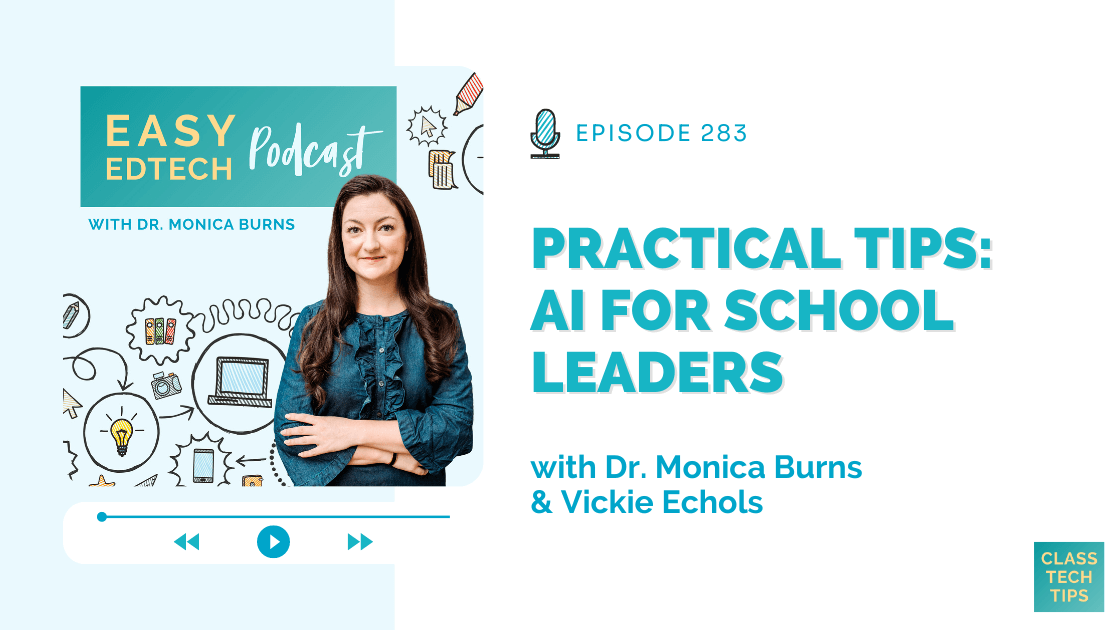
Practical Tips: AI for School Leaders with Vickie Echols - Easy EdTech Podcast 283 - Class Tech Tips

Practical Tips: AI for School Leaders with Vickie Echols - Easy EdTech Podcast 283 - Class Tech Tips

Unlock AI's potential in school leadership with practical AI for school leaders strategies from Vickie Echols to streamline tasks and more.

launch classtechtips.com
Teach AI - aiEDU

Teach AI - aiEDU

Whether you're taking a deep dive or just dipping your toes in, we have everything you need to teach AI with ease.

launch aiedu.org
Education & AI

Education & AI

If students are granted access in schools to utilise generative AI for their work, it stands to reason that schools need to establish a standard guide for students to use so they can reference and acknowledge their use. Referencing generative AI usage is essential to maintain transparency, acknowledge the AI's contribution, and ensure that readers can differentiate between human-generated and AI-assisted content.

launch scottybreaksitdown.com
zoom_out_map

Brisk Bites

๐Ÿ•ต๏ธ Think teaching is all about detective work? Youโ€™re right! Dive into our latest Brisk Bites video and become the Sherlock of student success with our MTSS Template feature. โžก๏ธ https://youtu.be/T2k3os5HIl8?feature=shared

zoom_out_map

Diffit for Teachers

๐Ÿ’ฅ Have you gotten your hands on our FREE ebook???

Differentiating Instruction with @DiffitApp!

๐Ÿ‘ฃ Step by step guide to getting started

๐Ÿ—‚๏ธ NEW #Ditchbook Templates

๐ŸŽŸ๏ธ Code for Diffit premium

๐Ÿ“œ Become Diffit edu certified

Download it now โฌ‡๏ธ https://docs.google.com/presentation/d/1Rtbx2kVhvD-OroaS1yQtN9z3Noyoqs5RgMaBQ8s5G1E/export/pdf

zoom_out_map

Curripod

Create interactive lessons filled with reflection, curiosity and creativity with AI in seconds @ curipod.com


Seriously do you need help creating engaging lessons in seconds, give real time feedback, and get insights after each lesson ๐Ÿงก

open_in_new zoom_out_map

Canva For Education

Canva's Presentation tools make it easy to impress any audience (even the toughest class ๐Ÿ˜‰) with a few simple magic tricks! ๐Ÿช„ Explore the latest Canva Teacher Tips, and see which one will become your favorite.

zoom_out_map

AI + Seesaw ๐Ÿ˜ฑ

3๏ธโƒฃ Ways to Use Ai-Generated Images inside @Seesaw! There are more than 3 ways, but these are fast, easy, and will save you time!! By @KSzajner

Check it out here - https://youtube.com/watch?v=Uu1Ks7_h23Qโ€ฆ

zoom_out_map

NEWSELA

Start exploring with our curated monthly content calendars. They suggest timely content for every day of the school week to help your students boost background knowledge and build consistent reading routines.

open_in_new zoom_out_map
zoom_out_map

Swift Playgrounds

Is an app for iPad and Mac that makes it fun to learn and experiment with Swift โ€” a powerful programming language created by Apple and used by the pros to build todayโ€™s most popular apps.

https://www.apple.com/swift/playgrounds/

zoom_out_map

Code Spark

A great way for your kid to learn how to code.

  • FREE curriculum, unplugged activities and more
  • Easy classroom setup
  • Manage students
  • Control access for students

https://codespark.com/educators

zoom_out_map

Ozobots

Ozobotโ€™s Learn Anywhere lesson series for Halloween!

  • Step by step video instructions
  • Self-guided and Self-paced

https://ozobot.com/hands-on-learn-anywhere-lessons-halloween-special/

zoom_out_map

SPOOKY COOL TOOLS.....

1. Music Lab - Song Maker - Chrome Music Lab is a website that makes learning music more accessible through fun, hands-on experiments.

2. Auto Draw - Google is launching a new experiment that uses machine learning algorithms to match your doodles with professional drawings to make you look like you know what youโ€™re doing.

3. Incredibox is a unique and engaging music game that lets you create your own beats using a crew of colorful beatboxers. It's part game, part music creation ..

4.Gimkit: Created by a high school student who thought he could improve upon Kahoot!, Gimkit allows teachers to create question sets that students can answer over and over again while competing against each other, which is great for surface learning and review. Because Gimkit allows for repetition of answers and has a variety of ways for students to earn points, students remain engaged as they work at their own pace.

5. Smithsonian Open Access is a free website collecting almost three million digitized items -- as well as archived exhibits and interactives -- from the Smithsonian's collections. Smithsonian Open Access has released these artifacts under a Creative Commons license, so users can download, share, use, and remix the artifacts without requiring the Smithsonian's permission.

zoom_out_map

Tech Bites!!! ๐Ÿด ๐Ÿ’ป ๐Ÿช ๐Ÿญ

Are you interested in hosting a quick tech pd for your grade level, department, like minded colleagues or school? Then email Justin Huntley at huntley_ju@4j.lane.edu! I will show up and share a tool or strategy of your choosing and bring something sweet you can enjoy while I drop some edtech knowledge for you!. I promise to not to take more than 15 minutes of your time and can come before school, at lunch, after school during a common prep you name it. Email me the time and date and I will be there with some yummy treats!
InstructureCast

InstructureCast

InstructureCast is the podcast where we open the doors to a world of educational marvels. Formerly known as Canvascasters, we've embraced the bigger picture to include Instructure's dynamic portrait of the entire educational ecosystem. Join us as we ...

launch community.canvaslms.com
Adobe Live - Education Edition

Adobe Live - Education Edition

See the story

launch new.express.adobe.com
zoom_out_map

Apple Professional Learning Specialist

Apple Professional Learning Live Explore helpful resources, practice new skills, and reflect on ways Apple technology can support great learning and teaching. These hands-on virtual sessions run for approximately 60 minutes and are offered twice daily.


  • Visit apple.co/apl to learn more and register.


๐Ÿ’ฅNEW!!! ๐Ÿ’ฅ- Apple has launched a new professional learning hub for educators called the Apple Education Community, which expands on the resources previously hosted on the Apple Teacher Learning Center and adds a brand new educator Forum, now live in beta.

Join The IT BREW - To get the latest tech news
open_in_new zoom_out_map

EUGENE 4J RESOURCES TO HELP YOU GET THE YEAR STARTED!

๐ŸŽ The 4J Instructional Technology Website

๐Ÿผ The Canvas Community

๐ŸŽ The 4J Elementary Learning Hub

๐Ÿ’œ Seesaw Trainings and Resources

โœ… Turnitin Articles and Resources

๐Ÿ“บ Newsela Resources

SEPTEMBER EDTECH UPDATE

SEPTEMBER EDTECH UPDATE

SEPTEMBER EDTECH UPDATE - September 2024 - EdTech Tips, Teaching Strategies & More.. by Justin Huntley | This newsletter was created with Smore, an online tool for creating beautiful newsletters for individual educators, schools and districts

launch secure.smore.com
The Hadley Herald

The Hadley Herald

Thank you for all of the work you are doing to support students and the community!

launch blogs.4j.lane.edu
๐Ÿ“šThe Library Lowdown

๐Ÿ“šThe Library Lowdown

๐Ÿ“šThe Library Lowdown - Eugene School District 4J Library Services: October, 2024 by Amy Page | This newsletter was created with Smore, an online tool for creating beautiful newsletters for individual educators, schools and districts

launch secure.smore.com
zoom_out_map

Curriculum Administrator - Educational Technology

Email: huntley_ju@4j.lane.edu
Website: https://sites.google.com/view/huntley-edtech/justin-huntley
Location: 200 North Monroe Street, Eugene, OR, USA
Phone: 541-790-7587
Twitter: @JustinHuntley

SERVICES: In Class Support, Co-Lesson Design + Delivery, Demonstrations, Individual-Group-School Professional Development, Research, Whatever it takes to support your edtech use!

Justin Huntley
Justin is using Smore to create beautiful newsletters
Loading indicator

close

Created with

Communicate quickly and effectively with interactive newsletters.

Smore empowers educators to connect with their community, streamline school communications,
and increase engagement.

Create a newsletter