remove_red_eye 486
page background
page background

Fremont #1 Tech News

September 2026

Fremont #1 Tech NewsSeptember 2026

Welcome Back! Welcome Back!

Image of the "Tech Heads" sticker
zoom_out_map

Each issue of our Tech News focuses on the great things we have going on, including our subscriptions and resources! We'll develop and refine these over time and your feedback will help us guide these efforts, so let us know what you'd like to see and learn about!

Your District Technology Office has two staff members, Chris Brown and Kassy Jarvis. Use the TechRequests@landerschools.org address to quickly contact both of us.

A quick summary of what's new this year:


  • Zoom phone system replacing the old CenturyLink system
  • Conversion to Chrome desktop PCs for many staff, replacing Microsoft Windows with its usability and security limitations.
  • AI application changes: Gemini and Brisk are now our official and approved AI tools
  • Other applications: Google Vids (for video generation) and EdPuzzle (for YouTube student access). You'll be hearing more about these in the months to come.


For us, the start of the school year generally lasts 2-3 weeks after it actually happens. Some projects, like the phone rollout, didn't get completed until the first week staff returned. We do appreciate everyone's patience as we get caught up.


We're excited for the upcoming year! ๐Ÿ˜€

Brains over Bytes: The Analog Advantage Brains over Bytes: The Analog Advantage

(the first in a series of articles regarding purposeful and directed edtech usage.)

The Challenge: Teaching Toward the Profile of a Graduate โ€” Without Defaulting to a Screen

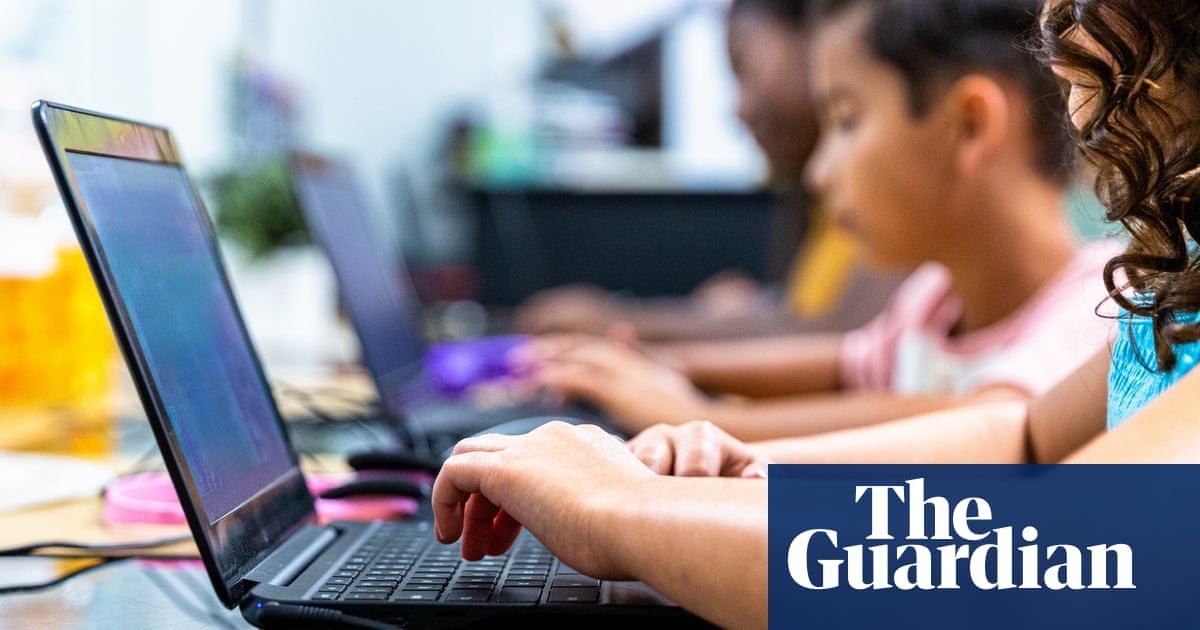
As we integrate technology into our classrooms, weโ€™ve learned from recent research and reports that technology works best in education when it's used purposefully, not constantly. A growing number of districts and parent groups are pushing back on all-day screen use, and even national organizations such as ISTE and AFT urge schools to rethink how much time students spend on devices and AI chatbots.

Fremont #1 is very strong in the purposefully targeted use of educational tecnology. We want to share six of Wyoming's Profile of a Graduate seven key competencies our students need for life after high school. It's worth asking, lesson by lesson: could I build this competency today without a device or an AI shortcut? A few prompts to sit with:

  1. Master, apply, and transfer foundational knowledge and skills. Before students reach for a screen to explain a concept, can they explain it to a partner (Pair Share, Paraphrase Gambit), sketch it on a whiteboard, or teach it to the class? Struggling to articulate an idea out loud is often where real mastery happens.

  2. Think critically and creatively to solve complex problems. AI is very good at producing a plausible-sounding answer fast โ€” which is exactly why it can short-circuit the productive struggle where critical thinking develops. Consider a problem-solving task done entirely on paper or in small groups (PIES). AI (if used at all) to check student problem-solving after they commit to their own reasoning.

  3. Communicate effectively to various purposes, audiences, and mediums. Writing with AI-generated scaffolding can flatten a student's authentic voice. Try an in-class, tech-free draft first โ€” even a rough one โ€” so students practice finding their own words before any tool touches the page. AI (if used at all) to check thoughts and provide feedback.

  4. Identify and use credible sources of information to build knowledge and make decisions. This is a competency AI can actively undermine if students treat a chatbot's answer as a source rather than a starting point. Model source evaluation with primary texts, library resources, or expert interviews.

  5. Demonstrate strong interpersonal and collaboration skills. Oral language development and refinement occurs through face-to-face negotiation, disagreement, and group problem-solving โ€” not through a shared doc or an app. A tech-free group project or Socratic seminar gives students practice that a screen can't replicate.

  6. Cultivate curiosity, self-awareness, resilience, and a growth mindset. Instant answers can quietly erode the tolerance for confusion that curiosity and resilience require. Let students sit with a hard question a little longer than feels comfortable before technology enters the picture.

None of this means banning technology โ€” it means being intentional about which competency a lesson is building, and asking whether a screen or AI tool helps get there, or gets in the way. You know your students and your lesson goals best. We arenโ€™t asking teachers to reject educational tech, weโ€™re challenging us all to consider ways to creatively and thoughtfully implement learning opportunities in the Tier I setting. This newsletter is here to keep the research and the questions in front of you, so feel free to read some of the research provided below

Each month we will provide 2-3 articles for you to read at your leisure in both the CIA and the Tech Newsletter.

Teen Reading Slumps to Worst This Century Due to Surge in Screen Time

Teen Reading Slumps to Worst This Century Due to Surge in Screen Time

US News is a recognized leader in college, grad school, hospital, mutual fund, and car rankings. Track elected officials, research health conditions, and find news you can use in politics, business, health, and education.

launch usnews.com
AI in the classroom prompts tide of concern from US parents and experts

AI in the classroom prompts tide of concern from US parents and experts

While tech companies and Trump have been pushing teachers to use AI in the classroom, many argue that there is little evidence that it would actually help children

launch theguardian.com
Why writing by hand beats typing for thinking and learning

Why writing by hand beats typing for thinking and learning

Researchers are learning that handwriting engages the brain in ways typing can't match, raising questions about the costs of ditching this age-old practice, especially for kids.

launch npr.org

Phishing Will Get Worse! Phishing Will Get Worse!

Yoda when he sees another phishing email
zoom_out_map

Phishing has become our top concern for security in the district. Last year saw a significant uptick in phishing attacks, many specifically targeted Fremont #1 by using staff names and current situations. Expect this to get much worse in 2026-2027 ๐Ÿ˜ฏ


Just this month, we've seen compromises from local entities. Fremont #25, the Lander Chamber, and the Lander city government. We've also had a few outbreaks of our own.

User uploaded image
zoom_out_map

Using the CyberNut add-on in Gmail

CyberNut is the fastest and most secure way to report phishing emails that you receive. CyberNut is available to all staff through Gmail (look on the toolbar along the far right edge of Gmail).


Remember the difference between phishing and regular spam:


  • Phishing: You need to "do something" or "open something", usually in a hurry or under a threat. Phishing often impersonates or mentions a District staff member or circumstances.
  • Spam: General marketing email. It may be annoying, but it's not malicious or deceiving.


The Tech Office can no longer respond to "Is this phishing" emails. Please use the CyberNut extension to report these, not forwarding through email. Also, for "regular" spam, you can use the Spam button in Gmail to classify those and stop receiving them.

If your account gets compromised ...

Compromised accounts are being used in a variety of malicious ways. Because of this, starting this month, a compromised account will be suspended for at least one working day so we (Tech) can work through our checklist of steps to ensure the account is secured before reactivating.

Summer changes to reduce phishing attack surface

Compromised accounts are being used in a variety of malicious ways. Because of this, starting this month, a compromised account will be suspended for at least one working day so we (Tech) can work through our checklist of steps to ensure the account is secured before reactivating.


We have also followed several strategies on the back end to mitigate phishing attempts and damage. These include:


  • We have turned off scripting of certain document types in Google Workspace. For a very small handful of users, this limits some functionality; however for nearly all staff, you will not see a practical difference in how Docs, Sheets, Keep, or Slides operate.
  • Our migration to Chrome OS for staff, replacing Microsoft Windows. While this will not affect the amount of phishing, it greatly limits the "blast radius" malicious software can access.
  • Soon we will be applying an AI-based tool within CyberNut that will automatically score reported emails, and if it determines that to be phishing, quarantine it from all mailboxes. That way, Tech doesn't have to race back to our desktops to remove an email -- we can check the quarantine at our leisure

Another change to reduce "Calendar spam"

We have also changed how calendar invites are handled. Previously, any invite you received was added to your calendar. Some people find this useful, others not so much -- however, recently spammers and phishers are taking advantage of districts with this setting to send "deadlines" and other threats via calendar invites.


Now, the default is that you have to approve an invite from someone before it appears on your personal calendar. If you wish to have invites automatically accepted from known senders, you can change this default in your Calendar settings. Go to Settings - Event settings and see the image below.

User uploaded image
zoom_out_map Show in original size

CyberNut reporting and simulations

And it's time for everyone's favorite activity ... phishing simulations! Starting within the week, we will open a new "campaign" of phishing test emails to all staff. These emails will look pretty realistic, as those are the emails we're receiving.

User uploaded image
zoom_out_map Show in original size

AI Applications for 2026-2027 AI Applications for 2026-2027

User uploaded image
zoom_out_map
Google Gemini (which includes the Gemini agent and Gemini Notebook (formerly Notebook LM)


  • Gemini is integrated into the Google Workspace core product, so its data and privacy protections are equal to Gmail and Drive.
  • Google Vids is a video creation and editing tool that is tied into Gemini, as well as content stored within Drive. Vids leverages AI to summarize your slideshows and documents to make a succinct and appealing video presentation, with an optional AI voice reading your narration.
  • Gemini also includes an image creator, Nano Banana 2. You can access this from Images on gemini.google.com
User uploaded image
zoom_out_map

Brisk is an additional educator-focused AI agent available to all staff.


  • Brisk is an extension within Google Chrome. Sign into your Workspace account to get its Pro features.
  • Brisk is purchased annually by the Curriculum Office and the Tech Office.

These AI subscriptions are available to all staff. There are also additional District applications with some AI abilities; namely Canva and Adobe Express.


Please let your building's Instructional Facilitator, or the Tech Office staff, know if you have any questions regarding these applications, and keep an eye out for upcoming professional development opportunities!

Highlighting Google NanoBanana Image Generator Highlighting Google NanoBanana Image Generator

Built into our Gemini subscription, Nano Banana 2 is Google's generative AI image creator. All you need to do is give it a prompt (and remember, the more detailed the prompt, the better the initial result) and Nano Banana 2 will generate an image.


To access Nano Banana 2, visit gemini.google.com in Chrome, or click on Gemini in the "waffle" menu in any Workspace product.

User uploaded image
zoom_out_map Show in original size
Learn about Gemini in Google Classroom - Classroom  Help

Learn about Gemini in Google Classroom - Classroom Help

Gemini in Google Classroom is a suite of generative AI tools designed for educators and eligible students. Generative AI is an emerging type of artificial intelligence that can generate new and unique

launch support.google.com

Next month ... Next month ...

We will have some information about our new EdPuzzle subscription, Notability, and more AI follow-up!

Chris Brown
Chris is using Smore to create beautiful newsletters
Loading indicator

close
Powered by