Smore logo
remove_red_eye 149

ECSD Technology Newsletter

Technology Info and Tips from the Elbert Co. Tech Department

ECSD TechnologyNewsletterTechnology Info and Tips from the Elbert Co. TechDepartment

THANK YOU THANK YOU

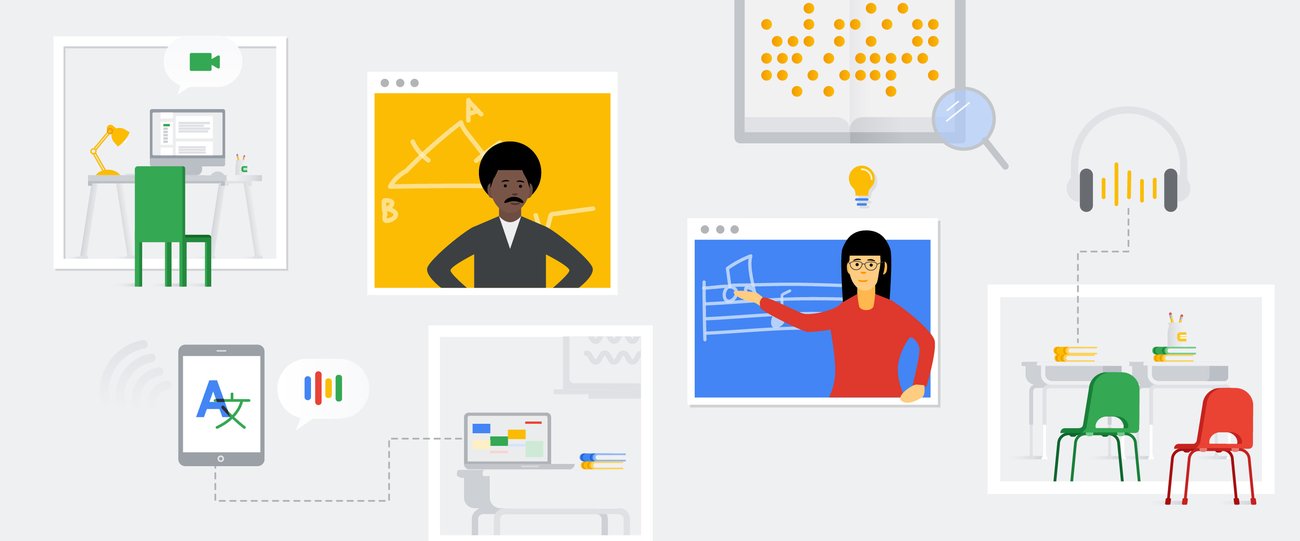
As Teacher appreciation week comes to close, we here in the technology department are in awe of what you all are doing every day for your students. It is showing as well. Dr. Kurtz and I ran some numbers and from April 19th until last Tuesday, and 96% of students at the Elementary school have accessed their Google Drive. I found this video that Google for Education put out for teacher appreciation week, and it really emphasized the vital work you do day in and day out!
Thank you, teachers. Thank you times infinity.

Cleaning Up Google Classroom Cleaning Up Google Classroom

3 Tips for Cleaning up your Google Classroom

As we begin to wind down the year now, start to think about how you are going to digitally organize the 2019-2020 school year and how you will start the 2020-2021 year. Here are a few pointers, so you don't become overwhelmed with all of the "stuff" in Google Classroom


1) Once you are finished with your Google Classroom for the year - Return all student work. This makes the student the owner of the work. If you don't do this and you delete the file, it deletes it for the student.


2) Remove all the classroom calendars - When you create a Google Classroom, it automatically creates a calendar for your classroom. Once you are finished with your Google Classroom, consider deleting that calendar. If not, you are going to have lots of calendars, and I find that to be confusing.


3) Archive your Google Classroom - When you archive your google class you are not deleting your class or deleting assignment. Archiving the class means that you are hiding the class from your classroom landing page for both you and your students. You can reuse assignments the next year, but you won't have to worry about seeing all the classes from years past.


New Look for Sharing Files New Look for Sharing Files

I went to share a Google Doc with someone the other day and noticed that it looked different. Google suite has changed the look of sharing documents. If you do not have the new changes you will see them soon. Here is some more information about the switch.

Accessibility in Covid-19 Accessibility in Covid-19

Accessibility ideas for distance learning during COVID-19

Accessibility ideas for distance learning during COVID-19

We’ve gathered tools and best practices to help with distance learning support for students who have disabilities or require a more hands-on approach.

launch blog.google

New Feature: Google Meets from your E-mail New Feature: Google Meets from your E-mail

Google Meets is now an option in your E-mail. If you have your E-mail pulled up you can create or join a meet straight from G-mail. You can also create Google Meets straight from Google Classroom.

Professional Learning Blogs

One of the main things that I have learned in the last few weeks is that our tech tools during this time are changing rapidly. There are lots of changes and improvements that have happened in the last few weeks. It can be hard to stay on top of this and not feel overwhelmed at the same time. Below are my Top 5 places to get good information about tech tools


1) Google for Education Blog - This is a great resource and has lots of information about new features that are rolling out. For example, Google Meets is now part of Google Classroom!


2) ControlAltAchieve.com - Eric Curts is a Regional Edtech Professional in the midwest. He is not only a great human being but he has lots of great information during Covid-19. He has been a go to to me personally as I have prepared for distance learning. Eric is fantastic about responding to teachers via social media or through E-mail during this time.


3) Free Tech for Teachers - Richard Byrne is another one of my Edtech Heros. I have been reading his blog since 2011. There are lots of great resources here! Like myself, he is also a fan of ESPN Jock Jams.


4) ShakeupLearning - Kasey Bell has lots of great resources on her site and also hosts a podcast and writes books about technology in the classroom.


5) Ditch that Textbook - Another great resource with lots of videos, books, and podcasts in the area of digital learning.

COVID 19 Site COVID 19 Site

The COVID-19 Site (www.elbert.k12.ga.us/covid19) is the place to receive the most up to date information about the Elbert County School District's response to the extended school closure. On this site will be information about wifi access, school lunches, and technology resources for students and parents.


Wifi Access for students - Thanks to the hard work of the technology department wifi is now available in all school parking lots. HERE is more information about free wifi access across the county.

Illuminate Education Tip of the Week

Illuminate Education has put together a Fantastic SITE. With tips for using Illuminate Education during distance learning.

Instructional Technology Support

Below is a calendar where you can book time with Clint. if you would like help with designing digital lessons, learning about Discovery Education, learn more about the Google Suite, screen recording, 1980s Braves, support Ty and Ruby do 2nd grade math etc. . . I am here to help! I am setting up 30 minutes block to be "on call" for support. Click the link below to sign up for support.

Elbert County School District

launch clintwinter-6.youcanbook.me

Google Teaching from Home Hub

Google Teaching from Home Hub is a temporary hub of information and tools to help teachers while we are out of the building. See the link below for information about the Teach from Home Hub

Teach from Home

Teach from Home

A temporary hub of information and tools to help teachers during the coronavirus (COVID-19) crisis.

launch teachfromhome.google
Distance Learning

Distance Learning

Flipgrid is where social and emotional learning happens! The leading video discussion platform for millions of PreK to PhD educators, students, and families.

launch flipgrid.com
zoom_out_map

Elbert County School District Technology Department

Joe Dawson - Elbert County Elementary School

Matt Johnson - Elbert County Middle School

Sherri Rampey -Elbert County Primary School

Hector Santiago - Elbert County Comprehensive High School

Bruce Stewart - Technology Director Elbert County School District

Clint Winter - Instructional Technology Coordinator Elbert County School District

Website: elbert.k12.ga.us
Phone: 706.213.4000
Twitter: @elbertcoschools

Loading indicator

close

Created with

Communicate quickly and effectively with interactive newsletters.

Smore empowers educators to connect with their community, streamline school communications,
and increase engagement.

Create a newsletter