remove_red_eye 820
page background

Google Docs

Self-Paced Professional Development Course

Google DocsSelf-Paced Professional Development Course
zoom_out_map

What is Google Docs?

Google Docs is an online word processor incorporating the basic features of Microsoft Word or Apple Pages, but adding real-time collaboration and sharing options that make it a great productivity tool.
How can I use it to enhance & transform my classroom?

  • Take collaboration to a whole new level!

    • Create documents and share them with your students or colleagues, choosing whether they can edit the document, just comment on it, or only view it.

    • Students can create documents, collaborate with classmates, and/or share them with you for review.

    • Eliminate compatibility frustrations caused by differences in software programs and devices. Everyone can use Google Docs.

    • Access from any internet-capable device any time.

    • Ensure all collaborators are doing their part by referencing the revision history of the document.

  • Makes research and writing more efficient with built-in tools including web searching within the document, automatic citations, definitions and voice typing.

What are other educators saying about it?

  • “Collaboration in its most beautiful form!” Michelle B. (read full review)

  • “Google Docs is great for students who do not have access to Office-type software at home.” Marla Kay D.(read full review)

  • More Reviews & Lesson Flows

Self-Paced Training Self-Paced Training

Things To Read & Watch

Get started with Docs – Google Apps Learning Center

Get the most out of Google Apps at work or school with guides, tips, customer examples, and other training resources.

launch learn.googleapps.com
Google Share Settings
View and edit your files offline
Google Docs Super Powers
7 Sensational Google Docss Add-Ons for Educators
APP SMASH! G.A.F.E. and Mystery Skype
5 Tips for Using Google Apps on the iPad

5 Tips for Using Google Apps on the iPad

Google and Apple are two very different ecosystems. Both provide great technology and digital tools for use inside the classroom and beyond. When these two worlds collide, they offer a powerful toolbox for educators giving you the best of both worlds.

launch shakeuplearning.com
7 Reasons You Need to Try Voice Typing in Google Docs | Shake Up Learning

7 Reasons You Need to Try Voice Typing in Google Docs | Shake Up Learning

launch shakeuplearning.com

Learn by Doing

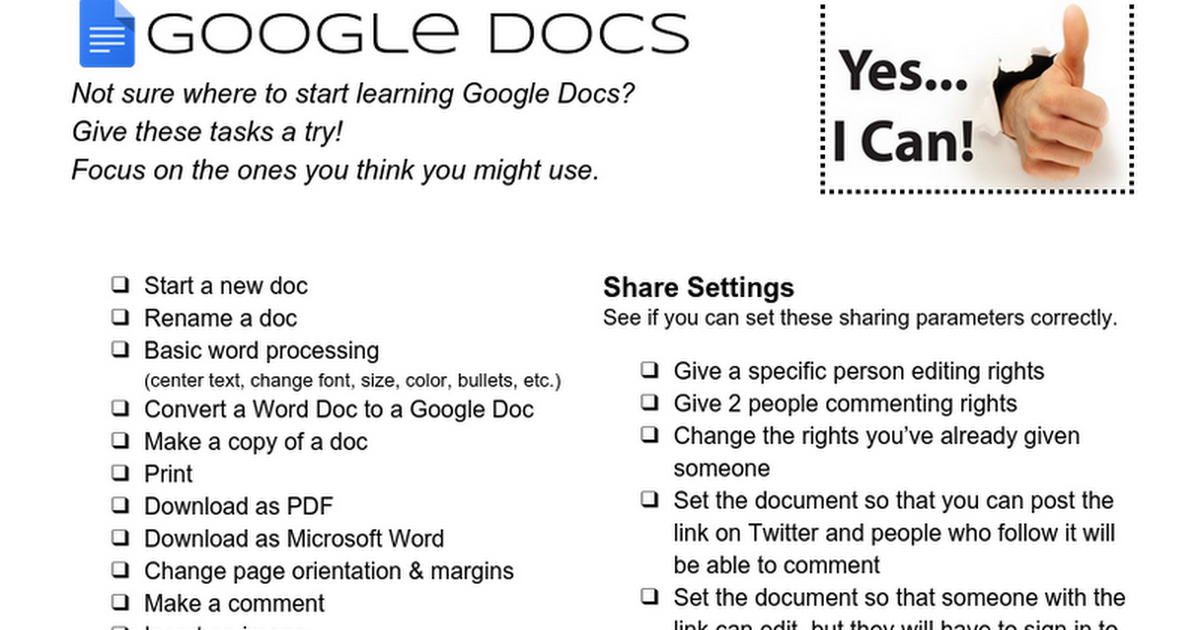
Google Docs - Things To Try Checklist

Google Docs - Things To Try Checklist

launch docs.google.com
Google Docs Cheat Sheet

Google Docs Cheat Sheet

launch drive.google.com
zoom_out_map

Implement

  • Use Google Docs with your students and/or colleagues.
  • Be sure to incorporate some features that are unique to Google Docs (like sharing and the research tool).
  • Install and use at least one Add-On
zoom_out_map

Get your badge and PGP Certificate!

Complete the form below to show what you've learned and accomplished! Once reviewed, you'll receive your badge and PGP certificate.


2 PGPs


(Sorry.... these are only available to Southwest Parke staff.)

Google Docs Course Completion Form
zoom_out_map

Additional Resources

eLearning Lessons

  • SWP eLearning Lesson Template - Docs
  • Sample Kindergarten ELA Lesson - Docs
  • Sample 6th Grade Math Lesson - Docs


More Video Tutorials

  • Google Docs - Tutorial 01 - Basics

  • Google Docs Tutorial Playlist (Sethi De Clercq)

  • Google Docs Tutorial (Alicia Secord)


More Helpful Links & Info

  • @googledocs on Twitter

  • Get Started With Google Docs

  • Google Docs - Basics

  • Downloading & Printing Files

  • Sharing & Collaborating

  • Description of Share Settings

  • Formating Text & Adding Hyperlinks

  • Inserting Textboxes & Shapes

  • Research Tools in Google Docs

  • Collaborative Note-Taking With Google Docs

  • 5 Tips for Using Google Apps on the iPad

  • Accessing Your Files Offline


Documents & Templates

  • Google Docs Cheat Sheet (Kasey Bell)

  • You can now access common templates from the docs.google.com

  • Find more templates here


Sharing Ideas

  • Google Pinterest Board

  • Find or Create a Lesson Flow

zoom_out_map

Rachel Porter

I'd love to help you become more proficient with Google Docs. Contact me with questions specific to your classroom!

Email: porterr@swparke.k12.in.us
Website: awakenlearning.net
Phone: (765) 569-2073
Twitter: @mrsporterDCIS

Loading indicator

close
Powered by