Smore logo
remove_red_eye 915
page background
Logo

OVCA K12 Zone

Middle School - SY 24-25

OVCA K12 Zone  Middle School - SY 24-25
OVCA K12Zone Middle School - SY 24-25

There's no place like the Zone! There's no place like the Zone!

User uploaded image
zoom_out_map

What is the K12 Zone?

Social connections are vital to student growth and success—even in an online school. The K12 Zone is a dynamic virtual campus designed to spark creativity, foster friendships, and build community. Transforming online school into an open-world experience, the K12 Zone offers students a unique space for learning, fun, and connection.


Here, students can hang out with classmates, join activities and clubs, and access learning resources—all within a safe and welcoming environment.

User uploaded image
zoom_out_map Show in original size

Ready, Set, CONNECT! Ready, Set, CONNECT!

User uploaded image
zoom_out_map

More than a metaverse

The K12 Zone goes beyond helping students connect and combat loneliness. Each space is designed to foster meaningful relationships between teachers and students, offering personalized support—academic, personal, and social. This intentional design strengthens student belonging, well-being, achievement, and self-esteem

Your virtual school campus

Each school at OVCA has its own K12 Zone campus where students can connect with peers their age. Using proximity chat, cameras and mics turn on when students are near each other—just like in real life! They can join or leave conversations simply by walking away, making it feel like mingling at a live event.

The K12 Zone is full of interactive features—students can play games, explore virtual field trips, and access school resources. We also host special activities and events, so even if students can’t attend in person, they won’t miss out on the fun.

K12 Zone Hype Trailer V2

Vidyard video

launch share.vidyard.com

Learning just got a lot more fun!

This year, every OVCA teacher has their own virtual classroom! Unlike our school campuses, these classrooms are unlisted—each has a unique URL shared only with that teacher’s students. Teachers have customized their classrooms to create engaging, welcoming spaces that support academic growth. State standards are woven into interactive games and activities, making learning both effective and fun. In the K12 Zone, students can meet their learning goals without the pressure—because sometimes, a little fun is exactly what the brain needs!

User uploaded image
zoom_out_map Show in original size

Safe & Secure Safe & Secure

Policy & Moderation

The K12 Zone is a private space open only to OVCA students and staff. While in the Zone, students are expected to follow OVCA’s Code of Conduct. All campuses and classrooms are supervised by trained OVCA staff who serve as moderators. These moderators follow clear guidelines for addressing bullying, inappropriate behavior, or offensive language.

Students can also take action themselves by reporting misconduct, blocking other users, or requesting help from a moderator. Misconduct may result in a loss of privileges or removal from the Zone. And while moderators are always present, we encourage parents to supervise their students as an added layer of support.

Built-in Safety Features

If a classroom is left open without a teacher or staff member present, the Zone automatically switches to Chaperone Mode. In this mode, chat, microphones, and cameras are turned off, ensuring a safe environment. Students can still explore, interact with classroom resources, and engage in activities independently—providing a valuable asynchronous learning experience even without live supervision.

We also use Gaggle Safety Management to help keep the Zone secure. Gaggle combines AI technology with human reviewers to monitor all chat messages. Messages flagged by AI are quickly reviewed by a person, and any legitimate concerns are reported to OVCA staff within minutes.

CAMPUS OPENS ON AUGUST 29th CAMPUS OPENS ON AUGUST 29th

User uploaded image
zoom_out_map Show in original size

GET STARTD HERE! GET STARTD HERE!

STEP 1: REVIEW DIGITAL CITIZENSHIP GUIDELINES BELOW
Student Handbook and Discipline Policy are also linked at the bottom of this newsletter.

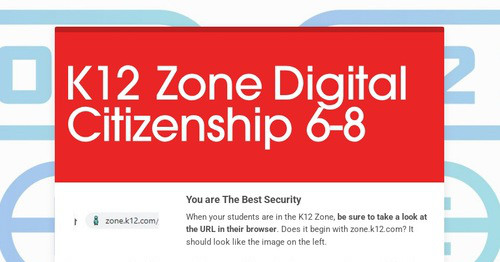
K12 Zone Digital Citizenship 6-8

You are The Best Security When your students are in the K12 Zone, be sure to take a look at the URL in their browser . Does it begin...

launch secure.smore.com
STEP 2: COMPLETE THE RULES AGREEMENT
Required for each student.
STEP 3: LOGIN VIA "RESOURCES" TAB IN CANVAS
Log into your online school and click K12 Zone under the Quick Links section.
OPT- OUT of K12 Zone
Complete this form if you don't want your student to have access to the K12 Zone Campus and/or K12 Zone Classroom. If you have multiple children, you will need to complete it for every child.

What can students expect? What can students expect?

K12 Zone Demo Video

Vidyard video

launch share.vidyard.com
User uploaded image
zoom_out_map

Bryson's Lost Item - Escape Room Challenge

Bryson Needs Help! - Bryson the Bison spent his summer in the K12 Zone. He's is packing up his things to get ready for school to start but has a feeling something is missing. Explore the K12 Zone to find clues and help Bryson find his lost item.

Click the picture to go there now
open_in_new zoom_out_map

K12 Zone Jungle Adventure

Check out the K12 Zone Jungle! - Learn how to use the Zone as you explore 6 awesome islands like Avatar Alley and Game Grove. Click on sparkly characters or signs to watch quick videos that show you how to make friends, play games, and stay safe. Watch for secret games, hidden worlds, and unlock special emotes. Need help - just click Strider the Fox on each island. Let's go explore and have fun!

K12 Zone for Visitors
See what the K12 Zone is like for yourself! Follow the guided prompts to learn or explore on your own.

Extended Introduction Extended Introduction

Introduction to K12 Zone

launch youtube.com

Additional Information Additional Information

pdf
insert_drive_file
K12 Zone Student Discipline Policy_OVCA.pdf
Download
69.9 KB
pdf
insert_drive_file
K12Zone_Resource_Guide.pdf
Download
174.5 KB
pdf
insert_drive_file
5 Tips to Get Started in the K12 Zone.pdf
Download
161.5 KB
pdf
insert_drive_file
K12 Zone Tech Checklist.pdf
Download
148.4 KB
User uploaded image
zoom_out_map Show in original size
OK Student Support Services
OK is using Smore to create beautiful newsletters
Loading indicator

close

Created with

Communicate quickly and effectively with interactive newsletters.

Smore empowers educators to connect with their community, streamline school communications,
and increase engagement.

Create a newsletter