
remove_red_eye 429
page background

Google Updates

Tech Tip Tuesday (November 25, 2025)

Google Updates Tech Tip Tuesday (November 25, 2025)
Google UpdatesTech Tip Tuesday (November 25, 2025)

πŸ”„ A few updates on your Google Workspace products from the last few months! πŸ”„ πŸ”„ A few updates on your Google Workspace products from the last few months! πŸ”„

User uploaded image
open_in_new zoom_out_map

✨Create Presentations in Gemini Canvas

You can now generate complete slide presentations directly within the Gemini Canvas by simply providing a text prompt or uploading a source document. This new feature allows you to instantly create first drafts that automatically include professional themes and relevant images.


Once generated, the presentations can be easily exported to Google Slides for further refinement and collaboration, saving valuable time on initial design and formatting.


Available for Education Fundamentals, Standard, and Plus (which includes your account!).


More on this here!

User uploaded image
open_in_new zoom_out_map

πŸ—“οΈ Block Time for Tasks in Calendar

Google Calendar now allows users to easily block off dedicated time slots to focus on a specific task directly within their calendar.


By selecting an empty slot and choosing Task, users can add details, customize visibility, and set "do not disturb" options for uninterrupted focus time.


This integration ensures the scheduled task appears on your task list and provides reminders until it is marked as complete.


More on this here!

User uploaded image
open_in_new zoom_out_map

⏳ Timers for Google Meet

Google Meet now features an in-meeting timer, manageable by the host/co-hosts that is visible to all participants once started. Use it to improve focus and manage time effectively by providing a shared, visible countdown for activities or discussions. Educators can easily start, pause, or cancel the timer to structure lessons and ensure equitable participation during virtual sessions.


More on this here!

User uploaded image
zoom_out_map

πŸ”” Google Keep Reminders Integrated with Tasks

Google Keep reminders will now automatically save to Google Tasks, making Tasks the central solution for managing all your to-dos across Google Workspace. This integration means you can now see all your Keep reminders as tasks in Google Calendar and the Tasks app, and even query them in Gemini.


The change streamlines organization, ensuring all your saved to-dos (from Keep, Gmail, Docs, and more) are consolidated, up to date, and accessible in one place.


More on this here!

User uploaded image
open_in_new zoom_out_map

πŸ’„ Add AI Makeup for Google Meet

Google Meet is expanding its existing video "Touch-up" feature with 12 new options for AI-powered studio makeup, allowing users to better express their personal style on calls. These options range from a polished, professional touch to more expressive flair for your virtual appearance. The AI ensures the chosen look remains seamless and natural-looking, even through normal movements.

More on this here!

Got a Google question? Got a Google question?

Schedule a time!
I'm happy to discuss, plan, and co-teach!

or reply to this email! or reply to this email!

User uploaded image
zoom_out_map Show in original size

✌🏻 A two-fer for the people! ✌🏻 ✌🏻 A two-fer for the people! ✌🏻

🎢 Change your key, not your wallet

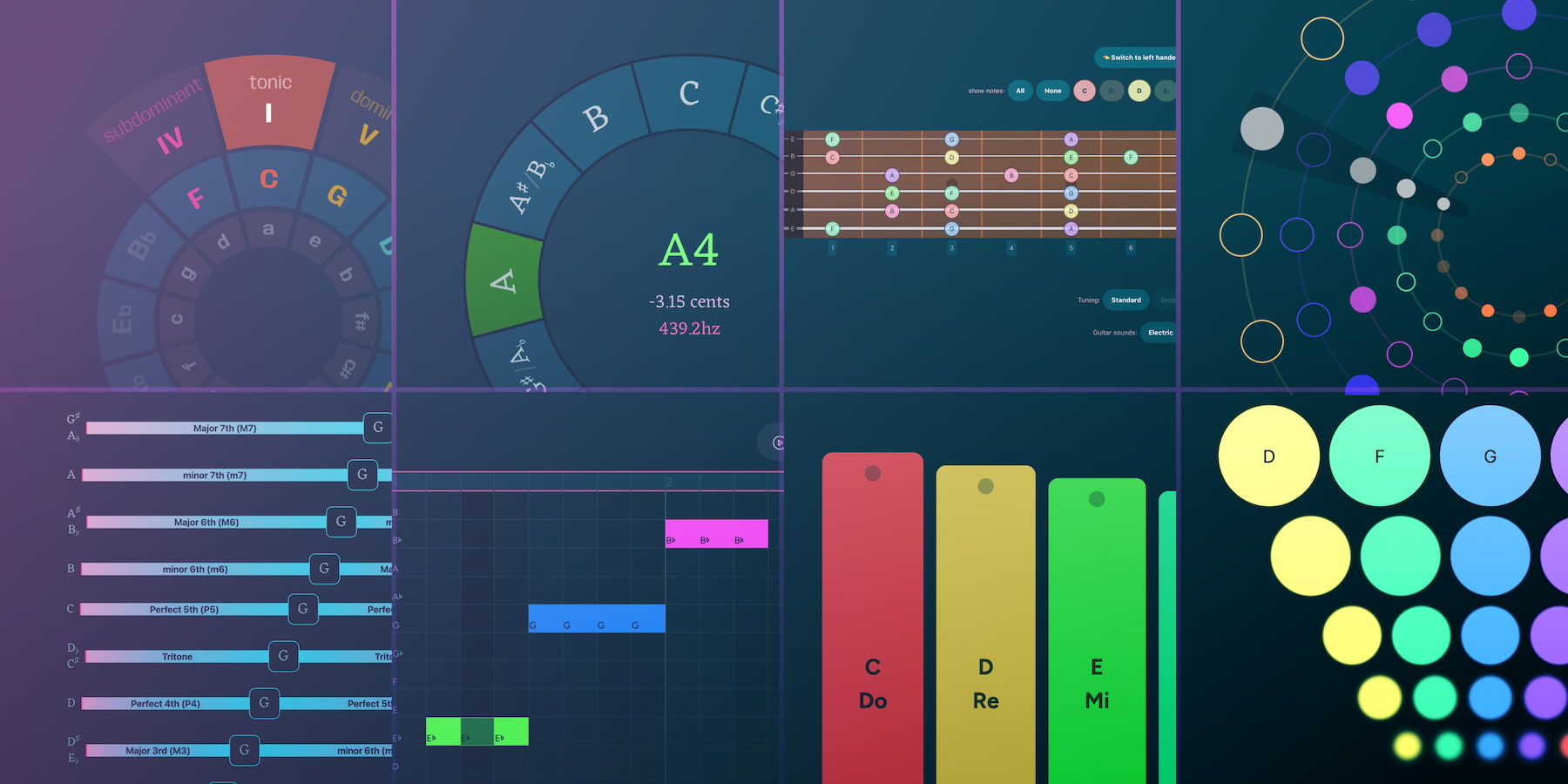
Muted.io is seriously nifty. It's an interactive platform that teaches music theory without making your brain hurt. Think of it as a virtual playground for scales and chords. Everything is completely free and lives online, meaning you don't have to download anything or, in a minor key, pay a subscription! Whether you want to tinker with the interactive Circle of Fifths, jam on a virtual guitar, or play ear training games, Muted.io makes complex musical ideas visual and audible so you can finally understand why that C minor chord sounds so dramatic.


Use it to instantly demonstrate chord inversions or key changes. It’s a fun, accessible way to ensure they actually get the material, rather than just staring blankly at you while you explain what a dominant seventh is. Imagine what Chrome Music Lab wanted to be, but actually usable for instruction.

Magical Music Theory Tools to Learn Music Online for Free | muted.io

A collection of interactive online music theory tools and piano references for notes, keys, chords and scales. A fun way to learn and retain music concepts.

launch muted.io

🌏 Attention, Social Studies & History Teachers!

Finding good-quality videos can be tough, and free resources to go with them are even harder to find.

Crash Course is a great YouTube channel that explains history in a fun, clear, and trustworthy way. It is perfect for learning about tricky topics.


Wayground makes things even better! They organize their Social Studies videos into an easy-to-use library. Plus, each video comes with extra learning tools: a Formative Activity, an Interactive Video, and a Printable Worksheet.


Take a look at all of their social studies collected materials, and for the rest of y'all, check out the rest of their collections on the last page of the sheet!

Crash Course Social Studies & History Videos - YouTube links, Quizzes, Worksheets and Interactive videos

launch docs.google.com
User uploaded image
zoom_out_map Show in original size

🚨 New section! 🚨 🚨 New section! 🚨

I mean, it's technology that's relevant to our lives as educators.

This is a new section where I'll add something that's relevant to our lives as working professionals using educational technology, but something that isn't directly tied to student outcomes.


I'll also include a TL;DR (too long; didn't read) summary since you know, it's life, and the thrill of email communication fades as the inbox gets larger.


Enjoy this week's update on the release of Gemini 3, Google's newest AI model


TL;DR

  • Gemini 3 Pro is the first version released, significantly outperforming previous models on key AI benchmarks.

  • Gemini 3 Deep Think is an even more advanced mode for tackling highly complex problems, coming soon for Ultra subscribers.

  • Availability: It's rolling out today in Google Search (AI Mode), the Gemini app, and for developers via AI Studio and Vertex AI.

  • Core Function: It's designed to help users "learn, build, and plan anything" through improved tool use and multi-step workflow completion.

A new era of intelligence with Gemini 3

Today we’re releasing Gemini 3 – our most intelligent model that helps you bring any idea to life.

launch blog.google
User uploaded image
zoom_out_map Show in original size
User uploaded image
open_in_new zoom_out_map Show in original size
Schedule a time!
Click here to make it easy!
User uploaded image
open_in_new zoom_out_map Show in original size
User uploaded image
zoom_out_map

What smells the best at a Thanksgiving dinner?

Your nose.


Made with MagicSchool's Teacher Joke Generator

User uploaded image
zoom_out_map

Brian Krause, Instructional Technology Coach

Contact me to collaborate on your next project, troubleshoot what you do currently, or to just answer a question you have!

Email: bkrause@ltcillinois.org
Booking Link: https://calendly.com/bkrauseltc
Work Cell Phone: (815) 362-4791
Twitter: @bmkeducation

Always happy to meet!
Choose a time here that works best for your schedule!
Tech Tip Tuesday
open_in_new zoom_out_map

Want to catch up on the old tips?

Click here or below for an archive of all Tech Tip Tuesday newsletters.

My Newsletters | Smore

launch smore.com
Make today tolerable!
Thanks for reading!
Loading indicator

close
Powered by