Smore logo
remove_red_eye 351
page background

Bits & Bytes

April 2021

Bits & BytesApril 2021

Welcome back to Bits & Bytes. Our goal is to keep you informed and up to date on technology policies and the newest technologies that our district uses.


Within this newsletter, you will find information regarding:

  • SBAC & NGSS Testing
  • What's New
  • Tech Integration
  • Test Your Knowledge


If you would like further assistance with any of the information that is delivered in the monthly newsletters, please feel free to contact one of the Technology Content Coaches - Ed Duclos or Debbie Matchett.


You can also visit the EdTech website to view resources for the various technology that is available to the district.


Take care,

The EdTech Team

SBAC & NGSS

It is that time of year again. All students enrolled in grades 3-8 are required to participate in SBAC or the CT Alternate Assessments. Additionally, all students in grades 5, 8 and 11 are required to participate in the NGSS or the NGSS Alternate Assessment. TA Training will be provided in each building prior to testing.


The state requires each test administrator to reset his or her password every year.

CLICK HERE to view how to update your password.


Please make sure that your login credentials have been updated for administering the test. If you have trouble updating your password, please contact Steven Albrecht.

zoom_out_map

Student/Family Resources

Access the Secure Browser

Sign into the Student Interface

zoom_out_map

SBAC Resources


SBAC Quick View Instructions

SBAC Training Slides

Desmos Calculator Resources

zoom_out_map

NGSS Resources


NGSS Quick View Instructions

NGSS Training Slides

What's New

open_in_new zoom_out_map

Live Caption on Chrome

  • Automatically generate real-time captions for media with audio on your browser.
  • Works in Screencastify, across social/video sites, personal video libraries and most web-based video or audio chat services.


Click Here to learn more.
open_in_new zoom_out_map

Screencastify New Tool Bar

  • Click and move toolbar to desired location.
  • Expand or minimize the toolbar.
  • Add Stickers and shapes.
  • Draw rectangles to emphasize important concepts.
  • New mouse click firework feature.


Click Here
to learn more.
open_in_new zoom_out_map

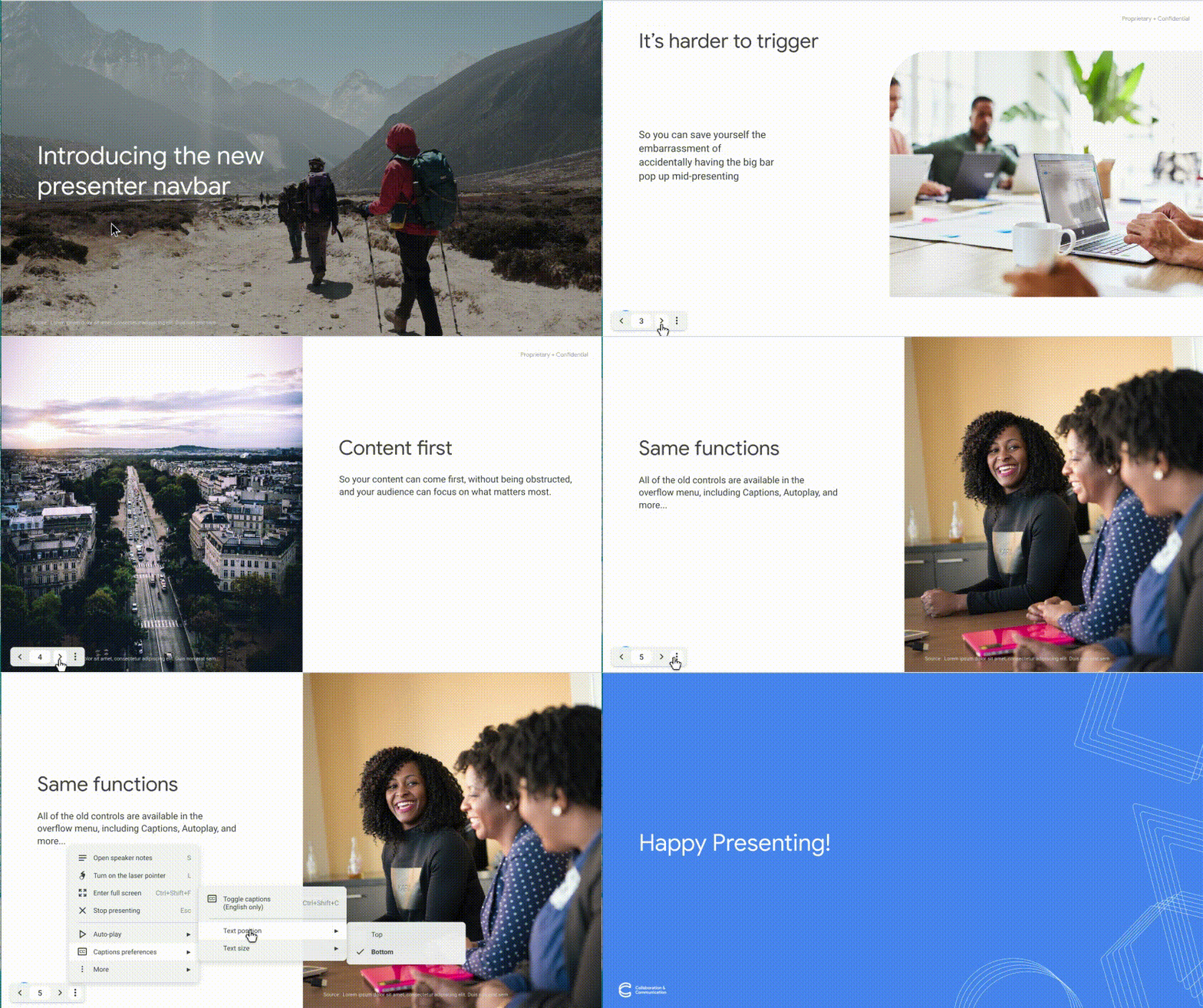
Google Slides Presenter Navbar

  • Smaller in size to minimize distractions
  • No more obstruction of content.
  • Same presenter functions available.
  • Release started on March 26th and will reach all users by April 9th.


Click Here
to learn more.

Tech Integration

zoom_out_map

Virtual Fieldtrips

Missing the ability to go on a field trip? Google Earth can help you fill that void.


  • Take a guided tour
  • View landmarks and national parks
  • View landforms and weather systems from Space


Click Here to learn more or visit Google Earth now and start exploring.

zoom_out_map

Digital Art

Encourage digital creativity. Help students put STEAM in STEM.


  • Infographic
  • Logo Design
  • Book Cover
  • Mosaic
  • Avatar Design


Click Here for student resources on creating digital art with Google Slides/Drawings.

zoom_out_map

Podcasting

Empower student voice and help them connect with the world. Podcast topic ideas:


  • Interview
  • Explain a process
  • Fact of the Day
  • Review/Recap
  • Recommendation
  • Spotlight


Click Here to view tutorial on how to use WeVideo for podcasting.

Test Your Knowledge

Let's see what you learned from this month's newsletter. Click on the button below and complete the form. The form will close on Friday, April 23. One winner will be selected from each building. Winners will be announced and will receive a prize!
Click Here
Loading indicator

close

Created with

Communicate quickly and effectively with interactive newsletters.

Smore empowers educators to connect with their community, streamline school communications,
and increase engagement.

Create a newsletter