remove_red_eye 731
page background
Logo

Banners & Buttons

Tech Tip Tuesday (August 16, 2022)

Banners & Buttons Tech Tip Tuesday (August 16, 2022)
Schoology Buttons and Banners help students find things easier!

"But I can't find what you're talking about!"

🟠Make Schoology more attractive and easier to find content.🟢

Let 's make it a little simpler for them by adding images and clickable buttons.

Creation might take some time at the start, but helping your students find what they are needing.


Also, who doesn't like a little color on their Schoology page?

Inserting Clickable Buttons and Banners into Schoology Course
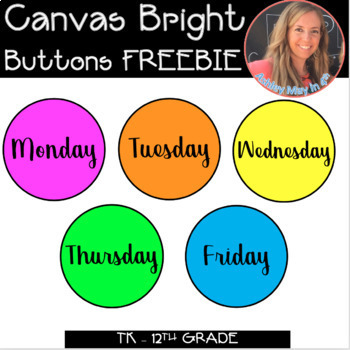
Canvas and Schoology LMS Bright Buttons FREEBIE

Canvas and Schoology LMS Bright Buttons FREEBIE

Want to jazz up your CANVAS or Schoology homepages for distance learning? Look no further and download these bright buttons to add to your CANVAS Learning Management System (LMS) account. Buttons can also be used with Blackboard, Google Sitesâ„¢, etc. Simply add the images to the page you'd like th...

launch teacherspayteachers.com
Schoology Buttons/Icons - The Basics FREEBIE

Schoology Buttons/Icons - The Basics FREEBIE

Six basic icons to use in the Elementary view format for Schoology. Please see my other listings for different Schoology icons. Icons included: - Classwork Assignment - Quiz - Test - Today's Assignment - Worksheet - Writing Assignment

launch teacherspayteachers.com

Give a personal spin to your Schoology page or Google Classroom!

Schoology Image GIF
zoom_out_map

Headers are a great way to add your personal flair to your page, but it's also helpful for students who need to differentiate between courses.


You can also make Google Forms headers for clubs, tests/quizzes, or just whatever you need a Form for!


Customizing is easy with Canva, but I'll also toss some templates your way!

For Schoology profile pictures for Courses and Groups, it's responsive, so use what you like!

For the Canva templates for Google Forms and Classroom headers, check them out here!

Click here to schedule me to help you design your custom header!

Brian Krause, Instructional Technology Coach

zoom_out_map
Contact me to collaborate on your next project, troubleshoot what you do currently, or to just answer a question you have!

Email: bkrause@ltcillinois.org
Website: https://calendly.com/bkrauseltc
Phone: (815) 362-4791
Twitter: @bmkeducation

Schedule a time to work with me!

Want to catch up on the old tips?

Tech Tip Tuesday
zoom_out_map open_in_new
Check them out below!

Click the newsletter blasts on Smore!

My Newsletters | Smore

launch smore.com
Brian Krause
Brian is using Smore to create beautiful newsletters
Loading indicator

close
Powered by