

Smore logo
remove_red_eye 4.7K
page background

Web 2.0 Tools for Teachers

Top 5 Picks

Web 2.0 Tools forTeachersTop 5 Picks
zoom_out_map

What is Web 2.0 again?

Web based applications that involve participation and interaction in the creation of content as opposed to websites that just involve viewing content.

Why should I use Web 2.0 tools with my students?


  • Interactive, engages learners in creating a product
  • Accessible - anywhere you have web access
  • Collaborative - encourages sharing of work and "audience" participation
  • Impress everyone with your technical know-how :)


Help! The choices are overwhelming! Help! The choices are overwhelming!

Start with a few easy to use sites; then add to your toolbox as you learn. Start with a few easy to use sites; then add to your toolbox as you learn.

#1 Voki

Voki - Choose an avatar and convey your message. Use text-to-speech OR record your own voice. Can post Voki to blogs and websites.

Voki Scene pickup

launch voki.com

#2 Prezi

Prezi is a cool alternative to PowerPoint. Begin with a blank canvas - create the look you want. Viewers can control the movement, zoom in and out.
Martin Luther King, Jr.

Martin Luther King, Jr.

launch prezi.com

#3 Animoto

Great tool for creating slideshows of images set to music. Can add captions.

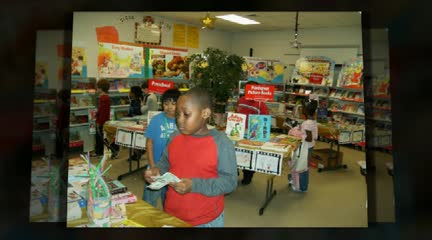
Lights, Camera, Books!  Scholastic Book Fair

Lights, Camera, Books! Scholastic Book Fair

Book Fair recap

launch animoto.com

#4 Wordle

Use Wordle to create word clouds. Possible uses: autobiographies, poetry, in place of book reports.

#5 Smore

Smore lets users create posters and flyers. Templates are easy to use with choices for backgrounds, fonts, and colors. Add images, embed in a web page or blog.

LibSciGal

launch libscigal.blogspot.com

Want to know more?

  • Check out my Pinterest board: http://pinterest.com/libscigal/web-2-0-tech-in-education/
  • Sign up for a group lesson
  • Jump in the Web 2.0 world

Thank you! Thank you!

zoom_out_map

Credits

Images:

Web 2.0 image from http://www.techlearning.com/Default.aspx?tabid=67&EntryId=3962

Web 2.0 icon images from http://wik.ed.uiuc.edu/images/7/7b/Web20alllinks.jpg

Voki Avatar image from http://www.squidoo.com/voki

Prezi image from https://twitter.com/prezi

Wordle image from http://innovations2010unco.pbworks.com/w/page/31220066/Literacy--%20Wordle

Email: EDGraham@email.sc.edu
Website: libscigalblogspot.com
Phone: 0000000000

Loading indicator

close

Created with

Communicate quickly and effectively with interactive newsletters.

Smore empowers educators to connect with their community, streamline school communications,
and increase engagement.

Create a newsletter