



Smore logo
remove_red_eye 556
page background

Instructional Technology Newsletter

East Rockaway School District - Fall/Winter 2019

InstructionalTechnology NewsletterEast Rockaway School District - Fall/Winter 2019

Wheel of Names - Random Name Picker Wheel of Names - Random Name Picker

Wheel of Names | Random Name Picker

Ad-free, clean design. Used by teachers and for raffles. Enter names, spin wheel to pick a random winner. Customize look and feel, save and share wheels.

launch wheelofnames.com

Winter-Themed Breakout EDU Digital Games Winter-Themed Breakout EDU Digital Games

Breakout EDU | Breakout EDU

Breakout EDU | Breakout EDU

Breakout EDU | Breakout EDU is the immersive learning games platform | It's time for something different

launch platform.breakoutedu.com

Google Slides Creation Activities Google Slides Creation Activities

Decorate a Christmas Tree with Google Slides

Decorate a Christmas Tree with Google Slides

launch controlaltachieve.com
Build a Snowman with Google Slides

Build a Snowman with Google Slides

launch controlaltachieve.com

Hour of Code Resources Hour of Code Resources

Hour of Code

Hour of Code

Hour of Code - Computer Science Coding Resources for Teachers AND Students by Lee Araoz | This newsletter was created with Smore, an online tool for creating beautiful newsletters for individual educators, schools and districts

launch smore.com

Google Jamboard - Collaborative Whiteboard Google Jamboard - Collaborative Whiteboard

Google Jamboard: Collaborative Digital Whiteboard | G Suite for Education | Google for Education

Google Jamboard: Collaborative Digital Whiteboard | G Suite for Education | Google for Education

A collaborative, digital whiteboard makes it easy to create without boundaries and share ideas in real time. Jamboard moves the whiteboard to the cloud.

launch edu.google.com

Wakelet - Save, organize, and share digital content Wakelet - Save, organize, and share digital content

Wakelet – Save, organize and share content

Wakelet – Save, organize and share content

Save, organize and share content from across the web with Wakelet. Save articles, videos, images, Tweets and more, organize them into stunning collections, and revisit them anywhere, anytime.

launch wakelet.com

Wooclap - An interactive platform that makes learning awesome Wooclap - An interactive platform that makes learning awesome

Wooclap - An interactive platform that makes learning awesome

Wooclap - An interactive platform that makes learning awesome

A collaborative platform for your classes, conferences and training sessions. Intuitive and simple, Wooclap makes your presentations interactive.

launch wooclap.com

AllSides.com - See media bias in action AllSides.com - See media bias in action

AllSides | Balanced news via media bias ratings for an unbiased news perspective

AllSides | Balanced news via media bias ratings for an unbiased news perspective

We use media bias ratings to provide balanced news, perspectives and issues across the political spectrum. There is no such thing as unbiased news or truly non-partisan coverage - we use technology and the crowd to provide balance.

launch allsides.com

Screencastify - Chrome's most trusted screen recorder Screencastify - Chrome's most trusted screen recorder

Screencastify

Screencastify

Screencastify is the #1 free screen recorder for Chrome. No download required. Record, edit and share videos in seconds. Videos autsave to your Google Drive, and can be published directly to YouTube.

launch screencastify.com

MSN Kids - Curated news for kids MSN Kids - Curated news for kids

MSN Kids

MSN Kids

MSN Kids is the best place to get fresh content daily for kids

launch msn.com

Googley Winter Activities Googley Winter Activities

6 Googley Wintertime Activities for Kids

6 Googley Wintertime Activities for Kids

launch controlaltachieve.com

The Best Screen for Every Classroom The Best Screen for Every Classroom

The best screen for every classroom! Try it and love it.

The best screen for every classroom! Try it and love it.

launch classroomscreen.com

Top Tech Tools for Engagement Top Tech Tools for Engagement

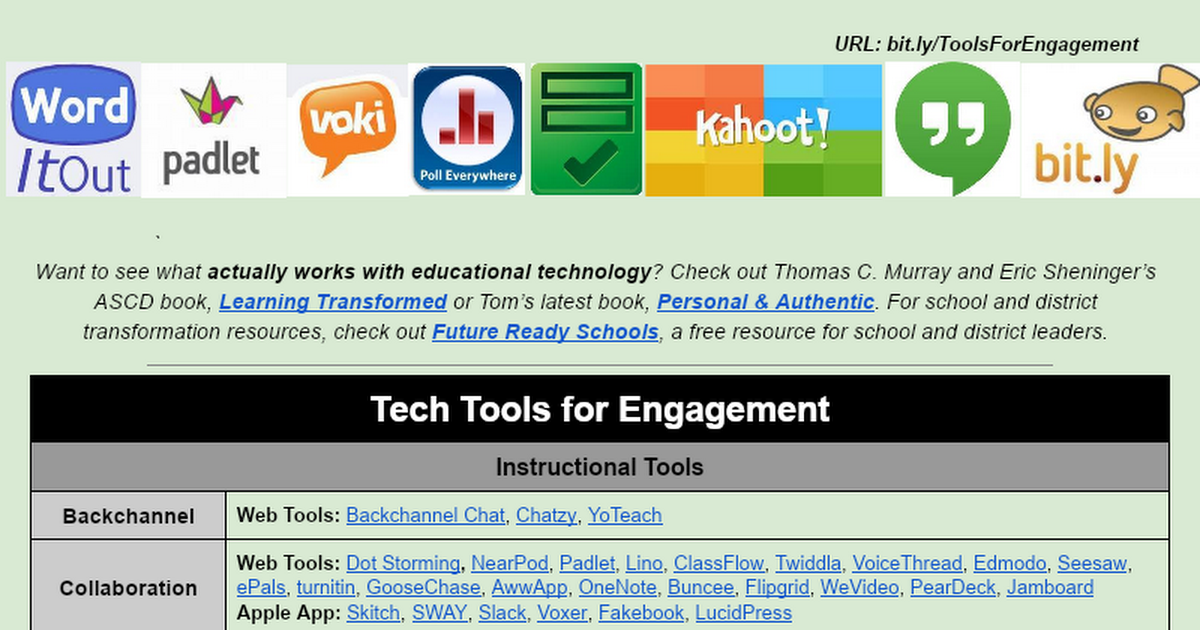
Session: Tech Tools for Engagement

Session: Tech Tools for Engagement

launch bit.ly

Don Johnston Learning Tools: CoWriter, Snap&Read, Quizbot, and Word Bank Don Johnston Learning Tools: CoWriter, Snap&Read, Quizbot, and Word Bank

Click the link below to sign in with your Google account. Click the link below to sign in with your Google account.

Login to Educator Dashboard

launch login.donjohnston.net
Co:Writer for Google Chrome Extension QUICK CARD
Snap&Read for Google Chrome Extension QUICK CARD
Word Bank for Google Chrome Extension QUICK CARD

Quizizz

Free self-paced quizzes to review, assess, and engage—in class and at home.
Quizizz: Free quizzes for every student

Quizizz: Free quizzes for every student

Free gamified quizzes on every subject that students play in class and at home. Pick an existing quiz or create your own for review, formative assessment, and more.

launch quizizz.com

Flipgrid: Video Response Platform Flipgrid: Video Response Platform

Flipgrid. Ignite Classroom Discussion.

Flipgrid. Ignite Classroom Discussion.

Flipgrid is where social and emotional learning happens! The leading video discussion platform for millions of PreK to PhD educators, students, and families.

launch flipgrid.com

Nearpod: Transforming Teaching; Together. Nearpod: Transforming Teaching; Together.

Nearpod | Technology in the classroom

Nearpod is an interactive classroom tool for teachers to engage students with interactive lessons

launch nearpod.com

Easily turn a Google Spreadsheet into a Set of Online Flashcards and Other Cool Stuff Easily turn a Google Spreadsheet into a Set of Online Flashcards and Other Cool Stuff

Flippity.net: Easily Turn Google Spreadsheets into Flashcards and Other Cool Stuff

launch flippity.net

4 Ways to Give Meaningful Feedback with Google Classroom 4 Ways to Give Meaningful Feedback with Google Classroom

4 Ways to Give Meaningful Feedback with Google Classroom

4 Ways to Give Meaningful Feedback with Google Classroom

Google Classroom + Meaningful Feedback = Winning Combination! In this post, we will explore ways to give meaningful feedback in Google Classroom.

launch shakeuplearning.com

Brainscape: An Alternative to Quizlet Brainscape: An Alternative to Quizlet


Brainscape: The Best Flashcards App | Make Flashcards Online

Brainscape: The Best Flashcards App | Make Flashcards Online

Easily find or make your own flashcards. Study online or in our mobile app. Learn 2x faster using spaced repetition!

launch brainscape.com

To schedule a tech tool demonstration lesson or a coaching session, see my contact information below. To schedule a tech tool demonstration lesson or a coaching session, see my contact information below.

zoom_out_map

Lee Araoz Ext. 441

Email: laraoz@eastrockawayschools.org
Website: www.thegoldenageofeducation.com
Location: East Rockaway, NY, USA
Phone: 516-887-8300
Facebook: https://www.facebook.com/AraozLearning
Twitter: @LeeAraoz

Google for Education - GSuite Tips, Hacks and Tricks Google for Education - GSuite Tips, Hacks and Tricks

Click the link below to access the GSuite Playboard. Click the link below to access the GSuite Playboard.

(VG) Becoming a GSuite Wizard - GSuite for Education MMTS

(VG) Becoming a GSuite Wizard - GSuite for Education MMTS

launch docs.google.com

Digital Reading Response Choice Board Digital Reading Response Choice Board

Boucher Reading Choice Board

Boucher Reading Choice Board

launch docs.google.com

Pear Deck: Vocabulary Pear Deck: Vocabulary

Pear Deck Vocabulary

Pear Deck Vocabulary

We're introducing a new app designed to transform the way students engage with vocabulary in the classroom. With Pear Deck Vocabulary, students work together to create dynamic and engaging flashcards with sentences and illustrations that help increase learning and retention. Best of all? Pear Deck Vocabulary is free! Sign up for the waiting list below, and refer your friends for a chance to win 1 of 100 Quizlet Pro Accounts.

launch peardeck.com

Vocabulist: Stop Copying and Start Studying Vocabulist: Stop Copying and Start Studying

Automatically fill out vocabulary sheets | Vocabulist

Vocabulist is an app for students that automatically defines vocabulary sheets and has a variety of export options.

launch vocabulist.com

Breakout EDU Breakout EDU

Breakout EDU Digital

Breakout EDU Digital

Og's Great Adventure - Level 2 You’re Og the Dinosaur. You’ve got many dinosaur friends, but they’re on the other side of the mountain....

launch smore.com

Quizlet Live Quizlet Live

zoom_out_map
A collaborative classroom game option in Quizlet.
Introducing Quizlet Live

Google Chrome Accessibility Features, Apps and Extensions for Special Education Students Google Chrome Accessibility Features, Apps and Extensions for Special Education Students

Chromebooks For Special Education

Chromebooks For Special Education

Araoz Learning

launch smore.com

Winter Reading Suggestions Winter Reading Suggestions

Top Books for Teachers | Teacher Reading List

Top Books for Teachers | Teacher Reading List

Picks for the top 20 books for teachers have arrived. This reading list includes books for reworking your curriculum, classroom tips and sparking creativity.

launch educationcloset.com
Loading indicator

close

Created with

Communicate quickly and effectively with interactive newsletters.

Smore empowers educators to connect with their community, streamline school communications,
and increase engagement.

Create a newsletter