Smore logo
remove_red_eye 573
May Howard Logo

MHES News You Can Use

AUGUST 2, 2026

MHES News YouCan UseAUGUST 2, 2026
MHES Exterior Photo
zoom_out_map Show in original size

News & Notes News & Notes

User uploaded image
zoom_out_map

Hello May Howard Families!

Tomorrow is the day!


We are ready to welcome back all of our Hawks tomorrow morning. Please make sure to take a minute to read through all of the important information in the newsletter, especially the traffic flow and drop off section. Drop off will begin at 8:45 AM and school officially starts at 9:15 AM. We understand that it may take a little longer to get everyone dropped off and into their classrooms tomorrow. Please be patient with us as we do our best to get everyone safely in on time. Our staff members are ready to help with any first day questions that you have.


One very important piece of information: Please make sure that your child and your child's teacher know how they are getting home tomorrow (car rider, bus, or walker).


Thank you for your support and for trusting us with your children.


We know our students backpacks are ready and they are all excited for the first day of school! Get a good nights rest and we will see you in the morning.


Dr. Ken Deal, Principal

Ms. Cassie Clark, Assistant Principal

School Hours School Hours

Drop Off Starts: 8:45 AM

Gate Closes: 9:13 AM

School Starts: 9:15 AM

Dismissal Starts: 3:45 PM

Dismissal Ends: 4:15 PM

May Howard Arrival and Dismissal Procedures

Safety is our top priority. We need all families to work with staff members to ensure the safety of our students and staff is maintained.


ARRIVAL INFORMATION

  • Our school time is 8:45 a.m. – 4:00 p.m.
  • Children will not be allowed to be dropped off prior to 8:45 a.m. Staff are not available to monitor students dropped off prior to 8:45 a.m. (Doing so may result in an unsafe situation for your child.)
  • 8:45-Buses and walkers begin arriving
  • Our instructional day begins at 9:15 am.
  • Students arriving at 9:15 am or later will be marked tardy and parents must walk them to the front door to sign them into school.
  • Dismissal will begin at 3:45 pm and will end by 4:15 pm.

DISMISSAL INFORMATION

  • 3:15 - NO Early Dismissal After This Time
  • After 3:30, students will be dismissed at the regular dismissal time.
  • 3:40 - Afternoon announcements
  • 3:40- Walkers dismissal begins
  • 3:45 - Car rider dismissal begins
  • 3:45 –Buses and day cares begin loading

Here are some additional important reminders..

  • Parents will be allowed to walk your students to class the first TWO days of school only. Each day we will have additional staff on duty to make sure your child gets to the right classroom.
  • Parents should not get out of their cars in the car rider line.
  • Please make sure your child is seated on the right side of the car to help expedite arrival and dismissal.


Please be patient during carpool! The first week or two, the carpool line moves slowly until the students learn the new routine.

Traffic Flow Traffic Flow

Morning Drop-Off

Cars will enter and exit from Cromwell Road. Car line will be a single lane. Car line begins at 8:45 AM.
Morning Drop Off
zoom_out_map Show in original size

Afternoon Pick Up

Cars will enter and exit from Cromwell Road. Once you enter the campus, cars will loop through the front parking lot to keep cars from backing up on Cromwell Road. Pick up is a single lane. Car line ends at 4:15 PM.

Afternoon Pickup Loop
zoom_out_map Show in original size

Attention Pre-K and Kindergarten Parents Attention Pre-K and Kindergarten Parents

User uploaded image
zoom_out_map Show in original size

School and Parent Communication School and Parent Communication

User uploaded image
zoom_out_map Show in original size

New Electronic Device Policy New Electronic Device Policy

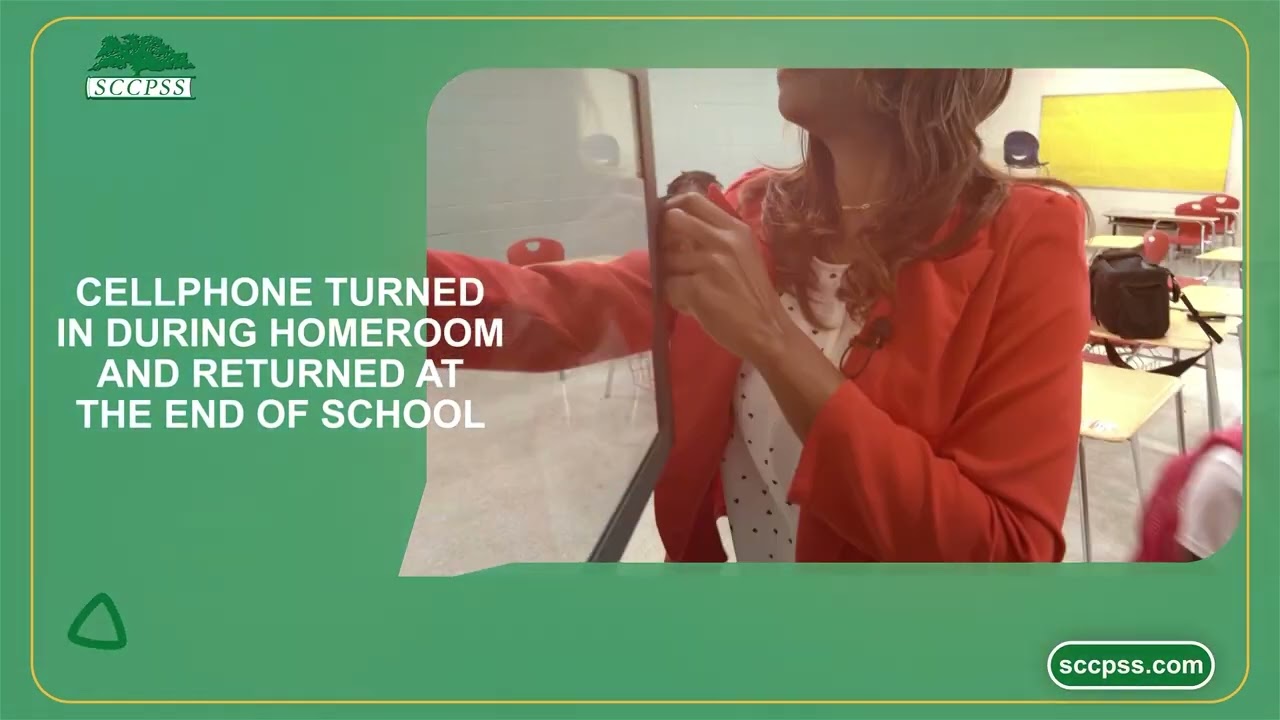
πŸ€³πŸ»πŸ“±πŸ« NEW Pre-K through 8th grade Cellphone policy: Turned into homeroom and returned at end of day

πŸ€³πŸ»πŸ“±πŸ« NEW Pre-K through 8th grade Cellphone policy: Turned into homeroom and returned at end of day

πŸ€³πŸ»πŸ“±πŸ« NEW Pre-K through 8th grade Cellphone policy: Turned into homeroom and returned at end of the day - The new policy starts August 3, 2026 for ALL Pre-K through 8th grade students. - For all the information needed: https://www.sccpss.com/news/news-landing-page/~board/district-news/post/updated-policy-on-student-use-of-electronic-devices-for-2026-27-sy

launch nam11.safelinks.protection.outlook.com
Students may not use electronic devices at school.  If they bring them, the device will be put into a phone locker for the day.
zoom_out_map Show in original size
Clear bag policy
zoom_out_map Show in original size

🚸 Crossing Guard Needed 🚸 🚸 Crossing Guard Needed 🚸

Picture of a crossing guard and children.
zoom_out_map

If you are interested in being a crossing guard for May Howard, please apply using the link below. After you apply, please email Dr. Deal and let him know to look for your application.


APPLY HERE

pdf
insert_drive_file
Crossing Guard Job Description.pdf
Download
99.7 KB

May Howard School Uniforms May Howard School Uniforms

Tops:
  • Navy or white polo-style shirts, collared blouses, turtlenecks, or May Howard spirit wear.
  • Are to be plain unless displaying the school’s name or logo.
  • Should be tucked and may not expose any part of the midriff, lower back, or undergarments.
  • Tee-shirts may be worn under uniform shirts but must not be visible.

Bottoms:
  • Solid navy blue or khaki uniform pants, shorts, skirts, skorts, jumpers, or Capri pants may be worn.
  • Shorts and skirts must be of an appropriate length that maintains modesty and provides sufficient coverage while the student is walking, sitting, or participating in school activities.
  • Tights and leggings (only as an undergarment) may be worn and must be solid navy, black, or white with no designs.
  • Dress code does not permit denim, knit pants, jogging pants, or pajama pants.

Socks:
  • Socks must be solid navy, black, or white with no designs.

Shoes:
  • Shoes must be enclosed and fastened properly (no sandals, backless shoes, or crocs of any kind are permitted).

Outerwear:
  • Solid navy or white sweaters, windbreakers, or sweatshirts may be worn over the uniform shirt. Hooded sweat jackets (but NOT pullover hooded sweatshirts) are permitted and must be worn unzipped inside the building


Dress Down Days:

Student dress down days are scheduled each Friday starting August 8, 2025. Students that participate in dress down days are asked to pay $1. This money is used for our student celebrations, school gardens and many other activities throughout our school. Parents will have the option to pay for all dress down days through SchoolCash. Information on this is forthcoming. The LAST FRIDAY of each month is designated as May Howard School Spirit days. This is a FREE dress down day (or fun themed day) for students and participating students are asked to wear school spirit wear or school colors (navy/white) on this day.

School Supply List
User uploaded image
zoom_out_map

Headphones for School

Headphones: When purchasing headphones for school, please note the following requirements:

* Kindergarten and First Grade: Students will need wired headphones with a USB-C connector (or wired headphones with a USB-C adapter).

* Second through Fifth Grade: Students will need standard wired headphones with a 3.5 mm headphone plug.

Please label your child’s headphones with their name before sending them to school. Thank you!

PowerSchool Parent Access PowerSchool Parent Access

POWER SCHOOL/PARENT ACCESS TO-DO'S

(Due to a high volume of requests, please allow up to five days for new accounts to be created)

Thank you for your patience!


Verification

Every returning family will receive an email from the district asking parents and guardians to verify their child's information in our database. The sooner you are able to do this, the better it will be for our staff. If your address has changed, you must upload a new proof of address.


Request a Device

You may request or decline a device for your student under "Forms." When in the PowerSchool Portal, you can find the Forms link on the navigation menu on the left hand side of the screen. Under the General Forms tab, the Form to fill out is called "Student Device Loan Form". This needs to be completed as soon as possible in order for our staff to ensure that we can assign your student a device for the year. It is highly recommended that a Family Protection Plan is also purchased if you reserve a device for your student.


Family Protection Plan

Parents/Guardians should sign the Family Protection Plan, FFP, (think insurance) if requesting a device under "Forms" and then pay for the plan in School Cash.


Code of Conduct

Please sign off on the Code of Conduct acknowledgement under "Forms."


Provisional Enrollment Document Upload

Most parents/guardians will NOT need to complete this section under "Forms." This is only for parents who enrolled their student but still need to provide additional documentation within 30 days.


Student Change of Address

Most parents/guardians will NOT need to complete this section under "Forms." Use only if your address has changed.


Please note if the address has changed, new proof of address must be uploaded in the "forms" section of the parent portal.

If parent/guardian names have changed, it will require parent/guardian to contact the school and provide required documentation.


How do I get started using the PowerSchool Parent Portal?
Visit the Parent Portal by clicking here:


I do not have a Parent Access account.

If parents/guardians need a Parent Access account, please click here to request one.
I forgot my login credentials for the PowerSchool Parent Portal.

If you already have an account and do not remember your username and password, please click the reset Username/Password on the Parent Access login screen here: https://sccpss.powerschool.com/public/account_recovery_begin.html

Do I have to answer all the questions?
Questions marked with a red asterisk (*) are required.

What if I make a mistake?
If you would like to make a change prior to submitting the form, navigate back to the page using the β€œ< Prev” and β€œNext >” buttons or click on the underlined field on the Review page. If you have already submitted the form, you will need to contact your student’s school to make the changes.

I’ve completed the form, now what?
Once you have finished entering your information, click β€œSubmit" to send the information to the school. If you cannot click on this button, you will need to make sure that you have answered all required questions.

What if I have more than one student in the district? Do I need to do this for each child?
Yes, you will need to provide information that is specific to each child. We recommend that you complete and submit one form and then start another. This will allow you to β€œsnap” (or share) selected family information, which will save you time.

πŸ“† Important Dates πŸ“† πŸ“† Important Dates πŸ“†

User uploaded image
zoom_out_map Show in original size
Fall picture day august 20
zoom_out_map Show in original size

πŸ₯— School Food & Nutrition πŸ₯— πŸ₯— School Food & Nutrition πŸ₯—

Breakfast and lunch are free for all students!

Did you know? Lunch AND breakfast are FREE to all SCCPSS students this year. We want to make sure students have the tools and fuel they need to succeed! Because EVERY day matters.

See you Monday, August 3!

Breakfast and Lunch Menus
Frequently Asked Questions

🚍 Transportation 🚍 🚍 Transportation 🚍

Find Your Bus Stop Here
Here Comes The Bus
pdf
insert_drive_file
SCCPSS 2026 school calendar.pdf
Download
447.5 KB
pdf
insert_drive_file
2026 Assessment calendar.pdf
Download
201.2 KB

Appointment and Vacation Planner Appointment and Vacation Planner

School Breaks
zoom_out_map Show in original size
Attendance Guidelines - Savannah-Chatham County Public School System

Attendance Guidelines - Savannah-Chatham County Public School System

launch sccpss.com
Code of Conduct - Savannah-Chatham County Public School System

Code of Conduct - Savannah-Chatham County Public School System

launch sccpss.com
Hands raised
zoom_out_map Show in original size
Click here to learn how to be a school volunteer

SCCPSS Back to School Information SCCPSS Back to School Information

User uploaded image
zoom_out_map

May Howard Elementary

Email: kenneth.deal@sccpss.com

Website: https://howard.sccpss.com/

Location: 115 Wilmington Island Road, Savannah, GA 31411

Phone: 912-395-3925

Kenneth Deal
Kenneth is using Smore to create beautiful newsletters
Loading indicator

close

Created with

Communicate quickly and effectively with interactive newsletters.

Smore empowers educators to connect with their community, streamline school communications,
and increase engagement.

Create a newsletter