

K12 Zone POC Meetings & Resources
Friday, May 29th
☀️ Summer Update
Although we will not be holding weekly POC meetings over the summer, I will continue to send out this newsletter whenever there are important K12 Zone updates, new features, events, resources, or information to share with schools.
The updates below are currently scheduled to be released on the evening of Tuesday, June 2, and will be available to users beginning Wednesday, June 3. Please take a few minutes to review the changes and share any relevant information with your staff.
💬 Preset Phrases for Students
Students can now choose from a list of pre-approved phrases while in the K12 Zone. Phrases can be used in chat, above avatars, and even when a world is in Silent Mode.
Why it matters: This makes it easier for younger learners to communicate and provides a safe way for students to interact in Silent Zones.

📨 Messaging Improvements
Several updates are coming to make communication easier:
- Updated Messaging Drawer with improved organization and unread message indicators.
- Removal of auto-scroll in the Everyone in World channel, allowing users to read older messages without being pulled back to the bottom.
- New Ask a Moderator chat channel that allows students to privately message moderators in the world. Moderators respond through a shared "Moderator" identity.


🎮 New Experiences Drawer
Students will now be able to:
- View all games and activities available in a world.
- Browse badges and avatar accessories.
- Filter earned and locked rewards.
- Teleport directly to games and activities.
- Discover how to unlock accessories directly from the avatar editor.
This update makes it much easier for students to find and participate in activities throughout the K12 Zone.

🛡️ Ban by Email
Administrators can now proactively ban users by email address from the dashboard, even if the user has never entered the world before.
📶 Improved Low Bandwidth Alerts
The K12 Zone will now provide a better low-bandwidth experience by replacing the previous "Don't Show Again" option with a "Snooze" option. This helps ensure users receive future alerts if connection issues continue.
Wednesday, May 20th
Thank you to everyone who joined this week’s POC meeting!
This week’s meeting focused on our SY25–26 Year in Review, platform growth, major launches, and summer plans for the K12 Zone community.
K12 Zone Year in Review 🚀
This school year was our biggest year yet for student engagement!
Highlights included:
• 114.5K+ unique students reached
• 47K peak monthly active users
• 527K+ friend requests sent
• 19.8M messages sent
• +148% Zone Retention Lift
• 2.5K+ teacher-created classroom worlds
Major Platform Updates
Teaching & Instruction
• Gallery Mode improvements
• Preassigned breakout groups
• Live polls
• Improved presenter controls
• Downloadable recording transcripts
Student Experience
• Avatar customization, badges, and accessories
• New games including Lunch Swap, Color Echo, Last Card, and Jelly Jumper
• Redesigned Available Worlds experience
• Easier world entry flow
Communication & Safety
• Centralized moderation tools
• Incognito Mode
• Improved raise hand and reporting systems
World Building
• Scene Marketplace workflows
• Copy/paste assets between worlds
• Expanded iframe support
• World version recovery
Featured Worlds & Zones 🌎
Some of this year’s biggest launches included:
• Career City
• Camp Watermelon
• Exploration World
• Artemis II Mission Zone
• Transition Town
• Winter Olympics Zone
Key highlights:
• 14 Silent Worlds launched this year
• Career City surpassed 35K unique users
• Jungle Adventure Silent Zone reached 38K+ users
Events & Student Experiences 🎉
Schools across the country used the K12 Zone for:
• Talent Shows
• Career Fairs
• STAAR Carnivals
• Art showcases
• Reading Month activities
• Wellness spaces
• Virtual field trips
• End-of-year celebrations
Summer Platform Enhancements ☀️
Planned summer enhancements include:
• Ask Mod via Chat
• Whiteboards
• File sharing
• Scene tags
• Scheduling, rostering, and attendance tools
National Zone Summer Schedule
Beginning June 10:
• National Zones open Wednesdays only (11am–7pm ET)
• Scheduled student activities + LC office hours
• Silent Zones available 24/7 all summer
• Full operating hours return August 3
• Back-to-School Bash planned for August 7
School Zones may continue operating throughout the summer at each school’s discretion.
Teacher & School Shoutouts 🎉
Huge shoutout to all schools, teachers, counselors, interns, and POCs who helped make this school year such a success for students across the K12 Zone community!
Wednesday, May 13th
Thank you to everyone who joined this week’s POC meeting!
Huge shoutout to Pablo and Adi for covering this week’s meeting and supporting the community while Susan and I were unable to attend!
K12 Zone Updates
Product Updates
• Placed Assets drawer now shows Asset Name + Unique Name
• Gallery Mode improvements:
Clearer presenter/audience layout
Drag-and-drop moderator controls
Updated Raise Hand notifications
• Audio/Video improvements:
Separate mic + speaker selection
Mute embedded media individually
• Improved messaging for users without broadcast permissions
Blossomtime is Now Live 🌸
Spring-themed interactive experience now available in the National K12 Zones
• Butterfly House, gardens, scavenger hunts, games, and unlockable rewards
• Social exploration spaces for students
• Scene Library release delayed — schools will be notified when available
👉 Blossomtime Marketing Toolkit
K12 Zone Talent Show 🎤
• Submissions open: 5/4 | Deadline: 5/20
• Students submit short talent videos (up to 5 minutes)
• Approved submissions featured in a shared showcase
Back-to-School Zone Update
• Theme updated to K12 Future Campus
• Interactive student readiness experience focused on:
Canvas navigation
Live classes
Assignments
Teacher communication
Tech troubleshooting
• Release date: TBD
National Zone Summer Plans ☀️
Beginning June 10:
• National Zones open Wednesdays only (11am–7pm ET)
• Scheduled student activities + LC office hours
• Silent Zones available 24/7 all summer
• Full hours return August 3
• Back-to-School Bash planned for August 7
School Zones may continue operating all summer at each school’s discretion.
Strider Squads Clubhouse
Weekly summer sessions focused on simple student connection and activities
This summer includes:
• Scavenger Hunts
• Rock Painting
• DIY Desserts
• Talent Show
• Meet the Pets
• Minute to Win It Games
👉 LC reminder sign-up available
Teacher & School Shoutouts 🎉
INGDA – Annual CTE Student Showcase & Awards
Students showcased projects and career pathway experiences in a live virtual event featuring:
• Criminal Justice & Criminology
• Education & Child Development
• Law & Order Studies
• CTE projects
The event also celebrated graduating seniors and highlighted innovative use of the K12 Zone for student engagement.
👉 INGDA Annual CTE Student Showcase & Awards Event 5/11/26
Wednesday, May 6th
Thank you to everyone who joined this week’s POC meeting!
POC $25 Gift Card Giveaway Winner: Niki Kayser (COA)
K12 Zone Updates
Product Updates – Coming May 13
Updates focused on improving usability, moderation, and classroom experience
• Assets Drawer now shows Asset Name + Unique Name to help manage duplicates and complex worlds
• Gallery Mode improvements (clear presenter vs. audience, easier controls, raise hand + drag/drop updates)
• Audio/Video updates:
- Separate mic and speaker selection
- Mute individual media assets
- Local sound control (no admin needed)
• Clearer messaging for users without broadcast permissions
Blossomtime Zone (Launching May 11)
Seasonal spring experience coming to National Zones + Scene Marketplace
• Daily challenges + leaderboard (collect flowers)
• Student creations (Butterfly House, Grow Together)
• Games and activities (gardening, scavenger hunts, life cycles)
• Immersive + social spaces for exploration and events
Talent Show (May 2026)
• Submissions open: 5/4 | Deadline: 5/20
• Students submit short videos (up to 5 minutes)
• Approved videos featured in a shared showcase
• National K12 Zone Talent Show Marketing Toolkit
New in the Scene Library & Marketplace
• Scene Library:
- Talent Show Submission Sign
- Camp Watermelon Portal
• Scene Marketplace:
- Virtual Field Trip Zones
- EOY Celebration Zone Template
- Camp Watermelon
May Silent Zone: Camp Watermelon (Now Open)
Field day-themed zone available to all students
• Open 24/7 for all grades
• Games, badges, accessory unlocks, and social spaces
• ~7,000 students have already participated
• Can be added to your own world for end-of-year activities
Camp Watermelon Marketing Toolkit
Classroom Zone Showcase
• Opportunity for teachers to highlight how they use their classroom zones
• Submit a 3–7 minute video:
Teach a lesson OR
Walk through your zone
• Selected participants will be featured and receive a $25 gift card
👉 Apply here: Classroom Zone Showcase – Application – Fill out form
NEW: Classroom Zone Newsletter
• Stay up to date with what’s new and what’s possible in the K12 Zone
• Includes:
- New features and games
- Real teacher examples
- Ideas and inspiration
- Events and updates
👉 Sign up here: Weekly Classroom Zone Teacher Newsletter
Teacher & School Shoutouts 🎉
ALDCA – Gifted & Talented Students
Shoutout to Brittney Etheridge and her 4th & 5th grade students
• Designed and built Mars colony worlds in the K12 Zone
• Applied learning from their space unit
• Created interactive environments and structures
OHVA – Elementary Career Day
• Hosted a virtual Career Day experience in the Zone
• Students explored careers, strengths, and interests
• Interactive activities and career exploration throughout
OHVA's Elementary Career Day in the K12 Zone
Career Day in the K12 Zone Presentation
Wednesday, April 29th
Thank you to everyone who joined this week’s POC meeting!
POC $25 Gift Card Giveaway Winner: Amy Baranco (CPA)
K12 Zone Updates
Blossomtime Zone (New Date Coming Soon)
Seasonal spring experience coming to National Zones + Scene Library
• Launch delayed to better space out releases
• Interactive spaces, activities, and light academic connections
• Designed for exploration, creativity, and engagement
May Silent Zone: Camp Watermelon (May 4)
Field day-themed zone with games, challenges, and social spaces
• Scavenger hunts, mini games, and interactive activities
• Easy to use during class time or for independent exploration
• Marketing toolkit + portal coming soon
Talent Show (May 2026)
• Submissions open: 5/4 | Deadline: 5/20 | Winners announced: 5/22
• Students submit short videos and explore/“heart” others
• New Talent Show scene available in the Scene Marketplace on Monday
• Easy to drop into your zone for participation
Classroom Zone Showcase
• Opportunity for teachers to highlight how they use their classroom zones
• Submit a 3–7 minute video:
- Teach a lesson OR
- Walk through your zone
• Selected participants will be featured and receive a $25 gift card
👉 Apply here: Classroom Zone Showcase – Application – Fill out form
K12 Chat Web App / Dashboard
• Web access returning May 4
• National Dashboard: 9am – 9pm ET
• School Dashboard: 8am – 4pm local time
Teacher Shoutout 🎉
Travis Contreras – TVAH
Recognized for outstanding work with classroom zones and supporting fellow teachers
• Actively helping others build and improve their zones
• Sharing more during this week’s meeting
Wednesday, April 22nd
Thank you to everyone who joined this week’s POC meeting!
POC $25 Gift Card Giveaway Winner: Brianna Gruft (CAVA)
K12 Zone Updates
Product Updates
• Gallery Mode improvements (better audio/video, presenter prioritized, student view defaults to Presenter View)
• Screenshare fix for non-admin presenters
• Preassigned breakout groups now available (create ahead, CSV upload, apply during sessions)
• Scene replace updates + auto-save (World Versions tab)
• New backgrounds, improved messaging, clearer user list, better recordings/transcripts
App Update – Quiz Builder (Quiz Race 2.0)
• Create quizzes in your Zone (multiple question types)
• Timed “race” mode with leaderboard or self-paced option
🎥 How to Use the New Quiz Builder
Upcoming Zones
Blossomtime Zone (May 4)
Seasonal experience in National Zones + Scene Library (games, activities, spring learning)
May Silent Zone: Camp Watermelon (May 4)
Field day-themed zone with games, challenges, and rewards
Back to School Zone (Early May)
Student orientation (Canvas navigation, live classes, assignments, readiness)
Classroom Builder Series
• 4-week series (May–Aug)
• Week 1 training + Weeks 2–4 optional work sessions
• Fridays at 2 PM EST
Build Series Flyer | Register by month
Talent Show (May 2026)
• 5/4 submissions open | 5/20 deadline | 5/22 announced
• Students submit short videos → featured in Padlet showcase
Teacher Global Announcement
We can post for you or you can post yourself
👉 View announcement | Submit preference
School Shoutout – WYVA 🎉
Jennifer Schultze & Student Council hosted an Amazing Race in the Zone
• Team challenges (puzzles, races, creative + collaboration tasks)
• Teacher-run checkpoints with clues
• Strong planning + high engagement
• Created teacher slides to support execution
Wednesday, April 15th
Thank you to everyone who joined this week’s POC meeting!
POC $25 Gift Card Giveaway Winner: Tricia Runningen (MNVA)
K12 Zone Updates
Product Updates
• Gallery Mode improvements to audio and video performance. Presenter video and screenshare are now prioritized for users with lower bandwidth, and student view defaults to Presenter View.
• Screenshare fixes in Gallery Mode. Non-admin presenters can now screenshare even when access is set to request only.
• Preassigned breakout groups coming next week. Moderators can create groups in advance, bulk assign students using a CSV file, and manage groups more easily during sessions.
• Scene replace improvements. A confirmation pop-up has been added to prevent accidental overwrites.
• Auto-save feature for zones. Versions of your world will now automatically save and can be accessed in the World Versions tab in Settings.
• Additional updates include new background image options, improved entry messaging, clearer user list display, and more reliable recording and transcription systems.
New Game
Color Echo will be available in the Scene Library next week.
This is a memory-based game where students repeat a sequence of colors and sounds. Difficulty can be adjusted by changing speed, number of colors, and number of lives.
Read more about Color Echo here
Learn to AI (Grades 9–12)
A new student opportunity started this week in partnership with Major League Hacking.
Students can join live sessions in the K12 Zone to learn how to use AI for creativity, problem solving, and real-world applications.
• No registration required to attend
• Students can join any session, even if they missed previous ones
• Sessions are held twice per week in the AI Clubhouse
• A marketing toolkit with flyer and sample messaging is available
Students can access the experience through portals in their high school zones.
👉 Registration Link (All Schools)
📎 Flyer (All Schools)
Texas Families:
👉 Registration Link (Texas)
📎 Flyer (Texas)
Classroom Builder Series
We are launching a 4-week Classroom Builder Series to support teachers in creating and using their own classroom zones.
• Month options: May, June, July, August
• Week 1: Design training and zone creation
• Weeks 2–4: Optional work sessions with live support
• Sessions held Fridays at 2 PM EST
Please share the flyer and registration link with your teachers.
Register by month: May | June | July | August
Creating Interactive Experiences with Canva
Teachers can now use Canva to create interactive games and activities and embed them directly into their zones.
This is a simple, no-code way to build engaging student experiences such as quizzes, games, and interactive displays.
How-to videos and examples are available to help get started.
Using Canva AI to Make Interactive Experiences
Embed a Canva Game in the Zone
Upcoming Zone
The May Silent Zone will be a Field Day-themed experience called Camp Watermelon.
This will include interactive games and activities and will be available in the Scene Library for schools to use and customize.
School Shoutout
INGDA
Recognized for hosting their 3rd Annual CCMR Career Day in the K12 Zone.
• Over 250 students attended
• Included multiple guest speakers and interactive sessions
• Built using a customizable template available in the Scene Library
A great example of how to host large-scale, high-impact events in the Zone.
INGDA’s 3rd Annual Virtual CCMR Day
Wednesday, April 8th
Wednesday, April 1st
Thank you to everyone who joined this week’s POC meeting!
POC $25 Gift Card Giveaway Winner: Gina Moore (ARVA)
K12 Zone Updates
Product Updates
• Resize and rotate assets directly in the zone using drag and rotate tools. No iframe toolbar needed.
How to Change the Size or Rotate an Asset in Your Zone
• New audio and video issue reporting tool available in the zone under Info → Report AV Issue. This helps identify trends and platform issues.
How to Report AV and Video Issues in the K12 Zone
• Career City buildings are now available as individual scenes, making it easier to customize lessons with specific career pathways.
Artemis II Mission Silent Zone
The Artemis II Mission experience is now available as a full Silent Zone.
Students can explore the mission, engage with space and NASA content, and navigate a self-paced interactive experience.
Schools can add the portal to their zones:
https://zone.k12.com/artemis-mission
School Shoutout
OHVA Transition Team
Recognized for creating “Transition Town,” a connected set of zones designed to help students prepare for life after high school.
Each teacher built a different space focused on real-world skills such as careers, socialization, and life readiness, giving students an interactive way to explore and learn.
POC Action Items
- Add the Artemis II Mission portal to your school zone.
- If not already added, also include:
• Exploration World
• Career City
• Camp K12 (K–5 and 6–12)
• Jungle Adventure Zone
Thank you to everyone who joined this week’s POC meeting!
POC $25 Gift Card Giveaway Winner: FaithHoney Twaddell (AZVA)
K12 Zone Updates
Product Updates
• Avatar updates: New skin tones, photobooth, and new accessories.
• Recording transcriptions: Download transcripts directly from the Dashboard.
• Enter World update: Shows available worlds if a world is closed (bug fix coming for scrolling issue).
• Chat updates: Web chat may return soon; new chat platform piloting with INDLS.
• Bug fixes: Gallery mode improvements, dashboard fixes, guestlist bypass fixed, platform bans export now available.
Exploration World (Now Live)
Our new Exploration World launched this week and already has over 3,000 student visits!
This Silent Zone includes virtual field trips, built-in activities, and a hidden second world for students to discover.
Please continue to promote and share with students.
Platform Bans
Students with a platform ban cannot access any zones (National, School, Classroom, or Silent).
You can now view, download, and remove platform bans directly in the Dashboard.
End-of-Year Celebration Zone (Coming Soon)
A ready-to-use template will be available in May for schools to host end-of-year celebrations in the Zone.
If you have teachers interested in helping build or contribute ideas, please reach out.
Upcoming Zones
• May Silent Zone: Field Day (feedback needed on activities and format)
• National Zone (May): Blossomtime spring-themed world
Back-to-School Zone
We are building a Candyland-themed back-to-school zone template that schools can customize with their own information.
New feature: One-click customization tool to easily update all links and content in one place.
Teacher Build Series (Feedback Needed)
We are considering a 4-week series:
• Week 1: Training
• Weeks 2–4: Work sessions with support
Please let us know if your teachers would be interested and if May or June works best.
School Shoutout
TVAH
Recognized for creating an engaging STAAR testing carnival with interactive activities, music, and strong student participation.
Wednesday, March 25th
Thank you to everyone who joined this week’s POC meeting!
POC $25 Gift Card Giveaway Winner: Ashley Stanbrough (IAVA)
K12 Zone Updates
Product Updates
• Avatar updates: New skin tones, photobooth downloads, and spring/April Fools accessories.
• Recording transcriptions: Download transcripts directly from the Dashboard.
• Enter World update: Students will now see open worlds if a world is closed.
• New game: Lunch Swap (collaborative, scavenger-style gameplay).
Exploration World (Launching Monday)
Our new Exploration World (Virtual Field Trip Zone) launches Monday!
This Silent Zone includes virtual field trips, built-in activities (K–5 & 6–12), and interactive learning experiences.
https://zone.k12.com/virtual-field-trips-1
Virtual Field Trip Zone Marketing Toolkit & Global Announcement
Please help us promote the launch:
Exploration World Marketing Toolkit
Virtual Fieldtrip Zone Global Annoucement
Silent Zone Marketing Toolkit
• Silent Zone Marketing Toolkit
Teacher Shoutout
Mallory Smith (INDLS)
Recognized for leading a strong staff presentation in the K12 Zone and showcasing engaging uses of Classroom Zones.
POC Action Items
- Please post the Virtual Field Trip global announcement this coming Monday, March 30th in Canvas. Virtual Fieldtrip Zone Global Annoucement
- Share the class assignments for the Virtual Field Trip Zone with teachers.
3. Share the Silent Zone toolkit with staff. Silent Zone Marketing Toolkit
Wednesday, March 18th
Thank you to everyone who joined this week’s POC meeting!
POC $25 Gift Card Giveaway Winner: Safiya Muhammad (FPSCO)
K12 Zone Updates
Product Updates
• Teacher Awarded Badges (Launching 3/19): Teachers will be able to award badges to recognize student achievements directly in the Zone.
• New Avatar Accessories (Launching 3/23): New avatar customization options will be available, including outfits, hats, and character styles.
Team Updates
We are excited to welcome new members to the K12 Zone team:
• Pablo – User Experience Designer
• Ellie – Part-time Marketing Support
Our growing team will help us better support schools and continue improving the Zone experience.
Shoutout Corner
Congratulations to Ms. Jennifer Ratzloff (Oklahoma Virtual Charter Academy) for being featured by the Oklahoma State Department of Education.
Her work in the K12 Zone highlights how teachers are creating engaging, interactive learning experiences that keep students excited and involved.
We will continue adding a “Shoutout Corner” to highlight great work across schools. If you have someone to recognize, please send it our way.
New Resource: Bingo Baker
We highlighted Bingo Baker as an easy, interactive tool you can use in your Zone.
Back-to-School Orientation World (In Development)
We shared updates on the Back-to-School Silent Zone, which will include guided activities and a final quiz-style game to help students review what they’ve learned.
The goal is to have the template ready by early May so schools can begin customizing it.
POC Action Items
-
Add the K12 Reel Me sign to your school zone using the Scene Library to help promote the student video contest.
-
Share the Back-to-School feedback form with teachers and staff to gather input on student needs. Help Us Design the Back-to-School Zone (Staff & Leadership Feedback) – Fill out form
-
Submit shoutouts of teachers or schools doing great work in the Zone so we can highlight them in future meetings.
Wednesday, March 11th
Thank you to everyone who joined this week’s POC meeting!
🎉 POC $25 Gift Card Giveaway Winner: Erin Wermeling (WIVA)
🆕 K12 Zone Updates
🛠 Product Updates
• Display Name Editing: Teachers and administrators can now update their display name on the Available Worlds page before entering a world. This prevents names from resetting to the default each time users sign in.
• Expanded iFrame for Asset Links: Links attached to assets can now open in a larger expanded view, making it easier for students and staff to view websites and resources directly inside the Zone.
• Dashboard Update – My Worlds: The Dashboard → My Worlds tab now displays all worlds where you have admin permissions (Moderator, Editor, Designer, Manager, or Owner).
• Spawn Radius Update: The maximum spawn radius has been expanded to match the full size of the world. The new default spawn radius is 250px, allowing larger entry areas for worlds.
🌍 Scene Marketplace Updates
Several new scenes have been added to the Scene Marketplace, including:
• Reading Intervention Classroom
• Explicit Phonics Instruction
• Quest Pathway
• Multi-Room Templates
• Elementary PE Classroom
• Arctic Quest
• Periodic Table Escape Room
• Western Spirit Week Scene
• Virtual Zoo
• Large School Template
How to Add & Use the Scene Marketplace
🎮 New Tool Highlight: Padlet Arcade
We shared how Padlet Arcade can be used to quickly create academic games for the K12 Zone.
Key highlights:
• No paid Padlet subscription required
• AI can generate games from a topic, document, website, or YouTube video
• Choose grade level and game format
• Games generate a shareable link that can be attached to assets in the Zone
How to Create an Academic Game for Your Zone
🧭 Back-to-School Orientation World (In Development)
We shared early design concepts for a Back-to-School Silent Zone that will help students and families learn how to navigate their school platforms and the K12 Zone.
Please have your staff complete the form below:
Help Us Design the Back-to-School Zone (Staff & Leadership Feedback) – Fill out form
🌸 Spring Break Coverage Reminder
Please complete the K12 Zone Spring Break Coverage Form if you have not already.
K12 Zone Spring Break Coverage Form – Fill out form
🚨 POC Action Items
1️⃣ Complete the K12 Zone Spring Break Coverage Form if you have not already.
2️⃣ Share the Back-to-School World feedback form with teachers and staff so we can gather more input on what students need at the beginning of the year.
Wednesday, March 4th
Thank you to everyone who joined this week’s POC meeting!
🎉 POC $25 Gift Card Giveaway Winner: Pamela Keller – ISOK-MS
🆕 K12 Zone Updates
🌍 World Updates
• Castle World (National Zones): Now live + also available for schools to download in the Scene Library
• Pet Park (Silent World): Now live
🐾🏰 K12 Zone Marketing Toolkit_Pet Park and Castle World.docx
Pet Park and Castle World Global Annoucement.docx
🛠 Product Updates
Accessory Unlocks (Career City): Students answer a question to unlock new accessories (Suit/Business Person, Bell Hop, Farmer, Builder, Police Officer, Chef, Doctor).
Coming next week:
• Staff can edit Display Name on the Available Worlds page before entering a world
• Links on assets open in an expanded iFrame view (easier navigation)
• Dashboard My Worlds shows all worlds where you have admin permissions
• Spawn radius limits increased (larger entry areas)
🌸 Spring Break Coverage (All Schools)
Please complete the K12 Zone Spring Break Coverage Form as soon as possible — all schools need to complete it.
🧪 Testing Season + Weekly POC Meetings
We know schedules can get busy/unpredictable. If you can’t attend, please consider sending a backup representative. We’ll continue sharing the recording, presentation, and weekly Smore to keep everyone updated.
👋 Team Update + K12 Chat
• Welcome Adi Venegas, our new CX Operations Associate supporting K12 Zone operations.
• Reminder: K12 Chat from the Dashboard is still disabled (this does not impact in-world messaging).
🧠 K12 Zone Experience Workshop (Thank You!)
Thank you for attending and participating in Bruce Christy’s workshop and for sharing/voting on your top world/experience ideas. We’ll compile a prioritized list and continue testing ideas with students.
Weekly POC meetings SY25-26 (15)
🚨 POC Action Items
1️⃣ Complete the K12 Zone Spring Break Coverage Form (all schools) ASAP.
2️⃣ Promote Castle World + Pet Park to students/families using your school comms (Canvas, newsletter, social, email).
Wednesday, February 25th
Thank you to everyone who joined this week’s POC meeting!
🎉 POC $25 Gift Card Giveaway Winner: Jessica Bishop – OVCA
🆕 K12 Zone Updates
🏅 Winter Sports + Go for Gold Wrap-Up
Thank you to all schools who participated and encouraged students to check in daily!
Please check out the presentation slides to see the winners and final results.
🏰 Castle Zone – Rolling Out in March (National Zones)
The Castle Zone will replace the Winter Sports experience in all National Zones for the month of March.
• School Zones will NOT be automatically changed.
• POCs may switch their school zones to the Castle Zone if desired.
• The Castle Zone will be available in the Scene Library by Monday.
⚠ Reminder: Please save a copy of your current zone before switching it out.
🎥 How to Regularly Save Your Zone
🎥 How to Switch Out Your Zone for Another Zone
🐾 Pet Park – March Silent Zone
All staff and students will have access beginning Monday, March 2.
🔗 https://zone.k12.com/pet-park
It will also appear on the Student & Staff Available Worlds page.
Please note: It will not open until Monday, March 2.
♿ New Inclusive Avatar Now Available
A wheelchair avatar is now available in the K12 Zone.
Additional avatar skin tones will be rolling out in April.
🏫 Classroom Zones Resources (Please Share with Teachers)
📘 NEW Classroom Zone Step-by-Step Teacher Guide
🎓 Classroom Zones 101 Training (Flyer + Registration Link)
🏕 Items to Add to School Zones
Please add the following to your school zones:
• Camp K12 Portals (K–5 and 6–12)
• “Learn How to Earn Badges” Sign (linked to student video)
• “Help Us Build New Zones” Sign (linked to student feedback form)
🏅 Badges – Coming Soon for Teachers
Teachers will soon be able to award badges to students directly in the K12 Zone.
📝 Please complete and share with teachers the K12 Zone Badge Suggestions Form.
🎥 Gallery Mode – Now Live
A moderator-controlled presentation mode that transforms your zone into a structured presenter + audience experience.
📘 Quick Start Guide
📹 Gallery Mode & Polling Video
📊 Polling – Now Live
Create and launch live polls directly from the Users Drawer (Tools tab).
Results are saved in the Dashboard for review.
📅 Next Week – Note & Vote Workshop
Bruce Christie (Customer Experience Leader) will be joining us.
Please come prepared with 3 ideas for new worlds or experiences you’d like to see in the K12 Zone.
We’ll brainstorm, vote, and begin shaping future releases together.
🚨 POC Action Items
1️⃣ Share the Classroom Zone Guide and Classroom Zones 101 flyer with teachers.
2️⃣ Add the Camp K12 portals, Badge sign, and Silent Zone feedback sign to your school zones.
3️⃣ Complete and share the K12 Zone Badge Suggestions form.
4️⃣ Bring 3 world/experience ideas to next week’s meeting.
Wednesday, February 11th
Thank you to everyone who joined this week’s POC meeting!
🎉 POC $25 Gift Card Giveaway Winner: Tony Moore – CASC/HVASC
🆕 K12 Zone Updates
Gallery Mode & Polls – Launching Feb. 18
A Zoom-style Gallery Mode (up to 20 video tiles per page) and in-zone Polls are coming next week. Videos coming soon.
Badges – Now Live
Badges are active in Quiz Race, Quest, Race App, and Scavenger Hunt. Students can display up to four on their profiles.
K12 Zone Badge Suggestions – Fill out form
Winter Olympics + Go for the Gold
The 2026 Winter Olympics Zone is live in the National Zones (also in the Scene Library).
Go for the Gold is underway — schools earn points through daily check-ins across all National Zones and the Silent Zone.
Career City
Career City engagement remains strong — please continue promoting in your school zones.
📅 Presidents’ Day Reminder
National Zones and Chat will be closed.
🎓 Classroom Zones 101
Next session: Tuesday, Feb. 17 | 4:00 PM CT
Register here
https://k12.zoom.us/meeting/register/rLrgp5OETc2kzpc3LueN4w
Flyer Link:
🚨 Action Items
• Complete the Silent Zone design feedback form and share with staff
Help Us Design Future Silent Zones in the K12 Zone – Fill out form
Wednesday, February 4th
Thank you to everyone who joined and participated in this week’s POC meeting!
🎉 POC $25 Gift Card Giveaway Winner: Latrese Gerren - CAVA
🆕 K12 Zone Updates & Reminders
Virtual Pets Enhancements – Coming Soon (Feb. 11)
Several updates to virtual pets are rolling out next week:
• Pets will now follow their owner around the Zone when called
• Two new pets are being added: a cat and a dog
• Students will be able to adopt more than one pet
• New pet-related badges will be introduced
Badges Launching Throughout February
Badges will begin rolling out for completing games, events, and activities in the Zone, including:
• Race Game
• Quiz Race
• Quest
• Virtual Pets (First Pet, Leveling Up, Consistent Pet, Change Pet)
Badges will be visible on student profiles, and students can select up to four badges to display.
📝 Have badge ideas? Please submit suggestions using the K12 Zone Badge Suggestions form.
2026 Winter Olympics Zone – Live This Friday
The National Zones will transform into a 2026 Winter Olympics experience from Friday, Feb. 6 through Friday, Feb. 20.
Students can explore:
• Winter Olympic sports and events
• Countries represented in the Winter Olympics
• Interactive, globally inspired spaces
This experience will also be available in the Scene Library for schools that would like to add it to their school zones.
Student Banning Reminder: Zone vs. Platform
We reviewed the two types of student bans available in the K12 Zone:
• Zone ban: removes a student from a specific zone
• Platform ban: removes a student from all zones and chat
Important note: A platform ban will also prevent a student from accessing classroom and school zones.
There are three ways to ban a student:
• Inside the zone using the User Drawer
• Through the Topia Dashboard
• By requesting a ban from Leo in the K12 Zone Moderators Team Channel
When requesting a ban from Leo, please clearly specify whether the request is for a platform ban or a ban from a specific zone. A walkthrough video is coming soon.
Classroom Zones 101 – Live Teacher Training
A reminder about the upcoming Classroom Zones 101 training for teachers. This session covers:
• What classroom zones are and how they are used
• Creating a classroom zone
• Designing a student-ready space in 15 minutes
• Classroom management tools and best practices
• Ways to take classroom zones further
Next session:
Tuesday, February 17, 2026
4:00 PM Central
This training runs monthly through July 2026 and is open to teachers at all experience levels.
Action Steps:
1.) Add Required Portals and Signs
Please be sure the following items are added to your school zones (all available in the Scene Library):
• Career City portal (all grade bands)
• Jungle Adventure portal (all grade bands)
• K12 Cookoff portal (grades 6–12, available through March 23)
• Innovators Competition sign (grades 6–12, available through June 2026)
• Tallo Scholarship billboard (grades 6–12)
*A Camp K12 portal for grades K–5 and 6–12 is coming soon.
2.) Please share the following items with all your staff and teachers.
a. K12 Zone Classroom Zones 101 Training Flyer
b. Registration Link for training (also on flyer): https://k12.zoom.us/meeting/register/rLrgp5OETc2kzpc3LueN4w
c. Help Us Design Future Silent Zones in the K12 Zone Form
d. K12 Zone Badge Suggestion Form
Wednesday, January 28th
Thank you to everyone who joined and participated in this week’s POC meeting!
🎉 POC Giveaway Winner
$25 Gift Card Winner:
Christina Ingram – HCCA
🆕 K12 Zone Updates & Reminders
Teleport Limits Removed
A new update was released this week removing teleport limits. This should make it much easier to move around the Zone with larger groups of students without running into restrictions.
Winter Wonderland – Your Choice
Schools may continue using Winter Wonderland or switch back to the Palm Vista school zone — it’s completely up to you. With the Winter Olympics starting soon, some schools may choose to keep Winter Wonderland a bit longer.
📝 Use this form to confirm or request updates for your school zones:
🔗 https://forms.office.com/r/swxqVkdutn
📌 Important Reminder: Please save your world before making any changes to avoid accidentally losing content.
Create Your Own Quest Image (NEW!)
You can now create and upload your own custom Quest image for the Quest game — one of the most popular activities in the Zone.
Ideas include:
-
Your school mascot
-
A seasonal or holiday image
-
A theme tied to an upcoming event
🚨 ACTION REQUIRED: End-of-Year (EOY) Celebration Template
We are continuing to plan a customizable End-of-Year Celebration template zone that schools can edit and use for their own celebrations.
📝 Please complete the form below and share it with your staff:
🔗 https://forms.office.com/r/e2i6F170SZ
We are looking for:
-
Feedback on what should be included in the template
-
Staff who enjoy building in the Zone and may want to help create it
Only 21 responses have been submitted so far out of 110 POCs, so your input is extremely important. Please help us by completing the form and encouraging your teachers and staff to share their ideas.
📊 Power BI Dashboard Heads-Up
Weekly Active Users (WAU) and Monthly Active Users (MAU) have been added to the Power BI dashboard. However, the data is currently not accurate. Our team is aware of the issue and actively working on a fix. Please disregard those numbers for now.
Wednesday, January 21st
Thank you to everyone who joined and participated in this week’s POC meeting!
🎉 POC Giveaway Winner
$25 Gift Card Winner:
Lindsey Garhart – WYVA
K12 Zone Canva Brand Kit
Create consistent, on-brand Zone graphics using the K12 Zone Canva Brand Kit.
🔗 Brand Kit Directions:
K12 Zone Brand Kit Steps (1).docx
Need help?
Contact your school marketing lead or email schoolmarketing@k12.com
🚨 ACTION REQUIRED: National Zone Scene Update
Winter Wonderland will be replaced with Palm Vista School in the National Zones.
📝 Please complete the form below to confirm or request this update for your school zones:
🔗 https://forms.office.com/r/swxqVkdutn
This step is required to ensure your school zone is updated correctly.
🚨 ACTION REQUIRED: End-of-Year (EOY) Celebration Zones
We’re planning a End-of-Year Celebration template zone, and we need your input.
📝 Please complete the form and share it with your staff:
🔗 https://forms.office.com/r/e2i6F170SZ
POCs should complete this form and encourage teachers and staff to share ideas so we can build zones that reflect your school’s celebrations.
Wednesday, January 7th
Thank you to everyone who joined our first K12 Zone POC meeting of the new year! We appreciate you taking the time to jump back in with us and all the continued support you provide to your school Zones.
🎁 This Week’s Giveaway Winner
Congratulations to Lisa Willner (MVCA) — our $25 gift card winner this week! Thank you for all the great work you continue to share with the K12 Zone community.
🆕 K12 Zone Updates & Reminders
Upcoming Default Setting Updates
While things were quieter over the holiday break, a few updates to default settings are planned to roll out in the coming weeks. We’ll be sure to share details as soon as those changes go live.
New Student “Survival Guides” – Now Available
To support newly enrolled students and those returning from break, K12 has released grade-band survival guides (Elementary, Middle, and High School).
Clickable signs linking to these guides are now available in the Scene Library and can be added to school or classroom Zones. Each guide opens a PDF with helpful video playlists designed to support onboarding and getting started.
Camp K12 & Jungle Adventure – Great for New Students
A reminder that Camp K12 and the K12 Zone Jungle Adventure are excellent onboarding tools for new students. Both are silent zones, open 24/7, and available through the student Resources link. These worlds are ideal for homeroom use or independent exploration for students new to K12.
Scene Marketplace Reminder
Don’t forget to explore the Scene Marketplace!
POCs and teachers can submit scenes they’ve created for others to use, helping grow a shared library of ready-to-use resources. The more scenes submitted, the more support we can provide across schools.
MLK Jr. Day – Monday Closure Reminder
On Monday, January 20, K12 is closed. Both the National Zones and K12 Chat will be closed for the day.
Please note: zone schedulers do not automatically account for school holidays. If your school or classroom zones are scheduled to open, they will still open unless adjusted manually. We recommend double-checking schedules and notifying teachers with classroom zones so there are no surprises.
Wednesday, December 17th
Thank you to everyone who joined our final POC meeting of 2025! We truly appreciate your continued support and all the incredible work happening in your school Zones.
🎁 This Week’s Giveaway Winner
Congratulations to Amber Kinney (MOVA/MODA) — our $25 gift card winner this week!
🆕 K12 Zone Updates
Winter-Themed Avatar Accessories
We’re working to release new winter-themed accessories for the customizable avatar option before Winter Break. These optional accessories will give students a fun, seasonal way to personalize their avatars.
Email Verification for World Creation
We’ve added an email verification step when creating a new world on Topia’s website. This helps prevent unauthorized world creation and keeps all Zones secure and school-managed.
🛠️ User Sessions & Email Visibility Update
We are working on a fix that should roll out in the next day to address missing student email addresses in the User Sessions table.
What to expect:
-
World Owners and Managers will see full student email addresses.
-
Moderators and Editors will see partially masked emails (xxxx@schoolname.org) to help identify the student’s school.
❄️ Winter Wonderland Events (National Zones)
Wednesday, December 17 | 7:00 PM ET
🎮 Rocket League Championship — Live Stream
Thursday, December 18 | 5:00 PM ET
📖 The Polar Express — Live Reading
💬 Help Us Stay Connected to Your School Zones
We love highlighting and supporting events happening in school Zones — and we’re often asked what schools are doing. The best way for us to know is if you tell us.
If you’re hosting an event or doing something special in your school Zone, please:
-
Invite us to the event, or
-
Email us with the details
We’d love to attend when possible, share ideas, and help spotlight the great work happening across schools.
Wednesday, December 10th
🎉 Meeting Thank-You & Giveaway Winner
Thanks to everyone who joined this week’s POC meeting!
🎁 Congratulations to Stephanie Weber (MGLVA) — this week’s $25 gift card winner!
🆕 K12 Zone Updates – December 10th
New Available Worlds Page – Now Live
A streamlined entry page now helps students quickly find and join the right world.
Students can now:
-
See users online and which zones their friends are in
-
Select their avatar before entering
-
Access My Account directly
-
Enter any world in one click
World order is now based on:
-
Newly created worlds (1 week or newer)
-
Higher population
-
More friends inside
-
Closed worlds at the bottom
Dashboard Update: Email Visibility
Managers can now see full student email addresses when reviewing message history in the Dashboard, improving follow-up and reporting.
❄️ Winter Wonderland & National Zone Events
-
Dec 10: Holiday Karaoke
-
Dec 12: Gaming in the Zone
-
Grades 3–5 at 4:00 PM ET
-
Grades 6–8 at 5:00 PM ET
-
Grades 9–12 at 6:00 PM ET
-
-
Dec 15 @ 7 PM ET: Smash Bros Championship
-
Dec 17 @ 7 PM ET: Rocket League Championship
-
Dec 18 @ 5 PM ET: Polar Express Reading
🌨️ Zone Holiday Hours & Required Form
Revised Hours:
-
Dec 22–23: 11 AM – 7 PM ET
-
Dec 24–26: Closed
-
Dec 29–30: 11 AM – 7 PM ET
-
Dec 31–Jan 1: Closed
-
Jan 2: 11 AM – 7 PM ET
-
Jan 5: Resume normal hours
CCTS/Presence will continue to cover PSS + top 3 QCON alerts during these times.
📋 Winter Break Removal Form: Due Friday, Dec. 12.
📇 POC Contact List – Please Update
Please review your school’s row and update:
-
All POCs for your school
-
Grade bands each POC supports
Accurate information helps schools connect and ensures proper escalation routing.
Wednesday, December 3rd
🎉 Meeting Thank-You & Giveaway Winner
Thanks to everyone who joined this week’s POC meeting!
🎁 Congrats to Malece Marston (GCPA) — this week’s $25 gift card winner!
🆕 K12 Zone Updates – December 3rd
🛒 Scene Marketplace (Version 1) – Now Live
The new K12 Zone Scene Marketplace is officially available!
World Admins can now:
-
Submit scenes directly to the Marketplace
-
Browse scenes from other educators
-
Add acquired scenes to their zones
-
Use the recommended naming format: Subject – Grade_Level – Activity
▶️ How to Use the Scene Marketplace (Video):
https://youtu.be/ZeGPGliqY84
❄️ Winter Wonderland
Winter Wonderland is live in all National Zones with seasonal games and activities.
If you previously opted out but would like it added to your school zone, you can now grab it from the Scene Library.
🌨️ Winter Break Removal Form + Holiday Hours
If your school needs to be removed from Chat and/or the National Zones during Winter Break, please complete the form below:
📋 Winter Break Access Form:
https://forms.office.com/r/CfrpdhA2Nq
Zone Holiday Hours
(Chat and the Zone will be closed on the days indicated.)
-
Dec 22–23: 11:00 AM – 7:00 PM ET
-
Dec 24–26: Closed
-
Dec 29–30: 11:00 AM – 7:00 PM ET
-
Dec 31–Jan 1: Closed
-
Jan 2: 11:00 AM – 7:00 PM ET
-
Jan 5: Return to normal hours
📇 POC Contact List – Please Update
We are refreshing our POC directory.
Please take a moment to complete your school’s information at the link below:
📌 POC Contact List (Update Your School Info):
https://k12inc-my.sharepoint.com/:x:/g/personal/nhoover_k12_com/ES3vVZ4QCpRMqsPdnU8IM00BYftS2MKIZKTU4y0kLH9nUQ?e=bPbL7K
🆕 New Scenes in the Scene Library
-
Zoo Scene – Clickable animals with pronunciation videos
-
Farmers Market Scene – Vocabulary videos for fruits & vegetables
-
Tiptoe Game – Minesweeper-style winter game (also in Winter Wonderland)
Wednesday, November 19th
🎉 Meeting Thank-You & Giveaway Winner
Thanks to everyone who joined this week’s POC meeting!
🎁 Congrats to Bridget Blosser (Keystone) — this week’s $25 gift card winner!
🆕 Quick K12 Zone Updates – Nov. 19
🧢 Avatar Accessories
Students can now customize shirts, pants, and hats — already a huge hit!
🏕️ Camp K12
The new OLS orientation world is live with 8 interactive learning stations.
❄️ Winter Wonderland (Dec. 1)
Let us know whether you want us to switch your school zone to Winter Wonderland or you want to do it yourself:
🔗 https://forms.office.com/r/dbeV1wB1VX
🦃 Thanksgiving Week Access
If your school wants to be removed from the National Zones and Chat next week:
🔗 https://forms.office.com/r/4T0xQc8hWF
💾 Save Your Zones
Please save a copy of your school zone before Dec. 1 to preserve your current setup.
Video on how to save your zone: https://youtu.be/qoRop4vTqtw
💬 NEW: K12 Zone Teachers Teams Channel
Please join — and invite your teachers — to stay updated and share ideas:
🔗 General | K12 Zone Teachers | Microsoft Teams
Wednesday, November 12th
🎉 Meeting Thank-You & Giveaway Winner
Huge thanks to everyone who joined this week’s POC meeting and keeps their staff in the loop about all things K12 Zone — your engagement makes a real difference! 💛
🎁 Congrats to Amanda Rocha (Legends Virtual Academy) — a brand-new POC — for winning this week’s $25 gift card giveaway!
We appreciate you all and love celebrating our amazing POCs each week. 🌟
🆕 K12 Zone Updates – November 12th
🧢 Avatar Accessories Are Here!
Students can now customize avatars with new pants, shirts, and hats before entering the Zone. Original avatars remain available for those who prefer the classic look.
📣 In-Zone Announcements
The K12 Zone team can now post announcements directly inside the Zone! A banner appears at the top for staff and students to view updates, reminders, and event info.
🔗 Product Enhancements
• Link Warnings now appear if a site can’t be embedded.
• Recording Spotlight lets you spotlight users while recording without interruption.
⚖️ Content Moderation Updates
• CCTS will issue a 30-day ban for 3rd-party chat misuse (first offense).
• Presence Learning will now notify schools of outcomes for escalated alerts after 4 PM ET.
• CCTS will not contact parents directly — improved AI tools are being explored.
🦃 Friendsgiving Silent Zone — Now Live!
Students can enjoy Thanksgiving-themed read-alouds, crafts, and the Pumpkin Pie Quest, explore the scavenger hunt, vote in polls, and post gratitude messages on Chalk the Block.
❄️ Coming Soon: Winter Wonderland Zone
Launching in time for the 12 Days of Holiday Activities, this refreshed seasonal world will appear in all Zones (unless opted out).
🕓 Thanksgiving Week Hours
National Zone hours will match CCTS coverage:
Mon 11/24 – Tues 11/25 → close 8 PM ET
Wed 11/26 → close 5 PM ET
Thu 11/27 – Fri 11/28 → closed
📩 Schools wishing to pause access should complete the Thanksgiving Form.
Wednesday, November 5th
🆕 K12 Zone Updates & Reminders
🎉 Meeting Thank-You & Giveaway Winner
A huge thank you to everyone who attended and completed the sign-in form for this week’s POC meeting — your participation and feedback make such a difference! 💛
As a surprise thank-you, we randomly selected one attendee from the sign-in list to receive a $25 gift card of their choice.
🎁 Congratulations to Latrese Gerren (CAVA) — this week’s winner!
We’ll continue to do random gift card drawings from meeting sign-ins as a fun way to encourage attendance and celebrate your ongoing involvement in the Zones. 🌟
⚖️ Content Moderation Consistency
During this week’s meeting, Susan shared updates on CCTS moderation procedures and tiered responses to student behavior.
These guidelines help ensure consistent actions across all Zones:
-
Tier 1: Accidental actions (e.g., help button)
-
Tier 2: Rude language or gestures
-
Tier 3: Bullying or repeated issues
-
Tier 4: Threats of self-harm
-
Tier 5: Violence or extreme risk
📄 You can view the full Tier Escalation document linked in the slides.
Veterans Day — Tuesday, Nov. 11
The National Zones and Chat will remain open.
If your school will be closed, please email us so we can temporarily remove your school from the National Zone and Chat list.
Also in honor of Veterans Day, a new Chalk the Block activity is available in the Scene Library for students to post thank-you messages and reflections.
💫 K12 Connect (Bingo) & Friendship Event Check-In App
The new Friendship Event Check-In App in the Scene Library is now live!
Use it only for K12 Connect Bingo activities — it tracks student participation automatically through Topia.
👋 Students simply click to sign in during your event, and we’ll handle the tracking on our end.
📸 Share Your Zone Events!
We love seeing what’s happening in your school Zones. 💛
If you’re hosting an event, please:
✉️ Email us
💬 Message us on Teams
📥 Or add us to the invite
We’ll try to attend, record highlights, or share your awesome ideas with other schools!
Wednesday, Oct. 29th

🆕 K12 Zone Updates & Reminders
🎥 Recording Updates
Recordings now continue even if you stop sharing your screen or end a broadcast. You can record your entire session from start to finish without interruption. Spotlights also remain active after stopping a recording for smoother classroom use.
💬 Halloween Schedule Reminder
National Zones will close early this Friday at 6:00 PM ET so that CCTS agents can enjoy the holiday with their families.
-
No CCTS coverage or Presence handoff after 6 PM.
-
All chats (including direct messages) will be turned off at that time.
-
Schools may choose to close their zones, keep them silent, or monitor them locally.
🧭 Power BI Access Tip
If you’ve submitted your access request but haven’t been activated yet, send your ticket number so our team can help track it down.
When prompted in ServiceNow, choose “No” when asked if it’s related to a project — selecting “Yes” will route it incorrectly.
⚠️ Important Note About Friends & Teleportation
If an admin has friended a student, that student can see the admin’s location inside the Zone.
➡️ If the admin is in another open zone (e.g., a classroom or school world), the student can teleport directly to that zone unless the admin disables this feature.
(See image below for where to find this setting.)
Wednesday, Oct. 15th
🏈 Homecoming Week Starts Monday!
Next week (Oct. 20–24) is Homecoming Week in the National K12 Zones! Each day will feature fun events and themed dress-up days to celebrate school pride and connection across K12.
🎉 Daily Events
• Monday: Karaoke Open Mic Night
• Tuesday: Scavenger Hunt & Cutest Pet Contest
• Wednesday: Trivia & Game Night
• Thursday: Homecoming Parade
• Friday: Live Esports Broadcast, Thriller Halftime Show, and Homecoming Dance
👕 Theme Days
Encourage students to join the fun by dressing up for each day’s theme!
• Monday: Pajama Day
• Tuesday: Crazy Hat Day
• Wednesday: Favorite Sport or Hobby Day
• Thursday: School Spirit Day
• Friday: Costume or Cosplay Day
📸 Dress-Up Submissions
Students can show off their outfits by submitting photos through Chalk the Block or the Photo Booth Padlet inside the National Zones.
Here is a link to a Homecoming Flyer to share: Homecoming Flyer
Wednesday, Oct. 8th
🎉 Homecoming Week in the K12 Zone – Oct. 20–24!
🏈 Celebrate school pride, spirit days, and friendly competition all week long in the National K12 Zones.
🎈 Balloon Popper Challenge:
Each student or staff visit adds one pump of air to your school’s balloon — first school to pop theirs wins a mascot statue in all National Zones for November!
👩🏫 Staff Action:
Encourage your classes to enter daily and join themed activities:
-
Mon: Pajama Day + Karaoke 🎤
-
Tue: Crazy Hat Day + Scavenger Hunt 🎩
-
Wed: Hobby/Sport Day + Trivia ⚽
-
Thu: Spirit Day + Parade 💙
-
Fri: Costume Day + Esports Game & Dance 👻
📸 Share photos in Chalk the Block or the Padlet linked in the Zone!
Here is a link to a Homecoming Flyer to share: Homecoming Flyer
Wednesday, October 1st
Wednesday, September 24th
Wednesday, September 17th
🎡 Fall Festival Zone Coming Soon – In October, we’ll be refreshing school zones into a Fall Festival/Homecoming world with a carnival feel, student games, and seasonal fun.
- Please complete this form to let us know if you want us to change out your school zones in October for the Homecoming/Fall Festival zone: Zone Survey
🛠️ Dashboard & Banning Tools – This week’s POC meeting included a walkthrough of how to ban and unban students using the Dashboard and Teams channel. Please share the recording with your staff so everyone handling alerts is familiar with the process. Here is a video on how to do a platform ban: https://youtu.be/il2tuk2VcVE
📨 After-Hours Reporting – Remember: even when messaging is shut down, students can still file reports through the Social Hub. Reports will show up in your Teams channel, even if there’s no active chat at the time.
Video Overview of New Updates - Please Watch!
Wednesday, September 10th
🎡 Fall Festival Zone Coming Soon – In October, we’ll be refreshing the Zone into a Fall Festival/Homecoming world with a carnival feel, student games, and seasonal fun.
🕒 Set Your Zone Hours – Please be sure open/close hours are listed on your Closed World page. If your school zone isn’t open yet, include the date it will launch — this helps cut down on LC questions.
💾 Save Your Zones – Remind teachers (and yourselves) to routinely save copies of school and classroom zones into scene libraries. This provides a quick backup in case something gets messed up.
📚 Share the Knowledge Base – The new K12 Zone Knowledge Base has everything teachers need to get started — a great first stop for anyone new to the Zone.
🌟 Classroom Showcase – If you know a teacher with an outstanding classroom zone, let Nick know. We’re collecting video examples of lessons taught in Zones to share widely.
👥 Student Profiles & Friends – Encourage teachers to have every student update their profile and try the “Find New Friends” feature. It’s available K–12 and will set students up for better connections all year.
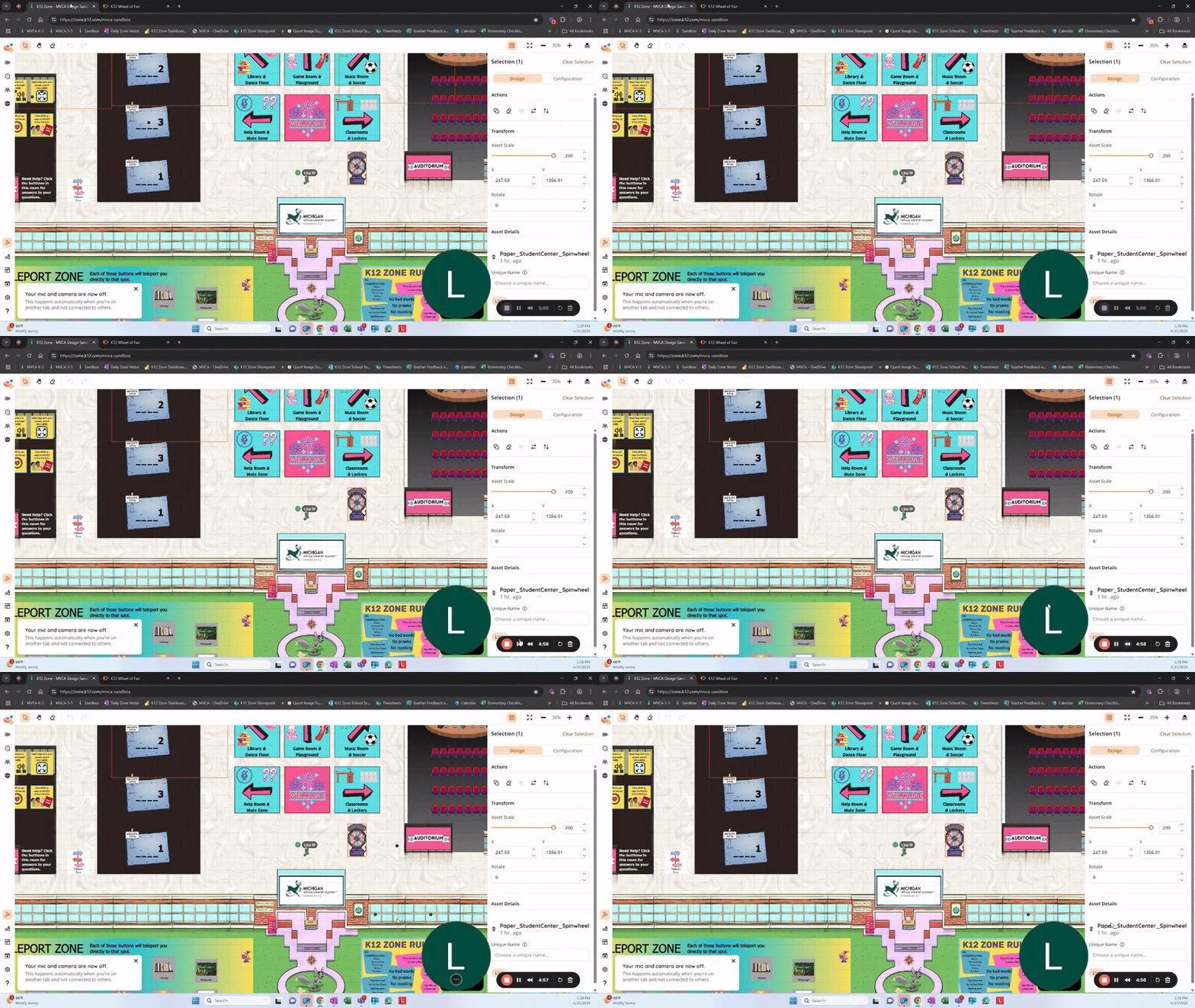
🎲 Spin Wheel Asset – Don’t miss the Spin Wheel in the asset library! Use it for random activity pickers, icebreakers, or class challenges. Check out Lisa Wilner’s great demo video for inspiration.
🎮 Fortnite Solos Showdown – The first Fortnite tournament is tomorrow (Thursday, Sept. 11 @ 6:00 PM ET) in the National Zone. Please share with your high school students who are eligible to join!
Video Overview of New Updates - Please Watch!
Wednesday, September 3rd
📈 August Wins – Huge shoutout: over 1,000 teacher classrooms created so far, plus our highest month of unique Zone users ever!
🌿 Jungle Orientation Success – In just 2.5 weeks, the new Jungle world had more visits than all four national Zones combined for August.
🏫 Sharing Resources – Jeremy’s amazing world will be saved as a scene in the library so everyone can use it. Remember: don’t reinvent the wheel — borrow, adapt, and make it yours.
🎓 Insight Schools Project – A brand-new campus with resources built for Insight schools will be shared next week. (Think of it as a template you can copy and update with your own links.)
🎤 AI Voices How-To – By popular demand, Jeremy may create a quick tutorial video on how to add AI voices to your Zones.
👏 Team Kudos – Every Zone shared so far has been incredible. Thank you for all the creativity and effort — keep the ideas flowing!
(We added the WVVA 9 - 12 zone that was showcased during the POC meeting. It is called "POC Meeting - WVVA 9 - 12)
Video Overview of New Updates - Please Watch!
Wednesday, August 27th
🎥 Required Video Before Entry – Schools can now add a required welcome video. Students must watch and confirm before entering a Zone (first entry only by default).
👥 Gather Group Tool – Instantly bring individual students (or everyone) to you, or teleport the group to a landmark.
🖥 Screenshare Access – New option allows students to request to screenshare. Teachers/Admins can approve for presentations or activities.
🌟 Friend Finder – Encourage teachers to have students edit their profiles to “Open to New Friends.” The Zone will automatically connect them with peers who share their interests. Great start-of-year activity!
🌀 Student Video Toolkit – A brand-new Smore just for students with quick how-to videos on games, tools, and rules. Please share widely!
🔗 Student Smore: Video Toolkit
🏴☠️ Treasure Hunt Zone Launches Thursday – A new adventure Zone will appear for all students. Linked with the LC Community’s new Find Friends map, and includes a raffle for 3x $100 gift cards.
🚨 Available Worlds Bug – Some classroom Zones may be showing on the Available Worlds list. If you see this, please email Nick (nhoover@k12.com). Fix is in progress.
🕓 School Zone Hours – Please double-check that your Zone’s closed world page includes correct hours. Labor Day reminder: all Zones should remain closed Monday.
Video Overview of New Updates - Please Watch!
Wednesday, August 20th
📣 Highlights from This Week’s POC Meeting
🏝 Palm Vista Classroom Templates – New 1-room and 4-room designs coming soon to the scene library.
💬 K12 Chat – Students can now DM friends/teachers directly from Canvas. National Chat (9am–9pm ET) requires consent for under 13; School Chat (8am–4pm local) does not.
🚪 Closed World Pages – Please add your Zone’s open days/times to help answer LC questions.
👥 User Drawer – Teachers now have a one-stop classroom management hub (spotlight, mic/camera controls, breakouts, safety actions).
🎥 Classroom Zone Showcase – Encourage teachers to share their Zone for a chance to earn a $50 gift card and inspire others.
📩 Newsletter Reminder – Please make sure your teachers receive the weekly K12 Zone Smore — it’s the easiest way to stay updated.
💛 Thanks for all you do — especially during these busy first weeks!
Wednesday, August 13th
📣 Highlights from This Week’s POC Meeting
🏝 New Campus Design Name – We’re calling it Palm Vista! A tropical, student-friendly space your learners will love.
🎥 Teacher Showcase is Back – Encourage teachers with awesome Classroom Zones to sign up for a short virtual walkthrough/lesson filming. The link is in this week’s newsletter.
🎮 Game Jam – Aug 27 – Middle school (6–8) National Zone students can join for Roblox games and friendly competition. Registration required; details in the newsletter.
🛠 Need Staff Training? – Email me to schedule a Zone intro or design session for your school.
🚨 Please Share the Newsletter – Stride is currently blocking S’more emails to staff. Until we fix this, please share this week’s newsletter link with your teachers so they get all the how-to videos and resources. K12 Zone Report
💛 Thanks for all you do — especially during these busy first weeks!
✨ What’s New in the K12 Zone!
The latest updates are here to make teaching, moderating, and managing your Zone easier than ever.
👻 Incognito Mode – Moderators, Managers, and Owners can now observe without being seen. Your avatar/video vanish, you’re hidden from the user list, and you can still connect with others via proximity.
👯♂️ Users Drawer – All classroom & presenter tools are now in one easy-to-access panel. Manage breakouts, view the raise hand queue, control mics/cameras, spotlight users, and more — all without leaving your current view.
🚨 Reports Drawer – Moderators can review user, message, and Gaggle reports from the last 72 hours directly in the Zone for quick follow-up.
🎥 Watch the video below to see these tools in action!
Wednesday, August 6th
🎉 We’re thrilled that so many teachers have already created Classroom Zones!
🙌 Please do us a huge favor and make sure you share the information below (how to find their zones and how to schedule in Canvas) with your teachers — if you don’t, they won’t know how to access their zones or find the resources they need to get started.
Let’s set them up for success from day one! 💡
🏗️ Create & Find Your Own Classroom or Club Zone — No Form Needed!
Teachers and staff can now build custom Zones instantly! 🎉
Just click the orange ➕ button, pick a template, name your world, and assign students.
🎥 Watch the quick how-to video below!
🔍 Important: How to Find Your Zone
New zones won’t show up on the Available Worlds page anymore (this helps keep it clean).
✅ To avoid losing track:
• Bookmark your Zone after creating it
• Or go to My Account → Worlds → My Worlds → View All from inside any Zone to find it
📌 Want your zone listed on the Available Worlds page?
Email Nick Hoover with your Zone name and purpose.
Let’s keep building great spaces for students! 💡
🎓 Accessing & Scheduling in the K12 Zone via Canvas
✅ How to Access the K12 Zone
Whether you're a teacher, staff member, or student — it's easy to access the K12 Zone from Canvas!
🧭 Two ways to get to the Available Worlds page (where you’ll see all zones open to you):
-
Direct Link:
🔗 zone.k12.com/t/auth/sso-worlds?autosso=true -
Via Canvas:
• Go to login.k12.com
• Open your Canvas dashboard
• Click Resources
• Select K12 Zone
From there, you'll see your national and school zones based on grade level and access.
📅 How to Schedule a Class in the Zone (Through Canvas)
Want to hold a live session in the K12 Zone? You can schedule it just like any other class!
Let us know if you need help finding your zone link, setting a time, or inviting students — we’re here to help!
🎥 Watch the step-by-step walkthrough video below!
🆕 K12 Zone Feature Updates: What’s New & What’s Coming!
Here’s a quick rundown of powerful new tools already live — plus a sneak peek at what’s about to launch. Share with your teachers to help them get the most out of their Zones! 🎉
✅ Now Live in the K12 Zone
🎤 Spotlight Mode
Pin a video for all students — they can’t exit or move during presentation.
🎬 Recording
Record any broadcasted session and access downloads via Dashboard.
🖐️ Raise Hand Queue
Students can raise hands to alert staff. Appears with sound + red dot in Social Hub.
🎙️ Mic & Camera Access Controls
• Disable/re-enable for individuals or all
• “Turn Camera Off” now available for quick moderation
📩 Direct Message Settings
Turn DMs on or off per world: World Settings → Messaging
🧩 Breakout Groups
Split users into groups of 5 or fewer — perfect for small group instruction.
🌐 Instant World Creation for Teachers/Admins
All school staff can now create Zones using the orange ➕ button — no request form needed!
🔴 Temporary Bans
Admins can ban students until a selected date — unbans happen automatically at midnight.
📸 Profile Images
Cameras off? Students now display their chosen profile image.
🔕 Social Alert Controls
Students can toggle off red dots & alert sounds: My Account → Social Alerts
🧠 New Scene Apps Available:
• Poll App
• Notifications App
🕒 Coming Soon – Launching Week of 8.12.25
👻 Incognito Mode
Moderators can observe invisibly:
• Avatar & video disappear
• You’re hidden from the user list
• Still connect via proximity
📌 Disabled when Breakout Mode is on
👥 Users Drawer
One-click access to all classroom tools:
• Raise hand queue
• Breakout groups
• Mic/camera controls
• Spotlight & broadcast actions
📝 Reports Drawer
Moderators will be able to review student, message, and Gaggle reports from the last 72 hours directly in-world — no Dashboard required.
Wednesday, June 18th
🎨 Summer’s Halfway Over — Don’t Miss Your Chance to Lead in the K12 Zone!
We’re halfway through summer — but there’s still time to make an impact (and earn a $50 gift card while you’re at it)! If you or someone on your team has a fun idea for students — a read-aloud, game, craft, club, or challenge — we’d love to feature it as a one-time summer activity in the National Zones.
✅ Runs in all four Zones
✅ Must be completed before summer ends
✅ You’ll receive a $50 gift card once it runs
✨ Whether you’re a teacher, counselor, coach — or you as the POC want to step in — we’re here to make it easy! Just bring your idea (even a rough one!) and we’ll handle the logistics and promotion.
💡 Not sure what to run? Try one of these quick, low-prep ideas:
-
🎤 Karaoke or music guessing game
-
📚 Read-aloud or story sketch
-
🎮 Mini game tournament (Connect 4, Race App, Quiz Race)
-
🎨 Art challenge or coloring lesson
-
🎭 Roleplay or improv activity
-
🧁 No-bake recipe or snack competition
-
🧘 Mindfulness or movement break
-
💬 Trivia hour or student-led talk show
-
🎉 Pet parade, emoji charades, or student talent show
👉 Ready to bring an idea to life? Submit it now and we’ll help make it happen!
🎬 Need inspiration?
Check out how Angel Spangler (Art Teacher, INGDA) brought her creativity to the Zone with a simple, engaging live drawing lesson — and sparked imagination in every corner.
🔧 K12 Zone Updates — Launching Tonight at 11 PM ET!
Heads up! A powerful set of Zone moderation tools is going live tonight at 11 PM ET — and Michael from the Topia team put together a must-watch walkthrough so you’re ready to use them on Day 1.
🎥 Scroll down to watch the video and get a full tour.
Here’s what’s new and coming your way:
🙋♀️ Raised Hand Feature
Students can now raise their hand in the Zone! It’s a simple, clear way to manage turn-taking during lessons or activities — and helps moderators quickly spot who wants to speak.
🎤 Microphone & Camera Controls
Moderators will now have more control during live sessions:
-
Turn off a student’s mic or camera if needed
-
Keep the space calm and focused without removing students entirely
🛑 Timed Bans (Temporary)
Need to ban a student — but only for a short period? Now you can set a specific date when the ban should automatically lift.
No need to remember to remove it later — the system will do it for you.
📄 Student Report Dashboard
You’ll now have access to all student report history in one place:
-
View reports submitted by or about a student
-
See the context and take quick action
-
Less confusion, better follow-through
🚫 Platform Bans Overview
Ever wonder who’s been banned at the platform level?
You’ll now be able to view a full list of students banned across all zones by your school — right from your dashboard.
💬 Michael’s walkthrough video below will show you exactly how to access and use each of these features.
🕓 These updates go live tonight at 11 PM ET — so feel free to preview the video now and start using the new tools tomorrow.
👇 Watch the video below and get ready for a smoother moderation experience!
🚨 Quick Classroom Button/National Zones Update
📚 Classroom Zones — Request Now!
The “Create Your Own Classroom Zone” button is still coming in July — but you can request one today! Most are ready in 1–2 weeks, and Sam from Topia will send you your custom link.
👉 Classroom Zone Request
💡 Need ideas? Watch how Carrie Quinn used ChatGPT to build her Club Zone — video below!
🌐 National Zones Are Open!
National Zones are open Mon–Fri, 11 AM–7 PM ET — and new students join July 2!
📌 Reminder: Students 12 and under need parental consent to enter.
✅ Zone Login: zone.k12.com
✅ Consent Site: www.consent.k12.com
Thanks for helping us welcome even more students this summer!

Wednesday, June 11th
💡Host a Quick Summer Activity — and Earn a $50 Gift Card!
Do you or one of your educators have a fun activity students would love? Whether it’s a trivia game, read-aloud, craft, or mini-club, we’re inviting K12 staff to lead one-time events in the National Zones this summer.
✅ Runs in all 4 Zones
✅ Must be completed before summer ends
✅ You’ll receive a $50 gift card once it runs!
Activities should be simple, student-friendly, and easy to lead — we’ll handle scheduling and promotion.
Already have an idea? Great! Even a rough draft is enough to get started.
🚨 Quick Update: Classroom Button Delay + National Access Expanded
Most schools now have access to the National Zones — students can log in and explore today! Just make sure families of students age 12 and under complete the consent form to avoid issues.
Meanwhile, the “Create Your Own Classroom Zone” button is still in progress and won’t launch until July. But good news — educators can still request a Classroom Zone the traditional way (link below)!
👉 Classroom Zone Request Form
👉 Consent Site: www.consent.k12.com
Thanks for helping your teams stay informed and ready for summer fun in the Zone!
🏫 Help Us Build the Back-to-School Zone Template!
We’re designing a ready-to-use Zone that schools can customize to welcome students, share key info, and kick off the year — but we need your help to make it great.
✅ What should every school include?
✅ What worked well in your Zone?
✅ What do you wish you had?
💬 Add your ideas (or just leave a quick comment) on the Padlet below.
📣 Please share it with any staff who might have great input — every voice helps!
👉 Let’s build something awesome — together.
🔧 K12 Zone Updates

⏳ Temporary Bans
Zone Admins can now issue temporary bans with an automatic unban on a set date. You’ll see the end date in the World Bans and Channel Bans tabs. The system removes the ban at midnight when the date is reached.

📸 Profile Images
When a student turns off their camera, their chosen profile image will now appear — replacing the default gray avatar.

🔕 Social Alerts
Students can now disable those red dots and alert sounds for messages, friend requests, and activities.
How: Click My Account > scroll down > toggle off Social Alerts

💡 Using AI to Build in the K12 Zone? Yes, You Can!
Looking for an easier way to plan and build a Zone that’s creative, organized, and impactful?
Check out how Carrie Quinn from CVA used ChatGPT to design her incredible Club Zone — from layout to interactive elements. Her process shows how AI can spark ideas, save time, and bring your vision to life faster than ever.
Whether you're new to Zone design or ready to take it to the next level, this is a must-watch.
👇 Watch the video below and get inspired to start your own AI-powered build!
Wednesday, June 4th
💡 Host an Event in the National Zones and Earn a $50 Gift Card
Have you created a fun or successful activity in your school’s K12 Zone? Bring it to the National Zones this summer! Whether it’s a quest, game, read-aloud, cooking demo, or anything else your students enjoyed — we’d love for you to share it with the broader community.
✅ Choose your own activity — live or self-paced
✅ Lead it in the National Zones
✅ Receive a $50 gift card as a thank-you
Already have teachers who would love to run something like this? Share this opportunity with them so they can earn a gift card too!
👉 Submit your event idea below.
Let’s spotlight the creativity happening in your school — and bring those ideas to students across the country.
⚠️ Quick Update: Slight Delays on Two Upcoming Launches
🏫 Schools New to the National Zones — Now Targeting June 9
If your school is new to the National K12 Zones, student access is now expected to go live Monday, June 9 (pending final setup). Schools already enrolled can continue exploring the Zones as usual.
📌 Please remind families: Students age 12 and under still need verified parental consent before logging in — even if the school has access.
✅ Helpful Links:
• Consent: www.consent.k12.com
• Zone Login: zone.k12.com/t/auth/sso-worlds?autosso=true
🧪 “Create Your Own Zone” Button — Coming Soon
We’re putting the finishing touches on the new Classroom Zone creation button — a feature that will let educators instantly create their own Classroom Zone without filling out a request form.
While we had hoped to launch this week, we’re now hoping it will be ready by Wednesday, June 11. Please keep an eye on the weekly newsletter for updates on timing and availability.
In the meantime:
• You can still request a Classroom Zone the traditional way
• Join or rewatch Zone Design 101 to get inspired and start planning ahead!
Thanks for your patience — we’re excited to bring this tool to you very soon.
🏫 WE NEED YOUR HELP: Build the Ultimate Back-to-School Zone!
We’re creating a ready-to-use Back-to-School Zone Template — and we can’t do it without your input.
This will be a customizable virtual space that schools can personalize to welcome students, introduce staff, and showcase key info during those critical first weeks of the year. But to make it truly useful, we need to know what you’d want in it.
💬 What would be helpful for your staff? For families? For students?
Would you include:
• A welcome video from your ED?
• A club spotlight?
• School policies or orientation schedules?
• A “Meet the Staff” section or counselor resources?
Drop your ideas in the Padlet below — even if it’s just one small thought.
The more voices we hear, the better this Zone will be for everyone.
📣 Please also share this Padlet with your teachers or staff who might have great ideas. We want input from anyone who knows what a great first week should feel like.
Let’s build something amazing — together.
Wednesday, May 21st
📣 Big updates in this week’s POC meeting!
The Silent Scavenger Hunt Zone is now live — featuring three no-clue, no-talking challenges and unlockable emotes! 🎯 We also rolled out smarter Silent Mode settings and fun new video backgrounds students can use to personalize their experience.
🎬 Ms. Ratzloff’s Classroom Zone Presentation is now available — feel free to share it with your teachers as inspiration for what’s possible!
🚨 And we need your help: Consent is required by June 2nd for students under 13 to access the National Zone. Please help spread the word to your Learning Coaches and staff using the ready-to-share materials included below.
🎤 Don’t forget — Talent Show winners will be announced tonight at 5 PM ET in the Auditorium! Let’s finish the year strong! 💫
Ms. Ratzloff's Presentation of her Classroom Zone
🚨 POC Action Needed:
Help Learning Coaches Complete Consent Before June 2nd
On June 2nd, all schools will be opted into the National K12 Zones—giving students nationwide access to summer activities, events, and community spaces. But students who are 12 and under will need verified parental consent in order to log in.
While teachers do not complete consent, they can be instrumental in helping families understand the process and take action.
🎯 Why this matters:
If families haven’t completed the consent form by June 2nd:
-
Students under 13 won’t be able to access the National Zone
-
Your school may receive a high volume of emails and calls asking for help
✅ How you can help:
Please share the following materials with your school’s teachers and Learning Coaches right away so they can help spread the word:
📌 What to Share:
-
A printable flyer for newsletters or email blasts
-
A short PowerPoint for Learning Coaches or LC meetings
-
A simple FAQ for answering common questions
🔗 Quick Links to Include:
-
Consent Site: www.consent.k12.com
-
How to Access the Zone: https://zone.k12.com/t/auth/sso-worlds?autosso=true
📤 Please help us ensure families complete consent before June 2nd so students can access the National Zone without delay this summer!

🌟 Talent Show Winners Announced Tonight @ 5 PM ET!
We’ll reveal 10 random student winners today at 5 PM ET in the National Zone Auditorium — each receiving a $20 Amazon gift card!
💬 Remind students to jump in and ❤️ their favorite submissions (hearts don’t impact winners — just for fun!).
👇 View & Heart the Submissions:

🧩 Silent Scavenger Hunt Zone Is LIVE!
The new Silent Scavenger Hunt Zone is now open in all National Zones — featuring three silent hunts in one immersive world.
🔇 No talking. No clues. Just exploration.
🎁 Students can unlock exclusive emotes by completing the hunts.
📍 Access it now via the National Zone portals or add it to your school zone from the Scene Library.
Let the silent search begin!

🔇 Silent Mode Update: Smoother Transitions
Silent Mode just got smarter! Now when a teacher or admin enters a zone, the prompt to turn off Silent Mode is pre-checked by default — making it quicker to switch back to interactive mode.
🎥 Watch the quick explainer below to see how it works!

🎥 New Video Backgrounds Are Here!
Students can now choose from new video backgrounds to personalize their Zone experience — either before entering or anytime in the settings menu.
🎞️ Check out the new options in the quick demo below!
Wednesday, May 14th
📣 Big updates in this week’s POC meeting! The Talent Show is live—encourage students to submit and heart their favorites on the Padlet in the Auditorium. We also rolled out the Game Console with 20 HTML5 games, now in all National Zones and the Scene Library. A Scavenger Hunt Zone launches Monday with three silent hunts and exclusive emotes. Plus, new emotes are here, and our first-ever Game Jam for grades 6–8 is set for June 11!
🎤 Talent Show – Submit + Show Some 💓

The K12 Zone Talent Show is in full swing, and we need your help encouraging students to participate!
🪄 Runs May 7–21
💸 10 random winners will receive $10 Amazon gift cards
📅 Winners announced May 21 @ 5:00 PM ET
👉 Students can submit their talents using the Microsoft Form
💖 They can also view and “heart” their favorite submissions on the Padlet
🎯 POC Action: Please encourage your students not only to submit their talents, but also to check out what others have shared and click the heart on the ones they love!
📍 Both the submission form and Padlet are located in the Auditorium in the National and School Zones.
Let’s celebrate creativity and end the year with some serious talent! 🌟
🎮 Drop In and Game On!

Looking to bring a little more fun to your zone? The all-new Game Console is here—loaded with 20 quick-play HTML5 games students can enjoy right in the Zone!
🕹️ Includes matching Game Squares to create a full gaming area
📍 Already live in the National Zones
🏗️ Available now in the Scene Library for school zones
✨ POC Tip: Add the console to a social space or student lounge in your zone—it’s an easy way to boost engagement with zero setup time.
🌟 New Emotes Just Dropped — And More Coming Soon!
This week’s emote lineup is all about celebration and expression! 🎉
👏👏🎵❗ New emotes include clapping hands, musical notes, and a bold exclamation point—perfect for reactions, performances, or just making a scene!
🐸👑👩🎤 Coming next week: a frog, a crown, and a rockstar emoji to keep the fun going!
💬 You’ll find them in your emote drawer—go give them a try!
🔍 New Scavenger Hunt Zone Launches Monday!

🚀 Just in time for National Scavenger Hunt Day (May 24), we’re dropping one of the most interactive experiences of the month!
🎯 Live Monday, May 19th in all National Zones
🧩 Students can explore three silent hunts—Space, Robot, and Bird—all packed into one epic world. They’ll need sharp eyes and clever thinking to uncover every clue!
🎁 Complete a hunt to unlock exclusive emotes
📍 A Scavenger Hunt Portal will appear in the National Zones and will also be available in the Scene Library for school zones
Let the searching begin! 🔭🛸🐦
🎮 Game Jam Alert – Grades 6–8!
Get ready for the first-ever National Zone Game Jam — an after-school gaming event just for middle schoolers! 🕹️
🗓️ Tuesday, June 11
🕞 Login by 3:30 PM EST | Game time starts at 4:00 PM EST
📍 6–8 National Zone
💻 Featuring multiple Roblox games to explore and enjoy!
This kicks off our brand-new monthly gaming series—a fun way to connect, compete, and build community.
⚠️ Students 12 or under must have a signed consent form on file to join the fun!
Wednesday, May 7th
📣 Big updates in this week’s POC meeting! The Activity Feed is now fully live in the “This World” drawer—students can teleport to active games, check out landmarks, or join big crowd zones in real time. We also shared the brand-new Game Console with 20 HTML5 games and Game Squares, now in the Scene Library. Don’t miss the three sparkly new star-themed emotes—already a student favorite! We reminded everyone to submit their End-of-Year Zone Info Form (thanks to those who already have!), and highlighted three fun video competitions: the Talent Show, Educator Reel Challenge, and Student Video Challenge are all open now with prizes on the line. Let’s finish strong and keep the energy up as we head into the final stretch! 💫
📋 Action Needed: Submit Your End-of-Year Zone Info!
As we head into the final stretch of the school year, we need just a bit of info from every POC to help us support your zones through the last day of school.
✅ Thank you to everyone who’s already submitted—you're amazing! If you haven’t yet, please take a moment to fill out the form below.
📝 What We Need:
• Your name and school
• The last day your school’s K12 Zone will be open to students
• The last day staff will be available to respond to alerts in the National Zones
• Whether you’d like the Reels competitions added to your school zones—and if so, which ones
⏳ This helps us plan for a smooth wrap-up and avoid sending alerts or features to inactive zones.
🆕 K12 Zone Product Updates – Activity Feed, Games & More!
Several exciting enhancements just dropped into the K12 Zone—now available both in the National Zones and in the Scene Library for your school zones. Here’s what’s new:

📍 “This World” Page Just Got Smarter
The This World drawer now includes a live Activity Feed, giving students real-time updates and new ways to connect:
• 🔥 Big Crowd Alerts – See where large groups are hanging out
• 📍 Landmarks – Highlight key places around your zone
• 🕹️ Games in Progress – Know when games are starting and teleport over to join in instantly

🎮 New Game Squares + Game Console
Students can now access a clickable Game Console linked to 20 HTML5 games—perfect for quick, engaging play. You’ll also find Game Squares to create gaming areas in your world.

🌟 Just for Fun: New Starry Emotes!
Three sparkly new emotes just dropped:
🤩 Star-Eyes Face | ⭐ Classic Star | ✨ Sparkle Duo
They're already a student favorite—perfect for celebrations, reactions, or just adding some extra shine to your day!
🎬 K12 Zone Video Challenges – Submit Now!
Three fun ways to show off what you love about the K12 Zone:
🎤 Talent Show (Students K–12)
• Submit a vertical video (up to 5 min) showing any talent
• 📅 Due May 21 @ 5:00 PM ET
• 🎁 10 random winners – $20 Amazon gift card
• 📍 Find signs in Auditorium (National or School Zone)
💙 Educator Reel Challenge
• Submit a 15–60 sec video about why you love the Zone
• 📅 Extended to May 16
• 🏆 4 winners by vote – $50 gift card + featured video
🎥 Student Video Challenge
• “What do you love about the K12 Zone?” (60 sec max)
• 📅 May 1–23 | 🗳️ Voting: May 26–30
• 🏆 $250 winner per grade band (K–12)
Wednesday, April 30th
📣 Big updates in this week’s POC meeting! The brand-new K12 Library is now live in the National Zones—complete with graphic novels, maker space challenges, and hidden surprises. Six new foodie emotes also dropped (pizza, pretzel, and more!). We spotlighted Lisa from MVCA for sharing amazing student how-to videos, and reminded everyone to submit to the Educator Reel Challenge before May 2. Plus, the Student Video Challenge kicks off today—signs will be up in the National Zones by tonight!
📚 Step Inside the All-New K12 Library!
The K12 Library has been completely reimagined — and it’s now live in the National Zones! This updated space brings books to life with:
✅ Grade band-specific featured books
✅ Graphic novels, read-alouds & teacher favorites
✅ Maker space challenges & an interactive art gallery
✅ Hidden games, video links, and fun surprises throughout
📍 Reminder: These features are only available in the National Zone version of the Library — make time to explore it with your students this week!

🍕 New Foodie Emotes Are Here!
Snack time just got a whole lot more fun! Check out six brand-new food emotes now in your emote drawer:
🥨 Pretzel | 🍕 Pizza | 🧀 Cheese
🥐 Croissant | ☕ Hot Chocolate | 🍦 Ice Cream
Whether you're celebrating a virtual lunch break or just feeling silly, these tasty emotes are a student favorite already!

🎥 Celebrate Educators in the K12 Zone – Two Ways to Shine & Earn $50!
📸 1. Educator Reel Challenge: What Do YOU Love About the K12 Zone?
Submit a short 15–60 second video sharing a favorite K12 Zone moment, idea, or student win!
Whether it’s a creative build or a meaningful memory — we want to hear your voice!
🗓️ Timeline
• Submit your video: April 23 – May 2
• Public voting: May 5 – 9
• Winners announced: May 12
🏆 4 Winners Receive:
• A $50 gift card of your choice
• Your video featured in the K12 Zone!
🏫 2. Already Have a Classroom Zone? We Want to Feature It!
If you have an existing classroom zone and are open to a short walkthrough or lesson being filmed, we’d love to spotlight your work. It’s quick, low-pressure, and a great way to inspire others!
🎁 You’ll Receive:
• A $50 gift card as a thank-you
• A chance to showcase your creativity before the school year ends
👉 Interested? Fill out the form below to participate!
(Only open to educators with existing classroom zones)
💡 Share Your Genius: Add to the K12 Zone Idea Padlet!
Let’s give a big round of applause to Lisa Willner (MVCA), who shared four creative student tutorials—covering everything from customizing lockers and desks to using the Social Hub and even building a random activity generator with the Spinwheel! 👏 (You’ll find all her videos below!)
Now it's your turn to shine.
We’re building a go-to collection of the most creative, practical, and fun ideas happening across school zones nationwide — and we want yours on the list.
✨ Got something cool you tried?
✨ A setup that worked great?
✨ A tip you'd share with another POC?
Drop it in the Padlet and help build a library of inspiration for everyone.
Let’s keep leveling up the K12 Zone—together. 🚀
🎥 Student Video Challenge – Coming to the National Zones Today!

By the end of the day, signs will be live in the National Zones so students can enter the K12 Zone Video Challenge!
📹 Record a 15–60 sec vertical video answering:
💬 “What do you love about the K12 Zone?”
🏆 $250 prize for one winner in each grade band (K–2, 3–5, 6–8, 9–12)
📅 Submit by May 23 | Voting: May 26–30
🎉 Winners announced: June 2 in the Zone
Let’s spotlight our amazing students and what makes the K12 Zone unforgettable! 💙
Wednesday, April 23rd
Student-requested emotes are rolling out weekly through May—including some fun and unexpected picks straight from student suggestions! 📣 The latest library refresh is underway, and Susan shared updates on new attendance tracking tools being tested with Canvas, aiming to launch by the start of next school year. Plus, more behind-the-scenes work is happening to give schools greater control over teacher zone tools. Big things ahead!
💡 Did You Know? Teleport Rules & Laptop Avatars
We’ve seen a lot of teleporting lately—so here’s a quick rundown to help you and your students navigate the Zone like pros:
🌀 Teleporting Too Close?
If a student tries to teleport while standing right next to someone, they’ll get a message that says they’re too close to move. Just take a few steps away and try again!
⏱️ Teleport Cooldown:
If a student teleports more than 5 times in a single minute using the Current Guests list or Friends list, they’ll hit a 1-minute cooldown where teleporting is temporarily disabled.
🧑💻 What's That Sitting Dragon Doing?
If you spot a student avatar sitting cross-legged with a laptop (like the blue dragon above 🐉💻), it means they’ve clicked outside of the Zone and are currently using another window or tab on their computer. It’s a great visual cue to know who’s actively engaged and who might be multitasking!


🎨 Design the New School Club Zone!
We’re building a customizable “Club Zone” that any school club—Art, Science, Drama, and more—can make their own! Help us decide what it should look like. Should it be indoors or outdoors? What features would make it fun and useful?
📚 Library Refresh + New Game Option!
We’ve launched a refreshed Library Zone template, available to all schools that requested it. The updated version will be dropped into zones on April 30 and includes monthly content like graphic novels, maker space activities, featured titles, and more!
🍣 We’re also offering to add the new Sushi Smash game to school zones—just let us know if you want it!
✅ Want us to add the Library or Sushi Smash to your zones?
Fill out the quick forms below.
🎥 Classroom Zone Showcase – Share with Your Teachers!
We’re looking for educators who already have a Classroom Zone and would be open to having a full lesson filmed before the end of the school year.
✅ Each participating educator will receive a $50 gift card as a thank-you.
📩 This is only open to educators with existing classroom zones.
Please share the application form with any teachers who might be interested!
Wednesday, April 16th
We rolled out new student-requested emotes launching weekly through May, starting with the Three Monkeys! Bridget shared her creative silent zone with themed puzzles and a welcome video—great for students who prefer a calm space. Plans are in motion for a virtual graduation walk and rotating event zones. And don’t miss the new sushi game! 🍣🎓🧩
K12 Activities for Next Week

🍣 Optional POC Activity of the Week: Sushi Smash Showdown! 🎮
Get ready to roll! Add some fast-paced fun to your Zone with Sushi Smash, our newest game in the Scene Library. Students will race to smash sushi, dodge junk food, and climb the leaderboard in this addictive arcade-style game. It’s a great way to bring energy and engagement into your POC time!
📽️How to Play Sushi Smash
📘 How to Add and Play Sushi Smash Guide

🌎 Optional Teacher Activity: Earth Day Scavenger Hunt – Coming Tuesday! ♻️
Celebrate Earth Day with an interactive scavenger hunt! Students will search your zone for hidden litter pieces—each revealing a recycling fact. Once all clues are found, they’ll answer a challenge question for a chance to unlock a brand-new emote! Choose the K-5 or 6–12 version and customize it to fit your space.
📅 Pro Tip: Make this a class activity on Tuesday, April 22 to tie it into your Earth Day lessons!
K12 Zone Updates

📣 Activity Feed Is Coming! (Anticipated Release: 4.23.25 – subject to change)
📣 Activity Feed Is Coming! (Anticipated Release: 4.23.25 – subject to change)
Students and admins will soon see a new Activity Feed tab in the “This World” drawer. This feature helps students connect more easily without needing to approach groups directly. The Activity Feed will show real-time alerts about popular zones, active games, and social hotspots.
🔔 Just like messages, students will see a red dot and hear a ding when new notifications appear.
Sample notifications include:
🔥 Big crowd alert! [Landmark Zone] is the place to be right now!
🚀 Game on! [Game Name] has started—join the fun!
⏳ Waiting for players! [Game Name] needs more players—jump in!
🥇 New High Score! Someone just crushed it in [Game Name]—can you beat them?
📌 Keep an eye out for the red dot and get ready to explore where the action is!
🕺 New Emotes Drop 4.21.25!
You asked, we delivered—four brand-new emotes are landing in the Zone based on student feedback! Perfect for expressing how you feel, celebrating wins, or just having fun with friends.

🤝 We Need Your Help!
We’re all in this together—and the best ideas come from YOU. Whether you’ve built something amazing in your school zone, hosted a successful activity, or just had a creative spark, we’d love for you to share! No need to reinvent the wheel—let’s learn from each other, celebrate what’s working, and spark new ideas across the K12 Zone community.
👇 Use the buttons below to:
-
Drop your ideas in the K12 Idea Padlet 💡
-
Share your Field Day in the Zones plans or get inspired 🎪
-
Sign up to host or co-host K12 Gaming Night 🎮
-
Submit fun, creative Gaming Night ideas for all grades 🕹️
Let’s build the Zone together—one awesome idea at a time.
Wednesday, April 9th
We shared exciting platform updates including improved mobile navigation, new emotes and mood statuses, and a helpful message history fix. The asset limit is now 2048x2048 to support smoother mobile performance. The Gaming Area is live with daily 4 PM game time, and both the Minecraft Build and Get REEL challenges are in full swing. Let’s keep the energy up as we head into end-of-year fun! 📱🎮🎭
K12 Activities for Next Week

🎯 Optional POC Activity of the Week: Spring Quiz Race – Ready, Set, Quiz! 🌸
Bring your students into the K12 Zone for a fast-paced, class-friendly competition! In the Spring Quiz Race, students will race through 8 questions, answering as quickly and accurately as possible to climb the leaderboard. It’s a perfect way to review material, promote teamwork, and add some springtime energy to your Zone time!
How to Add the Spring Quiz Race to the Zone Video
How to Add the Spring Quiz Race to the Zone Guide
📌 Optional Teacher Activity: Bulletin Board Buzz – Let Student Voices Shine! 🗣️🌟
Give your students a voice in the Zone with Bulletin Board Buzz! This interactive activity lets students respond to a custom question or prompt you set on a digital bulletin board—perfect for reflections, check-ins, or fun class polls. From "What’s your favorite memory this year?" to "How do you show kindness?", their answers appear (once approved) like sticky notes on the board.
Just drop in the Bulletin Board scene, customize your prompt, and let the conversation begin—no extra setup needed!
How to Add and Edit the Bulletin Board Video
🛠️ K12 Zone Updates – What’s New This Month?

We’ve made some awesome updates to make the K12 Zone even more student-friendly, mobile-ready, and customizable—check out what’s new!
🔗 Multiple Links on Assets
You can now add more than one link to any asset in builder mode! Add websites, games, tools, or email links all in one place.
Just go to: Configuration > Links > ➕ Add More
Note: If you only add one link, it’ll still use the old pop-up format.

📱 Mobile Experience Just Got a Glow-Up
The mobile version of the K12 Zone has been completely refreshed to make it easier for students to connect and explore:
Full-screen world entry and smoother navigation
New bottom toolbar with Messages, Social Hub, Help, and My Account
Add friends and view profiles just like on desktop
More space for avatars with collapsible connection lists
Tap-and-hold to move your avatar, and access expressions from the corner (not by tapping your avatar)
Heads up: Tapping your avatar to open expressions is now disabled on mobile.

📏 New Asset Size Limit
All uploaded assets now have a max size of 2048px by 2048px to support mobile updates.
If you see a size warning in the builder, no worries—the Topia team is replacing any oversized default assets for you.
🎭 New Mood Statuses Are Here!
We’ve added 16 new moods based on feedback from students and teachers!
From 😩 Overwhelmed and 🤞 Hopeful to 😎 Chill and 😊 Proud—there’s something for every vibe in the Zone.
💬 Message History Fix
Looking back at old convos? The system now automatically starts from the last message sent, even if it’s over 10 weeks old. No more adjusting the date manually!
🕺 New Emotes Just Dropped! 🎉
As of 4.9.25, two brand-new emotes have been added to the platform—giving students (and staff!) more ways to express themselves in the Zone.
📸 Check them out below!


🎮 New in the K12 Zone: Daily Game Time + Epic Challenges!
Game Time @ 4 PM EST – Every Weekday
Grab your crew and jump into daily Minecraft or Roblox fun in the National Zones! Students can connect in private chat rooms (up to 10 players), team up, explore, and unwind together. It’s the perfect way to game, chill, and make new friends—every afternoon at 4 PM EST.
🎯 Ongoing Competitions – Show Your Skills & Win Big!
-
🎥 “Get REEL” Video Challenge – Create a 1-minute video showing how your K12-powered school helps you discover the real YOU. One storyteller will win $250!
⏳ Deadline: June 30 @ 5 PM ET -
🧱 Minecraft Build Challenge – Design anything you’d love to see in the National Zones. Winning build gets featured in the live world!
⏳ Deadline: April 25
To enter either challenge, head into the National Zones, click the signs, and submit your entry!
Let’s make the K12 Zone the ultimate student hangout—game, build, and shine! 🌟
Wednesday, April 2nd
This Week’s K12 Zone POC Meeting
We shared key end-of-year updates, including an important form we need POCs to fill out, plus fun new Quest images for April. The Minecraft Build Challenge is officially live, and the new Gaming Area is open in all National Zones—with daily gaming hour at 4 PM ET. Let’s finish the year strong with creativity, connection, and celebration! 🎮🎓🧱
📣 Important: Final Prep for Your School’s K12 Zone
As we gear up for end-of-year celebrations, it’s essential that we know your school’s plans so we can support you with the right scenes, features, and updates in the K12 Zone.
Please take a moment to complete the EOY Activities & New K12 Zone Items Survey. Your response ensures we:
✅ Add the right elements to your zone—like the Senior Parking Lot, Grad Walk, Gaming Area, or Minecraft Build Challenge
✅ Support your events and activities with custom content
✅ Prioritize the features your school needs most
✅ Start building out ideas for future “Club” zones based on your feedback
🔧 If we don’t hear from you, we won’t know what to add—so don’t miss this chance to shape your school’s zone experience.
Let’s close out the year with zones that celebrate your students in all the right ways! 🎓🎉

🧱 K12 Zone Minecraft Build Challenge – Help Us Get Your Students Involved!
The very first K12 Zone Minecraft Build Challenge is now open, and it’s the perfect chance for students to unleash their creativity and make their mark on the National Zones.
📅 Challenge runs April 1–25
Students can head into either their school zone or the National Zone to find the Build Challenge icon and submit their creation using Minecraft Education. There's no theme—just pure imagination!
🏆 Winning build = featured in the National Zones for all to see!
📣 POC Action:
We’re counting on you to promote the challenge, get students excited, and encourage them to enter. Whether you announce it in class, post it in your announcements, or share it in homeroom—your voice makes a difference!
Let’s show off your school’s creativity on a national stage! 🚀
✨POC Picks: Awesome Ideas from Around the Zones
Looking for fresh inspiration for your school’s K12 Zone? Each week, we’ll feature real ideas from other schools that are simple, creative, and easy to bring to life in your own space!
📚 This Week’s Idea: Storytime in the Zone
Keystone School created a YouTube playlist featuring staff members reading their favorite books aloud—and now they’re bringing those stories into the K12 Zone! Students can walk through the Zone, click on signs, and hear familiar voices sharing great stories.
🎥 Don’t want to record your own? Try Storyline Online, a fantastic resource where celebrities read picture books aloud. Just drop the link into a clickable asset and you're good to go!
💬 Have a great idea to share? Click the button below to add it to our Padlet and help inspire other POCs across the country!
🚨 Important K12 Zone Updates You Should Know!
We’ve made several exciting updates to improve your Zone experience:
-
Silent Mode Interface Update: Admins will now see a new checkbox format when enabling Silent Mode, simplifying how you manage communication and access settings in your Zone.
-
Performance Enhancements: Students with slower connections will now receive prompts to switch to Low Bandwidth Mode, helping improve load times and overall stability.
-
New Look & Feel: Message layouts have been refreshed for a cleaner, more modern look—making it easier to read and interact with chat messages in the Zone.


🕒 Need to Update Your Zone Hours?
If your school currently uses CCTS agents to help monitor your K12 Zone, please use the form below to request any changes to your open/close hours. This helps us ensure consistent coverage and support for your students.
📋 Click the button below to submit your update!
Wednesday, March 26th
We didn’t have a POC meeting this week, but we’ll be back next week with an important discussion around end-of-year activities in the K12 Zone. Please come prepared to share at least one activity you plan to do with students in the Zone before the school year ends. Also, two exciting updates: the Senior Parking Lot and the 2025 Senior Walk have officially been added to the Scene Library and are ready to use! The puzzle has also been added to the scene library, and I included the directions on how to update the puzzles.

Senior Parking Lot

2025 Senior Walk

🌞 Summer & Fall PD Opportunities
As you begin planning for summer and fall professional development, we’d love to be included in any sessions involving the K12 Zone. Whether it’s a quick overview or a hands-on training, we’re happy to support teachers in:
-
Learning how to edit and personalize their Zones
-
Brainstorming ways to use the Zone for instruction and engagement
-
Exploring best practices for incorporating the Zone into daily learning
Let us know if we can be part of your PD plans—we’re excited to support your teams!
💡 New Idea: K12 Zone Elective Course for Students
We also wanted to share a creative idea that one school recently proposed: launching a K12 Zone elective course for students! In this course, students would:
-
Learn how to edit the Zone
-
Create custom scenes and assets
-
Support with Zone monitoring and engagement
This could be a great way to build student ownership, teach design and digital skills, and help staff manage their Zones more efficiently. If your school is interested, we’d be happy to help train students in the elective course on how to use the Zone editing tools.
K12 Activities for Next Week

🎯 Optional POC Activity of the Week: April Fools' Quest – Find the Signs! 😄
Students will explore the K12 Zone to find hidden “April Fools” signs scattered throughout the world! With limited signs to collect each day and a live leaderboard, it’s a fun and fast-paced scavenger hunt that encourages daily engagement.
📌 Reminder: Make sure your quiz game is updated before April 1st to ensure students can participate fully in the Zone activities!

🕹️ Optional Teacher Activity: Game Guru HQ – Rate the Zone’s Greatest Games! 🎮
Teachers, invite your students to step up to the arcade and become official Game Gurus! In this quick and interactive activity, students will visit the in-zone arcade machine and share their thoughts on the games available in the K12 Zone. Their feedback helps shape what games we keep, upgrade, or add next. No setup required—just drop in the Game Guru HQ asset and let the feedback flow! What will be crowned the ultimate fan favorite? 🏆🎯
How to Add Game Survey in Zones Video
How to Add Game Survey in Zones Guide🧱 K12 Zone Minecraft Build Challenge – Coming April 1st! 🎮

We’re excited to launch the Minecraft Build Challenge in all National Zones on April 1st! This challenge invites K–12 students to design creative structures in Minecraft Education for a chance to have their builds featured in the K12 Zone. 🏆
📢 How You Can Help:
-
Drop the Asset in Your Zone: Add the scene to your own zones. It can be found in the scene library.
-
Spread the Word: Encourage students and families to participate!
🗓️ Challenge Dates:
April 1st – April 25th
Let’s inspire students to build something amazing! 🚀
Updated Zone Admin Permissions!

Wednesday, March 19th
K12 Activities for Next Week

📜 Optional POC Activity: Hall of Legends – Honor Your Peers! 🏆👑
Students can celebrate their classmates by nominating them for the Hall of Legends! By visiting the Great Hall, they’ll find a banner where they can click to add a peer’s name to the Padlet. Whether someone was kind, creative, or a great teammate, this is a chance to recognize them!

🛡️ Optional Teacher Activity: Knighted by Knowledge – Honor Your Teachers! 👑
Teachers, bring your students into the Throne Room and let them take part in a royal ceremony! In this interactive activity, students will nominate their teachers for knighthood by bestowing them with a legendary title on the Hall of Legends Padlet. With no setup required, this quick and engaging activity encourages student appreciation and community-building. Who will be honored as the Wisest Wizard, Bravest Mentor, or Funniest Knight? 🏆✨
Link to Duplicate Padlet🎊 So Many Ways to Celebrate in the K12 Zone! 🎊
The school year is almost over—let’s celebrate! Here are a few ways to wrap up the year in the K12 Zone:
💡 Senior Parking Lot – Decorate and share a digital parking space!
🎓 Graduation Walk – Upload senior photos, baby pics, and college logos.
🕺 Spring Dance – Dance floor, music, photo booth, and games!
🔎 What’s your school planning?
Do you need ideas? Need help setting something up? Already have an event planned?
✨ Challenge: Try hosting one before the year ends!
Let’s make the end of the year unforgettable! 🚀


🚀 K12 Zone Trainings: Learn, Design & Build! 🚀
📚 K12 Zone 101 & Beyond for Teachers
New to the K12 Zone? This introductory training gives teachers a guided tour, explores interactive features, and provides tips on how to customize and edit zones to foster student engagement.
🎨 K12 Zone Design 101
Ready to take your K12 Zone to the next level? This hands-on session teaches you how to edit, customize, and enhance your zone for a more interactive experience. Topics include:
✅ Adjusting layouts & world settings
✅ Placing & modifying objects
✅ Best practices for student engagement
📅 Tuesdays at 2:00 PM CST (Week 1) | 3:00 PM CST (Week 2)
🔗 Register for 2:00 PM CST Here
💬 K12 Zone Office Hours – Every Friday at 11:00 AM CST
Have questions? Need help troubleshooting or designing new features? Drop in for personalized support from K12 Zone experts!
✨ Sign up today and level up your K12 Zone skills!
Wednesday, March 12th
K12 Activities for Next Week
📖 Optional POC Activity: Medieval Virtual Field Trip – Step Back in Time! 🏰
Students can travel through time and explore Europe in the Middle Ages with this immersive virtual field trip! By visiting the fruit stand in the Town Center, they’ll unlock a guided experience through medieval castles, villages, and historical landmarks. This engaging activity brings history to life and allows students to see the world as it was centuries ago! 🌍⚔️✨
🛡️ Optional Teacher Activity: The Quest Challenge – A Race Through the Realm! 🏰
Teachers, bring your class into the K12 Zone and let them embark on an exciting quest challenge! Students will race to find a hidden quest item, testing their navigation skills and competing to climb the leaderboard. With no setup required, this quick and engaging 5-10 minute activity encourages exploration, friendly competition, and fun! Who will complete the quest first? ⚔️✨
🔍 Real-Time Insights! The New Content Moderation Dashboard is Here! 🔍
A new Content Moderation Dashboard has launched in Qualtrics, providing real-time insights and a ticketing system for managing content moderation incidents. This replaces the previous Power BI dashboard, though the old system will still be available for reference.
✅ Track and manage incidents efficiently
✅ Filter data by warning type, platform, and more
✅ Easily follow up on open tickets
📌 Need help getting started? Check out the Content Moderation Dashboard Guide and Video Walkthrough for step-by-step instructions.
✨ Log in today and explore the new dashboard in Qualtrics!
🌟 Product Update: Link Sharing for Teachers & Admins! 🌟

Exciting news! Teachers and Admins can now share links in the Everyone in World Chat Channel to make communication even easier.
🔗 What’s New?
✔ Teachers/Admins can now post links for students to access resources, activities, or announcements.
✔ More updates coming soon—link sharing in Direct (1:1) and Group Messages is on the way!
❗ Important Note:
🚫 Students still cannot share links or upload images—this feature is for Teachers/Admins only.
📚 K12 Zone How-To Guide: Your Go-To Resource! 🎥
Looking for step-by-step instructions on using the K12 Zone? Check out the K12 Zone How-To Smore, a growing collection of videos and guides to help you navigate, customize, and make the most of your zone!
🔹 New videos and guides will be added regularly
🔹 Need a specific tutorial? There’s a link on the Smore where you can suggest a how-to video that would be helpful!
Explore the guide and keep checking back for new updates! 🚀
🛠️ K12 Zone Editor Practice Guide: Unlock Your Zone’s Potential!
Want to learn how to edit and customize your K12 Zone like a pro? The K12 Zone Editor Practice Guide is a comprehensive step-by-step resource that walks you through everything from moving objects and adding links to creating private zones and uploading assets!
📌 Why Check It Out?
✔ Covers everything you need to know about Builder Mode
✔ Perfect for staff interested in editing or expanding their Zone
✔ Great resource to share with others who want to do more!
🚀 K12 Zone Trainings: Learn, Design & Build! 🚀
📚 K12 Zone 101 & Beyond for Teachers
New to the K12 Zone? This introductory training gives teachers a guided tour, explores interactive features, and provides tips on how to customize and edit zones to foster student engagement.
🎨 K12 Zone Design 101
Ready to take your K12 Zone to the next level? This hands-on session teaches you how to edit, customize, and enhance your zone for a more interactive experience. Topics include:
✅ Adjusting layouts & world settings
✅ Placing & modifying objects
✅ Best practices for student engagement
📅 Tuesdays at 2:00 PM CST (Week 1) | 3:00 PM CST (Week 2)
🔗 Register for 2:00 PM CST Here
💬 K12 Zone Office Hours – Every Friday at 11:00 AM CST
Have questions? Need help troubleshooting or designing new features? Drop in for personalized support from K12 Zone experts!
✨ Sign up today and level up your K12 Zone skills!
Wednesday, March 5th
This Week's K12 Zone POC Meeting
In this session, we showcased an incredible POC-led presentation on customizing school zones, followed by an exciting introduction to the new Art Club in the K12 National Zone, led by one of our talented K12 Zone interns. The Art Club is designed to provide students with a stress-free, creative outlet where they can freely express themselves without worrying about supplies, grades, or pressure—just fun and community. If you're interested in getting students involved, stay tuned for the first meeting details and help spread the word!
K12 Activities for Next Week
📖Optional POC Activity: "Tales of the Kingdom" – A Castle-Themed Reading Adventure! 🏰
In Tales of the Kingdom, students step into the role of the Royal Librarian, tasked with curating the greatest book collection in the land. Venturing into the grand Castle Library, they choose a legendary book worthy of a place on the royal shelves and share their selection with fellow scholars. By contributing to the kingdom’s growing literary archive, students celebrate the magic of storytelling while honoring National Reading Month! 📖🏰✨
Link to Duplicate Padlet: Click to Make Your Own Padlet
📜Optional Teacher Activity: Quiz Race
In Quiz Race, students become daring competitors in a fast-paced knowledge challenge, racing through the K12 Zone to answer quiz questions as quickly and accurately as possible. Whether tackling castle-themed trivia or custom questions on math, science, and literature, students sharpen their skills while embracing friendly competition. With the leaderboard tracking their progress, who will claim victory and become the ultimate Quiz Race champion? 🏁📚✨
⏰ Important Reminder: Daylight Savings & Spring Break Updates!
This Sunday is Daylight Savings Time, so please double-check your K12 Zone open and close times to ensure they are accurate. ⏳
Additionally, it's crucial that we have your school's Spring Break dates so we can temporarily remove your school from the National Zone. If your school remains in the National Zone during break and an alert occurs, your school will still be notified. 📅 Please review the attached document and confirm your Spring Break dates as soon as possible. Thank you for helping us keep the K12 Zone running smoothly! 🚀
🔍 Chaperone Mode vs. Silent Mode: What’s the Difference?
🛡️ Chaperone Mode is an always-on safety feature in K12 Zones that automatically enables Silent Mode when no moderator is present. This ensures students can still explore, play games, and view content—but all communication (audio, video, and chat) is completely disabled.
🔇 Silent Mode itself is a temporary setting that moderators can manually turn on or off while in the world. If all moderators leave, Silent Mode automatically reactivates to prevent unsupervised student interactions.
In short: Chaperone Mode guarantees Silent Mode is always enabled when a moderator isn’t present, while Silent Mode can be toggled manually when needed. 🚀
✨ The Magical Portal to the National Zones! ✨

We’ve created a Magical Portal that will transport students from their school zone directly to the National Zones to answer the daily riddle! 🏰🌀
🔹 There are four versions of the portal—one for each grade band—so POCs should ensure they add the correct one to their school zone.
🔹 Once placed, the portal works automatically—no extra setup required!
🔹 Important: The portal will only function if the school has opted into the National Zones.
🔹 Return trips? Not this time! Students won’t be able to teleport back to their school zones, as this would require 240 unique portals in the National Zone.
✨ Add the portal, let the magic happen, and watch students race to solve the daily riddle for a chance to win! 🏆💡
Other Helpful Resources!
🌟 POC & School Shoutouts!
Erin Wermeling (WIVA) created an incredibly helpful video tutorial showcasing how she customized her school zone to enhance engagement. 🎥✨

Heather McFarland (LAVCA) took Prom King & Queen voting digital by seamlessly moving it into the K12 Zone, making the experience more interactive for students. 👑🎉

Krista Wyatt (GWUOHS) is hosting a Poetry Slam & Wicked Sing-Along while incorporating SEL strategies into a fun scavenger hunt during Homeroom Huddle. 🎤🎶🔎
Angella Lake & Jake Myers (TVAH) transformed their classroom zones into immersive, subject-focused spaces, including an elementary beach retreat, a middle school 80s throwback, and a high school Dungeons & Dragons adventure to better support struggling students. 🏖️🎸🐉


Elizabeth Bailey (TVAH) added a testing confirmation reminder to her zone, linking directly to a Quick Reference Guide for families to easily confirm testing. ✅📢
Lisa Willner (MVCA) wowed everyone in our POC meeting with her incredibly organized and customized school zone, inspiring fellow POCs with new ideas. 🏫✨

Karen Bacon (OHVA) created a virtual coffee shop in her classroom zone, providing special education students with real-world life skills as they take on the role of baristas. ☕👏
We love celebrating the amazing things happening in your school zones! 🎉 If you have a creative event, innovative idea, or exciting update, share it with us so we can feature you in the next newsletter and inspire others across the K12 Zones! 🚀💡
Wednesday, February 26th
This Week's K12 Zone POC Meeting
K12 Activities for Next Week
Optional POC Activity For The Week
📖Optional POC Activity: Castle Quest: The Secret Word
In Castle Quest: The Secret Word, students become brave castle explorers, working together to uncover hidden clues scattered throughout the majestic Castle World. As they search for letters tied to iconic castle-themed items, students practice problem-solving and collaboration. The ultimate challenge? Unscrambling the letters to reveal a secret word and restore the Royal Crown to its rightful place—completing their quest and saving the kingdom!
Link to Duplicate Form: Click to Make Your Own Form
Optional Teacher Activity for the Week
📜Optional Teacher Activity: A Castle Mystery: Find the Royal Crown
In A Castle Mystery: Find the Royal Crown, students become royal explorers, navigating the majestic Castle World to uncover hidden clues and solve a thrilling mystery. As they journey through towers, kitchens, dungeons, and grand halls, students collaborate to locate the missing Royal Crown and restore it to the throne—saving the kingdom in the process!
Where do the clues go:
Clue #1: Middle of the castle where students drop in
Clue #2: In the room in the castle with all the food
Clue #3: Down by where the meat is hanging in the village
Clue #4: This should go in the dragon's cave or by it
Clue #5: By the telescope
Clue #6: By the King
K12 Moderation Tools


Wednesday, February 19th
K12 Activities for Next Week
Optional POC Activity For The Week
📖Optional POC Activity: Fact Finders: History Edition
Students become history detectives by researching key historical figures and events to uncover fascinating facts. This activity encourages critical thinking and collaboration as students share their discoveries with classmates.
Optional Teacher Activity for the Week
📜Optional Teacher Activity: History's Hidden Heroes: Clue Quest
Students explore the K12 Zone to find clues about lesser-known historical heroes. After gathering clues, they test their knowledge through a fun Kahoot game or Microsoft Form, deepening their understanding of impactful figures in history.
Microsoft Form - If you don't want to use Kahoot
New World Preview: Timeless 9 Equity

🌟 Sneak Peek: Timeless 9 - Equity Zone Preview! 🌟
Here's a sneak peek of our newest world, Timeless 9, featuring the Equity Zone. Focused on proportional equality among all groups in society, we’re working hard to have it ready for K12 POCs to preview in the scene library starting Monday. We’ll keep you updated!
OVCA K12 Zone Training World
✨ Discover How OVCA’s Jessica Bishop Built an Engaging K12 Zone for Teacher PD! ✨
Check out how Jessica Bishop from OVCA designed an interactive K12 Zone to train and inspire teachers. From creative Nearpod integration to customized virtual experiences, Jessica shares tips and tools that make the K12 Zone a dynamic space for professional development. Watch the video to see how you can bring these ideas to your own school zone! 🚀🎮📚
Resources:
K12 Zone Comprehensive Training Guide - SO HELPFUL!
This Week's K12 POC Meeting
K12 Activities For the Week
Optional POC Activity For the Week
Optional Teacher Activity for the Week
📝 Optional Teacher Activity: K12 Zone Feedback Survey
Link to Duplicate K - 5 Survey
Link to Duplicate 6 - 12 Survey
K12 Weekly Newsletters
New Features, Activities, and Meetings
User Sessions Tab Updates (to support attendance) - Available Now
We updated the User Sessions tab in the dashboard to include some additional information. Managers of the zone can now see how long a student stayed in the zone and what time the student left.
To see the attendance information:
Log into the zone
Click on the Settings icon in the lower left corner
Click “User Sessions” (the dashboard will open in a new tab)
You will now see three new categories: Join Time, Leave Time, and Duration.
Note: Use the date and time picker in the upper right to adjust the date range.
If you are already logged into the dashboard:
Click on the Worlds tab on the left in the range column
Find the world you would like to view and click on the “View Details” icon under the actions column
You will now see three new categories: Join Time, Leave Time, and Duration.
Chaperone Mode - Tuesday, Feb. 25th
Connectivity in Zones (audio, video, chat) is automatically disabled if no Moderator is present, displaying a "Communication Limited in the World" message to students. Connectivity is restored when a Moderator enters and disabled when they leave, while Admins can choose to enable or keep it off upon entry.


Castle World in all Zones - Monday, March 3rd
We will be dropping the Castle World into all zones on Monday, March 3rd with new avatars.
Classroom Zone Feedback Session - Monday, March 3rd 2:30 - 3:30 (EST)
We have scheduled a feedback session with all of the teachers who requested a classroom zone. They should have already received an invite.
Optional K12 Zone Trainings
Teachers - K12 Zone 101 & Beyond for Teachers
📌 K12 Zone 101 & Beyond for Teachers is a weekly interactive session designed to give teachers a guided tour of K12 Zones and help them see the possibilities for their classrooms.
Why Should Teachers Attend?
✅ Discover what K12 Zones are and how they work
✅ Explore interactive features that engage students
✅ See real examples of Zones in action
✅ Perfect for new & experienced users alike!
📅 When? Every Thursday @ 3:00 PM (CST)
📌 Register here: [Registration Link]
Topia Office Hours - Join Us!
💡 Topia Office Hours – Join Us!
Have questions? Need help? Want to build something cool?
🗓️ Fridays at 11:00 AM CST – Open support, brainstorming, and building time!
📌 Check your calendar – POC should already have an invite!
Classroom Zones
Teaching in the K12 Zone: Interactive Activities for Learning
🆕 Teaching in the K12 Zone: Matching Game
Looking for a way to make learning more interactive in the K12 Zone? Try a Matching Game! Educators can create custom games to reinforce key concepts across subjects:
📚 ELA – Match vocabulary words to definitions.
🔢 Math – Pair equations with correct answers.
🌎 Social Studies – Connect states to capitals or events to dates.
🧪 Science – Match elements to symbols or animals to habitats.
🗣️ Languages – Pair words with their translations.
💡 Want to get started?
Meeting Recordings
February 12 - New Features Focus
K12 Zone Weekly POC Meeting - 2_12.mp4
February 5 - Work Session
K12 Zone Weekly POC Meeting-20250205_130055-Meeting Recording.mp4
K12 Zone FAQ: Building a Classroom & Managing Space in the Zone - word document
January 30 - Teaching in the K12 Zone Focus
K12 Zone Weekly POC Meeting-20250130_130045-Meeting Recording.mp4
January 22 - CRE/CTE & Career Center Focus
K12 Zone Weekly POC Meeting-20250122_115940-Meeting Recording.mp4
Career Readiness in the Zone - PowerPoint
Career Readiness in the Zone - PDF
K12 Zone Career Fair Guide - PDF
January 14 - Counseling Zone Focus
Meeting Recording password: 2j$9pQ5$
Optional School Activities
Valentine's Day Virtual Escape Room - 2/6 & 2/13 emailed
How-to Video - https://www.youtube.com/watch?v=FC8Yzt7sdQw
Step-by-step directions - link
Link to Responses - link
National Park Scavenger Hunt - 2/13 emailed
How-to Video - https://www.youtube.com/watch?v=lvFOc9jqq5Y
Step-by-step Directions - Adding & Setting Up the National Park Scavenger Hunt.docx
Fast Friends Activity - 2/3 emailed
How-to Video - https://www.youtube.com/watch?v=Dk39Oa2n38g
Step-by-step Directions - link
Space Scavenger Hunt - 1/27 emailed
How-to Video - https://www.youtube.com/watch?v=AKbic0Oyz0I&feature=youtu.be
Step-by-step Directions - link
'Dream" Wall with MLK Student Responses - 1/23 emailed
How-to Video - https://www.youtube.com/watch?v=5CzXVY_TaoI
Step-by-step Directions - link
Canva template for wall - link
MLK Scene - 1/22 emailed
How-to Video - Updated How To Add the MLK Jr. Scene to Zone.mp4
Step-by-step Directions - link
Duplicate the MLK Jr. Form - link
linked to Stone Steps - https://www.youtube.com/watch?v=JBhCd9GYbqk
linked to Tree - https://www.youtube.com/watch?v=ALQeX7IFBcg
Optional Teacher Activities
Heart Hunt Challenge - 2/6 & 2/13 emailed
How-to Video - https://www.youtube.com/watch?v=atryOgWsy7c
Step-by-step directions - link
Teacher lesson plan - link
Teacher lesson plan feedback - link
K12 Zone Feedback Survey - 2/13 emailed
How-to Video - https://www.youtube.com/watch?v=jeCuWLVbhyk
Step-by-step directions - Student Survey Activity in the K12 Zone.docx
Teacher lesson plan - K12 Zone Student Feedback Survey.docx
Teacher lesson plan feedback -link
Link to duplicate K-5 Survey - link
Link to duplicate 6-12 Survey - link
Customizing Student Desks - 2/3 emailed
How-to Video - https://www.youtube.com/watch?v=Zu_OVrU9azQ
Step-by-step directions - link
Teacher lesson plan - linkTeacher lesson plan feedback - link
Feedback on Four New Avatars - 1/27 emailed
How-to Video - https://www.youtube.com/watch?v=RlZqMYk18-U
Step-by-step directions - link
Teacher lesson plan - link
Teacher lesson plan feedback - link
Profile Customization - 1/22 emailed
How-to Video - How To Customize Your K12 Zone Profile.mp4
Step-by-step directions - link
Teacher lesson plan - link
Teacher lesson plan feedback - link
Past National Zone Weekly Activities
Overall How to Guides
Click on the links to view the videos
Editing the Zone
How to Edit the Zone Part 1 - Topia
How to Edit the Zone Part 2 - Topia
Scenes
How to Create a Scene in a Sandbox
How to Create a Scene using Canva
Embeding videos
Easy Way to Embed a YouTube Video
Virtual Field Trips
How to Find Virtual Field Trips in the Scene Library - video
How to Find Virtual Field Trips in the Scene Library - word document
Scenes within the K12 Zone
Additional Resources
Teacher, Moderator, Staff, & Admin
Book time to meet with Nicholas Hoover
Request Forms
Request a Classroom World - form
Request a Sandbox or New World - smartsheet
Stride Sites
Training
K12 Zone 101 and Beyond Meeting Registration
K12 Zone Editor Practice Guide - word document
K12 Zone Keyboard Shortcuts - PDF
Teaching In the K12 Zone
K12 Zone FAQ: Building a Classroom & Managing Spaces in the Zone - word document
Using K12 Zone for a Class Session - word document
Setting up Jump Rooms for the K12 Zone
Student, Parent, or LC Resources
TVAH 9th Grade Academy K12 Zone Smore - Amanda Burdick
Intro to the K12 Zone - student view
Parent Consent FAQ - PDF
Student Engagement Ideas
General
Easy Activities List in the K12 Zone - word document
Reward Days in the K12 Zone (INDLS)
Story Time in the K12 Zone (OHVA)
Winter Around the World (LSOA)
3 Ingredients Live Cooking Class (OHVA)
Holidays and Special Events
African American History Month in the K12 Zone
Websites
60 Free Fun Virtual Field Trips - KidPilla
260+ Field Trip Ideas for Grades PreK-12 (in-person & virtual)
44 Captivating virtual Field Trips to Explore from the Classroom
25 Virtual Field Trips for your Classroom - Ditch That Textbook